
Your suggestions
Your suggestions lists every bug and idea you've sent, with where each one stands.
What this page does
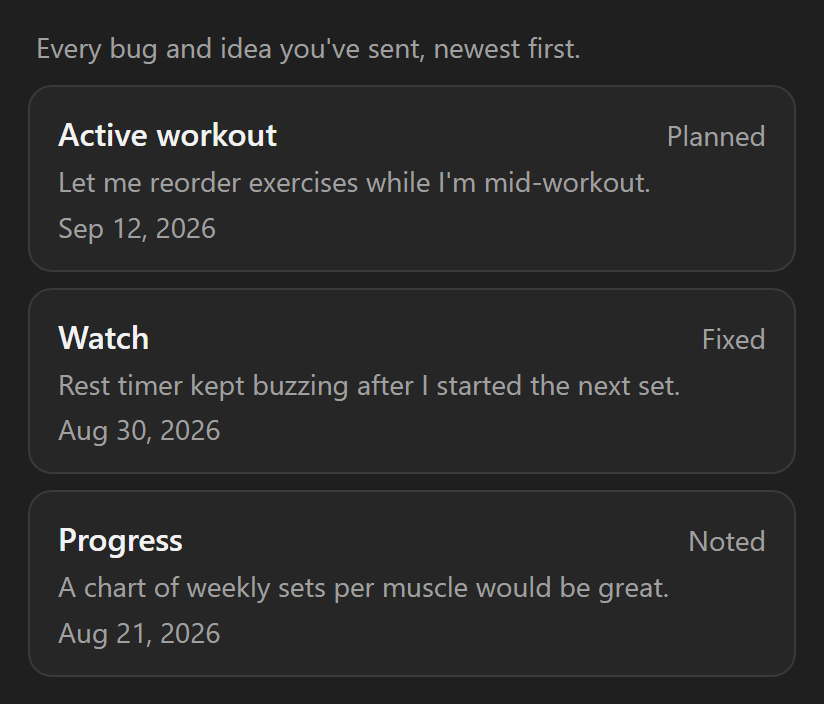
It lists your own feedback reports, newest first. Each card shows:
- The area of the app you picked.
- What you wrote.
- The date you sent it.
- A plain-word status.
What the statuses mean
- Noted: we've read it.
- Planned: we intend to build it.
- Fixed: it's in the app.
Step by step
- Open Settings, then About & support.
- Tap Your suggestions.
If you haven't sent anything yet, the page says so. Send feedback from the About page and it shows up here.
Good to know
- This list is part of the paid coaching plan. It opens once you're signed in with coaching unlocked.
- With coaching off, the page shows two example reports, grayed, with "Part of Coaching" on top. They are not yours.
- Sending a report never requires that. Send feedback stays open to every signed-in account, whatever your plan.
- Nothing you've sent is ever lost. A locked or signed-out account can't read the list back until coaching is on and you're signed in.
Related: Send feedback, About & support.