Send feedback
Tell us what's wrong or what you'd change. We read every report.
What this page does
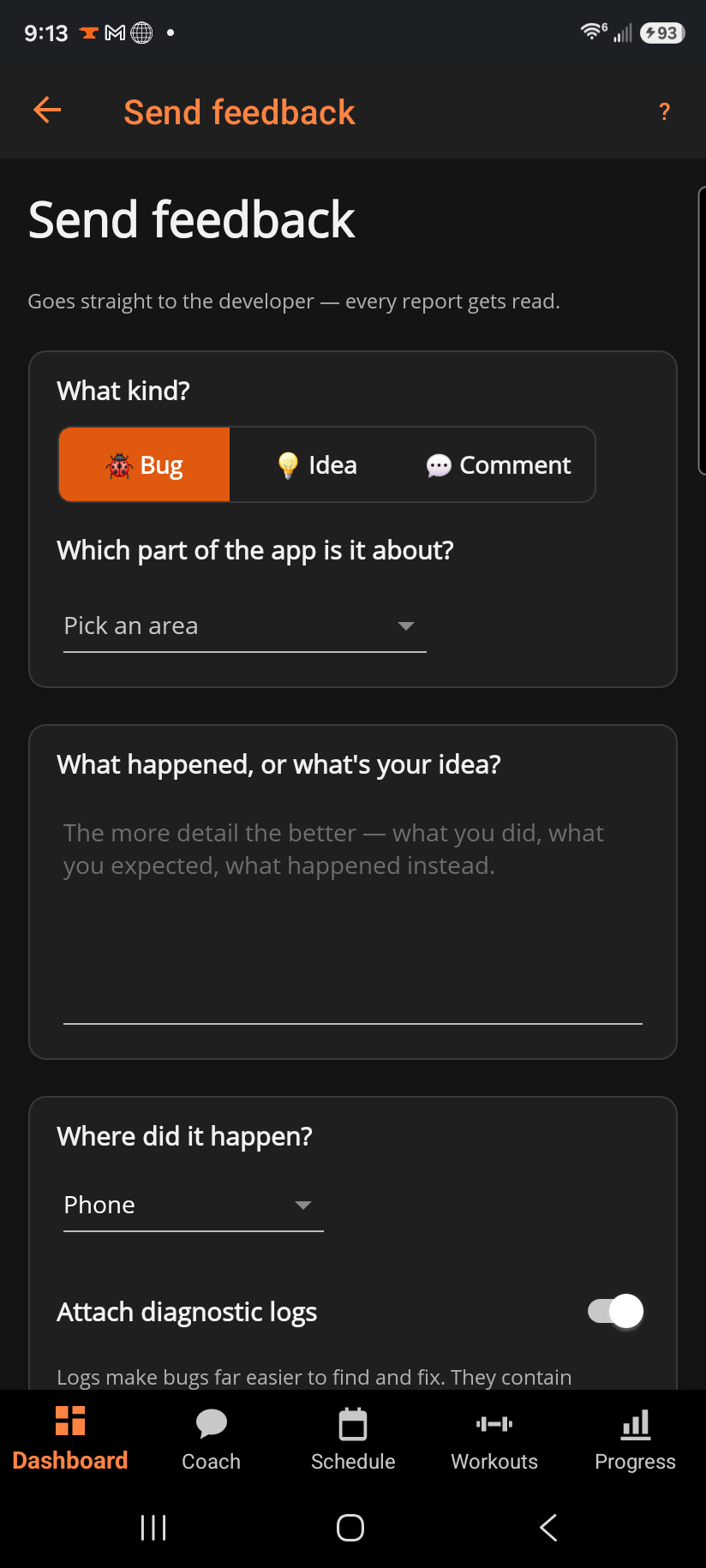
A structured form: pick what kind of feedback it is and which part of the app it's about, write what happened (or what your idea is), and for bugs, optionally attach a diagnostic log to make it far easier to track down.
Step by step
- Choose 🐞 Bug, 💡 Idea, or 💬 Comment.
- Pick the area it's about (Dashboard, Coach, Schedule, Workouts, Active workout, Progress, Settings, Watch, Sync & account, Pricing, or Other) — this is how reports get automatically sorted.
- Write what happened, or what your idea is, in the message box. The more detail — what you did, what you expected, what happened instead — the easier it is to act on.
- For a bug, pick Where did it happen? (phone, desktop, watch) and decide whether to Attach diagnostic logs.
- Tap Send.
Good to know
Diagnostic logs contain workout activity, timestamps, and error details — never your password or sign-in tokens — and they make bugs far easier to find and fix, so leaving the switch on is the fastest way to get a fix. Reports are limited to 10 per hour per account, which only matters if you're sending a flood of them at once.
Related: Your suggestions, About & support.