
Strength score
Every muscle region we benchmark, strongest first, with a chart of your own trend over the last 12 weeks.
What this page does
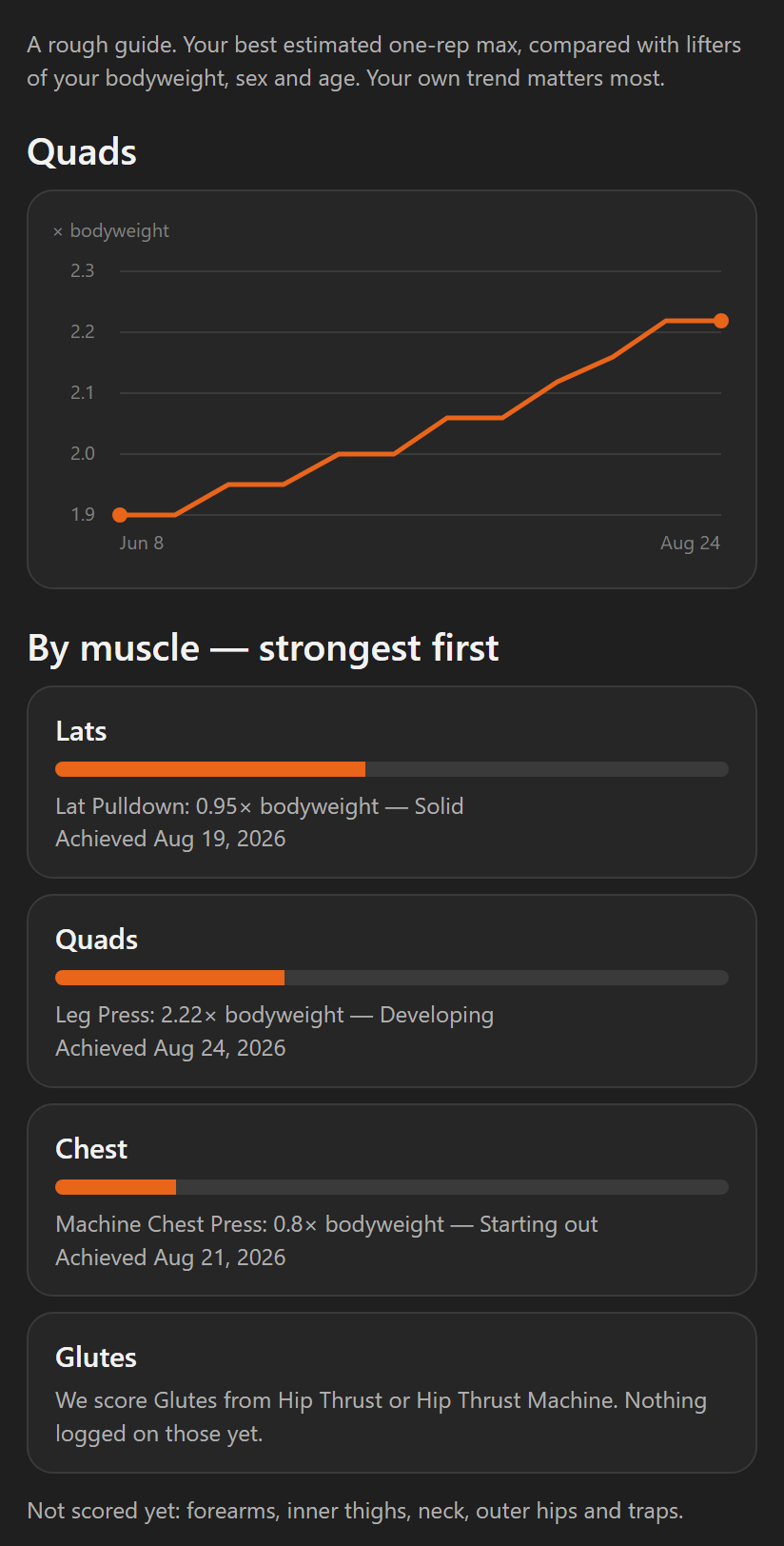
Each row is one muscle region.
- A region we can score shows a band bar and a one-line read, like Leg Press: 2.22× bodyweight — Developing.
- Under it is the date you achieved that best.
- A region we can't score yet shows a short note saying why.
- Rows are ordered strongest first. Anything we can't score yet sits below your scored regions.
Step by step
- Open Progress, stay on Trends, and find Strength by muscle. Tap View all.
- Tap a region to load its chart at the top of the page.
- Read the chart as your ratio to bodyweight, week by week, over the last 12 weeks.
A region with fewer than two scored weeks in that window shows a short note instead of a chart. That is expected for a region you have only recently started training.
When a row has no band
The note under an unscored region says what it needs.
- It may name lifts: "We score Glutes from Hip Thrust or Hip Thrust Machine. Nothing logged on those yet."
- Those are the lifts our bands are written against, and you have not logged either.
- A differently named version of the same lift still counts. A wide-grip barbell bench press scores against our Barbell Bench Press bands.
- It may ask you to log your bodyweight. The score needs a weigh-in near your sets.
Training the muscle another way still counts for everything else in the app: volume, recovery and progressive overload. It just isn't the lift this one score is measured on.
Neck, traps, forearms, inner thighs and outer hips are never benchmarked. They are named once in a Not scored yet line at the bottom instead of taking a row each.
Why the line can step down
For any one lift, your bodyweight ratio can only hold flat or climb.
- It is a best-to-date figure. A bulk, a deload or a lighter week can never make a past week look worse than it was.
- The chart follows the lift that scores you highest.
- If that lift changes, the line can step down.
- A 1.2× bodyweight leg extension can score higher than a 2× bodyweight leg press without being the bigger number.
Your band never goes backwards.
Good to know
Strength score is part of coaching. With coaching off, the page shows a grayed example with "Part of Coaching" on top. The numbers in it are not yours. Nothing is lost. Your own read comes back when coaching is on.
Related: What is the Strength Score?, Progress — Trends.