Picking an exercise
You'll reach this screen from two places — building or editing a routine, and tapping + Add exercise mid-workout — and it works the same way either time.
You land on Select a muscle group: tap one, then a movement (press, fly, row…), then the equipment (dumbbell, machine, cable) to reach a short list of matching exercises. Each step is a few buttons, not one long alphabetical list, and the heading shows where you are, such as "Arms › Curl · select equipment". The back arrow at the top, or your phone's back gesture, steps up one level at a time.
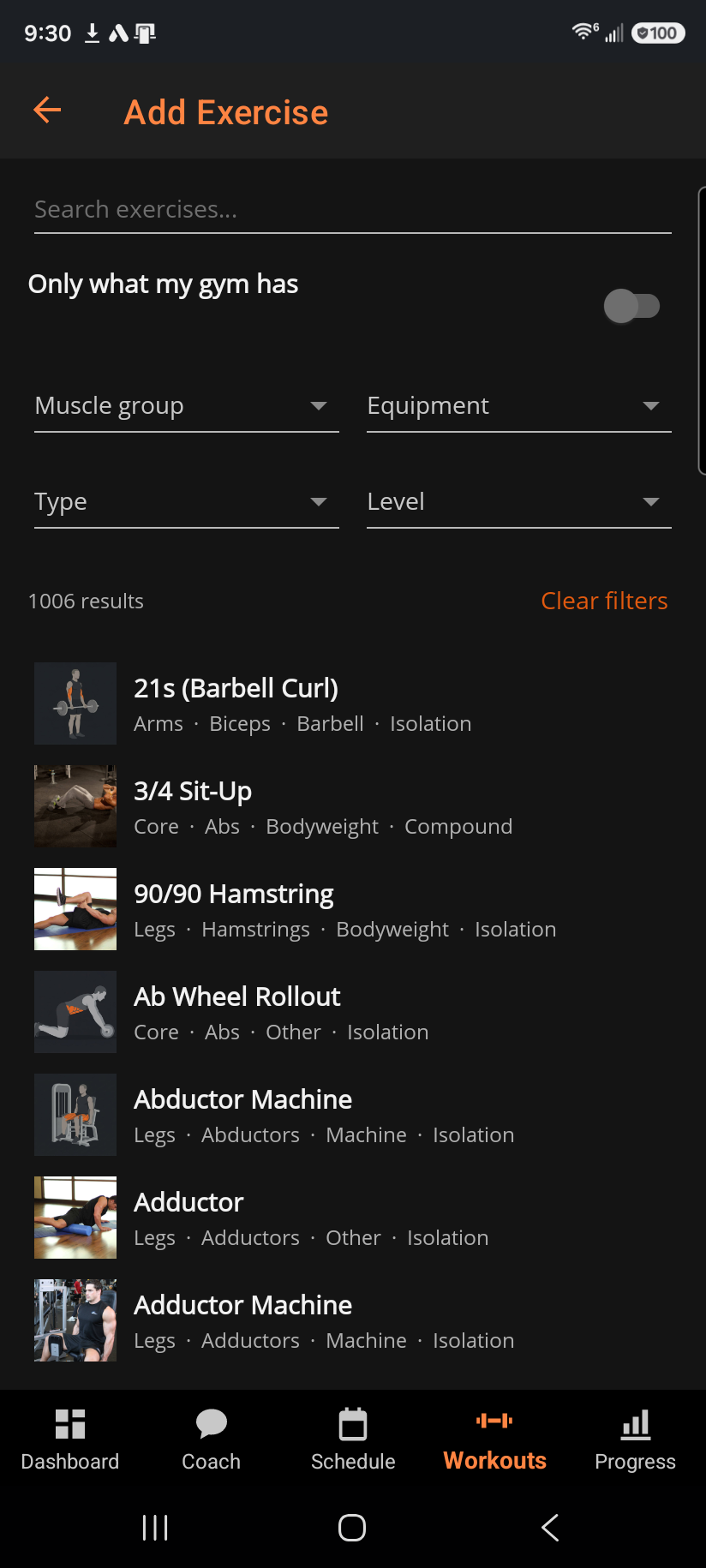
Know the name already? Search by name opens search on its own screen: type, and the flat list filters as you go. The muscle group, equipment, type and level pickers fold behind the Filter row there; Clear filters resets them and the search text at once. Back returns you to the step you came from. See all N exercises, on the muscle group landing, opens the same full list without typing anything.
When your gym profile leaves exercises out, Only what my gym has sits above the list with the number it is hiding. Switch it off to see the whole catalog, for a week training somewhere else. It comes back on next visit, and Clear filters never touches it.
Tap a result to open its detail: setup, execution cues, common mistakes, and reference photos where the catalog has them.
From there, Customize lets you set the rep range, target RIR, and rest for this exercise before adding it, plus its starting sets and weights (or, for cardio, the mode, location, and target time/distance). When you're happy with it, Add to routine adds it and closes the picker, or Add & keep browsing adds it and returns you to the results so you can keep going. ‹ Back to results returns from a selected exercise's detail without adding it.
Added mid-workout, a new exercise prefills its starting weight from the most recent time you actually logged that lift, not a generic default.
Related: Editing a routine exercise, Starting a workout off-plan (Quick Workout).