Starting a workout off-plan (Quick Workout)
Sometimes you just want to train without following a routine. + Quick workout, on Dashboard or Workouts, asks how to begin: Start empty, or Pick a program day. Starting empty gives you a blank session — add exercises as you go, from your phone or your watch, and keep adding through the whole session.
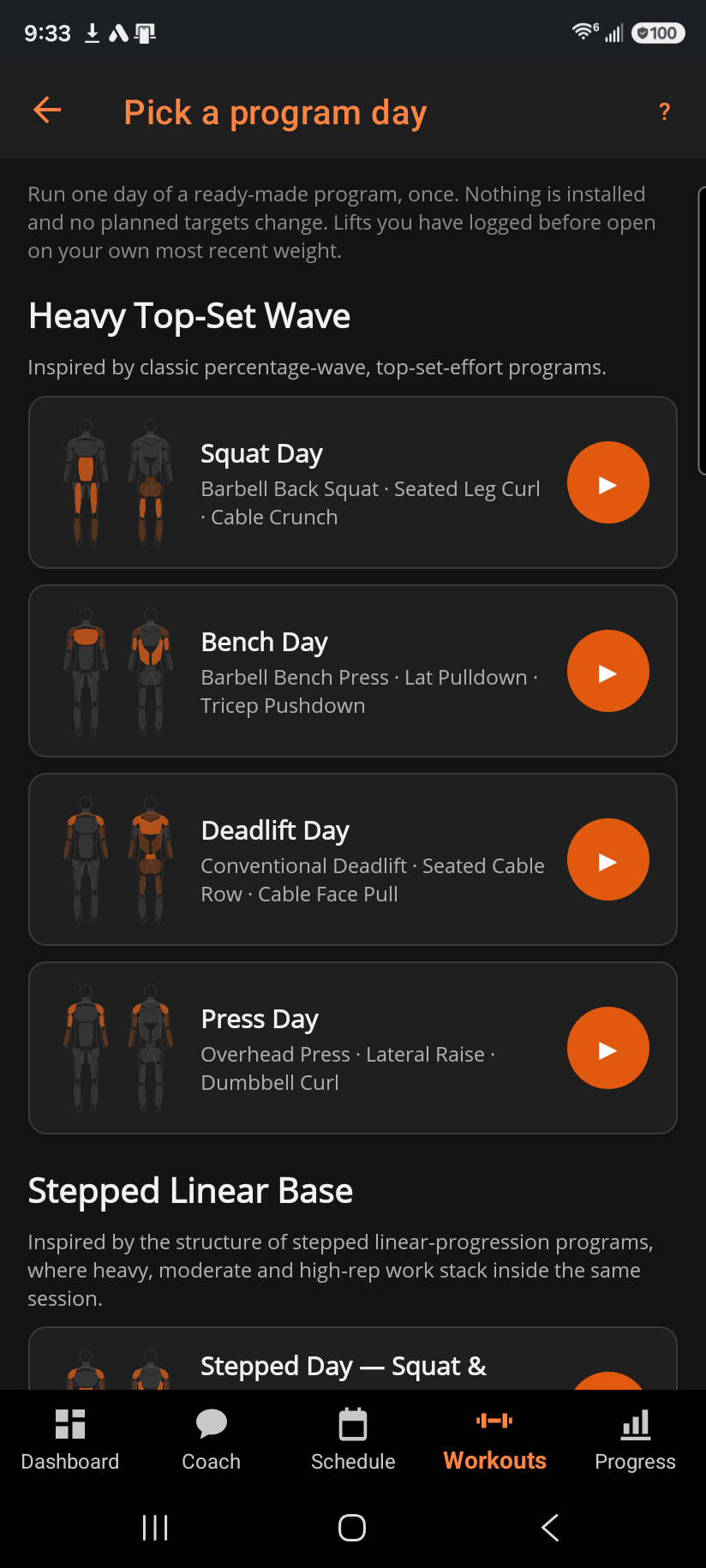
Pick a program day lists every day of every named program. Tap one and the session opens on that day's exercises with sets and reps filled in. A lift you have logged before opens on your own most recent weight. A lift you have never logged opens on the program's starting weight. Nothing is installed: no routine is created, nothing lands on your schedule, and no planned targets change. It is a one-off, exactly like an empty quick workout.
Anything you add mid-session shows up on both devices, so a set logged on the watch and an exercise added on the phone land in the same workout either way. Newly added exercises prefill their starting weight from the most recent time you actually logged that lift, so you're not starting from a guess.
When you finish, you're asked whether to save it as a routine. Saying yes turns exactly what you did — the exercises, sets, and weights you actually used — into a real, repeatable routine you can start again later. Saying no just keeps it as a one-off in your history.
A quick workout is logged under the name "Quick Workout" and, on its own, never advances any planned routine's targets — it's off-plan by design. Progressive overload only picks it up once you save it as a routine, and even then that first session can't advance the very targets it was used to create.
Related: Logging a workout, Picking an exercise, How progressive overload works.