App preferences
Units, appearance, workout vibration, how diagnostic reports are handled, and (Android) rating prompts.
What this page does
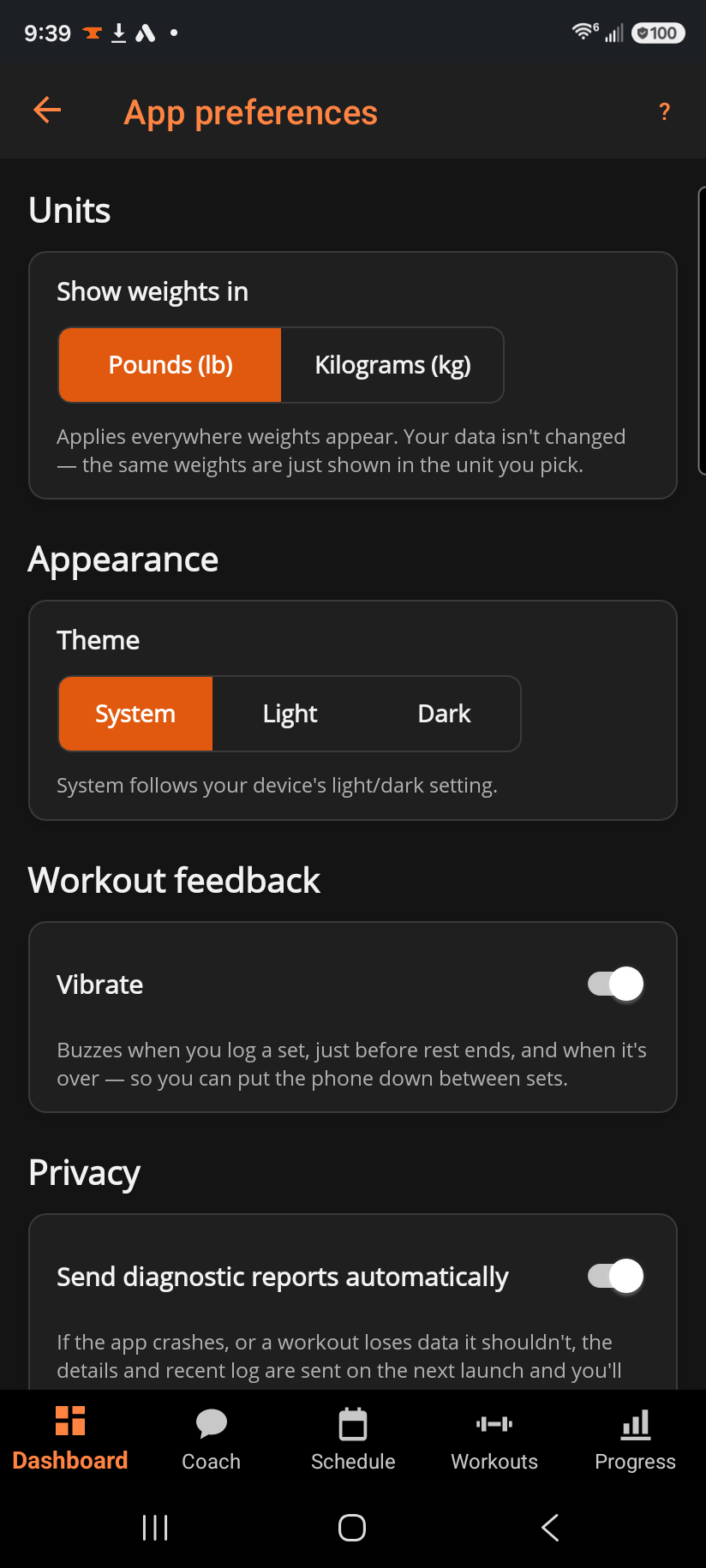
Short sections: Units (pounds or kilograms), Appearance (light/dark/system theme), Workout feedback (phone vibration during a workout — hidden on desktop, which has no motor to buzz), Privacy (whether a crash or data-loss report sends itself automatically), and Rating prompts (Android only — whether BulkForged may ask Google to show you its in-app review sheet).
Step by step
- Show weights in — tap Pounds (lb) or Kilograms (kg). This changes display only; nothing about your stored data changes.
- Theme — System follows your device's light/dark setting; Light and Dark pin it.
- Vibrate (phone only) — buzzes when you log a set, just before rest ends, and when rest is over, so you can put the phone down between sets.
- Send diagnostic reports automatically — leave this on to have a crash, or a workout that lost data it shouldn't have, sent for diagnosis on the next launch, with a note shown once it's out.
- Ask me to rate BulkForged (phone only) — leave this on and, after a personal record, Google may ask you to rate the app — at most a few times ever. Turning it off stops BulkForged asking again.
Good to know
Diagnostic reports contain workout activity and error details — never your password or sign-in tokens. Turning the switch off stops future reports and discards any that are waiting to send; it never affects your training data.
The rating prompt is Google's own sheet, shown at most a handful of times over the life of the install; turning it off never changes anything about your training.
Related: Bodyweight log, Settings.