The reps screen on your watch
Step two of logging a strength set: confirm how many reps you actually got.
What this screen shows
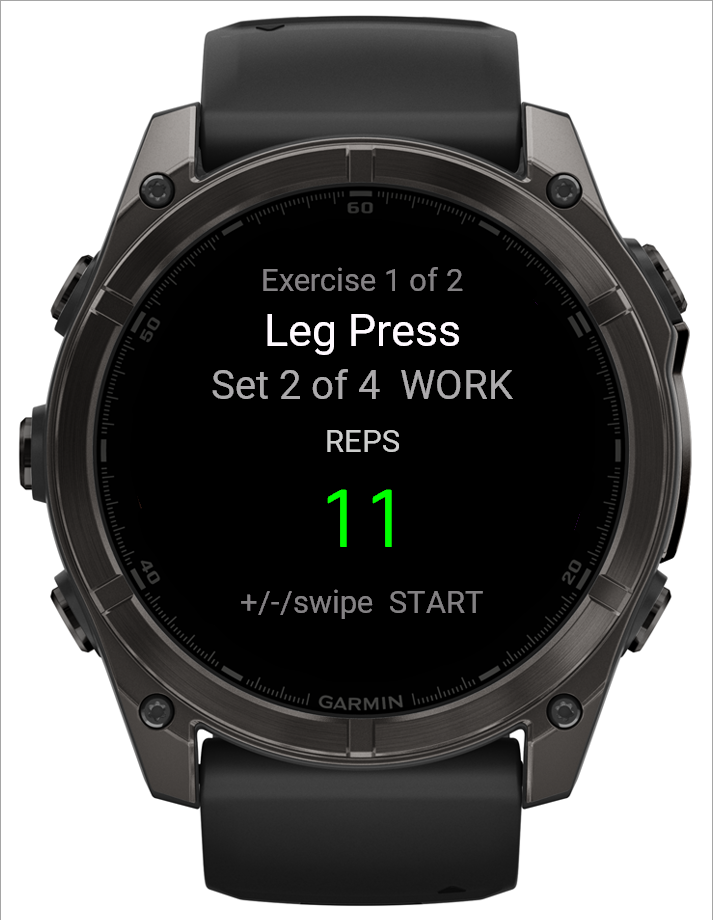
The number starts on the set's target rep count, not blank — most sets just need a tap of START if you hit the target exactly.
Step by step
- Use UP/DOWN (or swipe up/down) to move the count up or down to match what you actually did. Unlike the weight screen, each press or swipe moves it by exactly one — there's no ramp.
- START logs the set. If this set also asks for reps-in-reserve, it goes to that screen first; otherwise it goes straight to the rest timer (or the workout summary, after the last set).
- BACK returns to the weight screen for the same set, if you need to fix the weight first.
 12
12- 1Starts on the target rep count
- 2UP/DOWN or swipe moves it by one; START logs
Good to know
There's no "wrong" number to enter here — the target is a starting point, not a requirement. Whatever you log, even below the target, is what the app coaches from next time; see "Why didn't my target go up this session?" for how that works.
Related: The weight screen on your watch, What is RIR (reps in reserve)?, Why didn't my target go up this session?.