The workout summary on your watch
The screen you land on after finishing a workout — confirmation that it saved, plus a quick recap.
What this screen shows
The routine name, wrapped onto a second line rather than cut off if it's long, followed by the exercise and set counts, the total duration, and how many workouts (this one plus anything still backlogged) are queued to sync to the cloud.
Step by step
- The app tries to sync the workout — and anything still waiting — the moment this screen appears.
- START or BACK closes BulkForged and returns you to the watch face — the workout is saved, so there's nothing left to do here. Open the app again whenever you want the Start Workout menu.
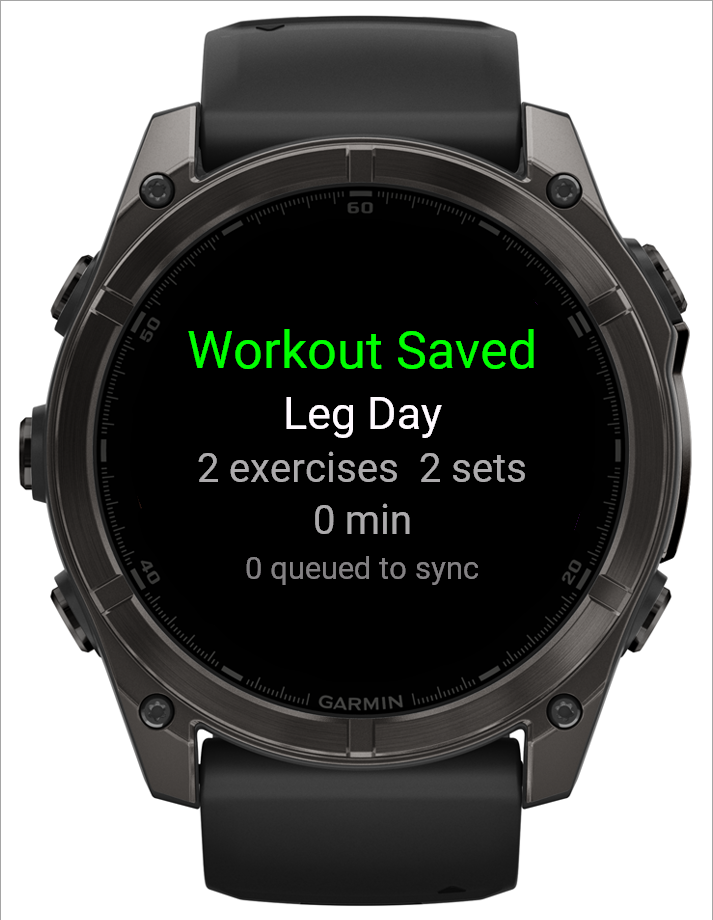 12
12- 1Routine and what you did
- 2Workouts still waiting to upload
Good to know
A number still showing in "queued to sync" after you've reconnected just means the upload hasn't caught up yet — it'll clear on the next successful sync, nothing is lost in the meantime. Exiting the app doesn't cancel that upload; it resumes the next time BulkForged opens on the watch.
Related: Logging a workout, Starting a workout from your watch.