Starting a workout from your watch
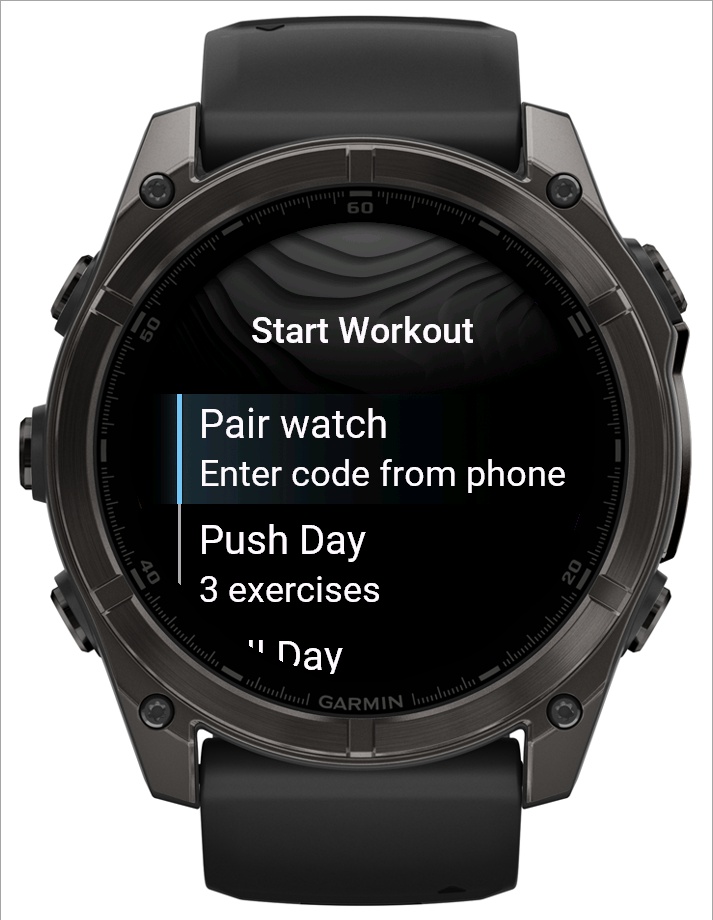
Opening BulkForged on your watch drops you straight into the Start Workout menu — pick a routine, resume something already underway, or pair for the first time.
What this screen shows
If your watch is paired, the top row reports how fresh its data is: Up to date, Out of date (an older cache that'll refresh on its own), Sync failed (couldn't reach BulkForged — almost always Garmin Connect needing re-authorization), or Not synced yet (no successful sync since pairing). Selecting that row, or the placeholder row on a fresh install with nothing synced yet, retries the sync right away.
Below it, each of your routines shows its name and exercise count. Whichever one is scheduled for today, or was most recently started on your phone/desktop, is marked today or suggested so you know what the app expects next — though picking a different one is always fine. An off-plan Quick Workout started on another device never shows up here as something to start fresh; it only ever appears via Resume workout below, so you can't accidentally fork the phone's session.
Step by step
- If Resume workout appears at the top, a session is already running on another device — select it to join, landing wherever that device left off (including mid-cardio, on the running clock rather than the breakdown screen). The watch may also ask "Resume …?" by itself when a sync first notices that session; Yes does the same thing, and No just leaves the row there for later.
- Otherwise, pick a routine to start it fresh. This tells the app you're on it, begins live-syncing immediately, and opens the first exercise's set overview.
- Not paired yet? Select Pair watch to enter a pairing code generated on your phone — see "Pairing your watch to your account".
 12
12- 1Pair watch (the sync status row, once paired)
- 2A routine and its exercise count
Good to know
Starting a routine here or on the phone reaches the same session — whichever device you finish on, the other one sees it happen live.
Related: Using your Garmin watch, Pairing your watch to your account, The workout menu on your watch, My Garmin watch stopped syncing, Starting a workout off-plan (Quick Workout).