Swapping an exercise your gym can't do
When a workout reaches a lift your gym has no equipment for, a banner offers a stand-in for today without changing your routine.
A quick example
Your routine calls for Leg Press at 4 × 10, and your gym's equipment list has no leg press.
- A ⚠ Not at your gym banner above the exercise offers a swap.
- You tap it and pick Goblet Squat from the list.
- Today you do Goblet Squat for the same 4 × 10, with the same rest.
- Leg Press stays in your routine, and its target stays where it was.
What you see
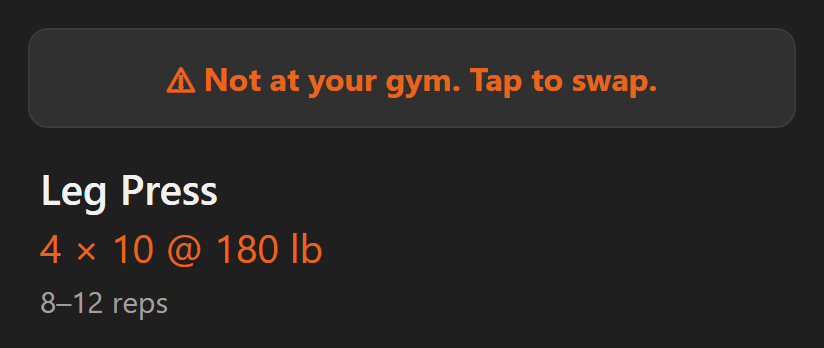
- The banner sits above the exercise, before you start it.
- It only shows while nothing is logged on that exercise. It never interrupts an exercise you've already started.
- Tapping it lists lifts that train the same muscle and fit your gym's equipment.
- The stand-in starts at your heaviest working set from the last normal session of that lift. Deload sessions are passed over.
- A lift you have never logged starts with no weight. Enter the one you use.
Step by step
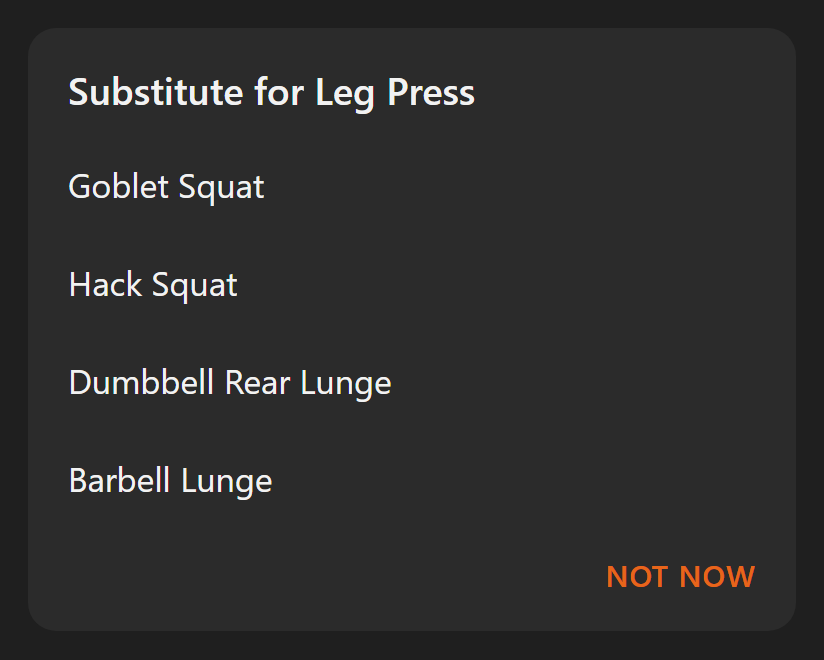
- Tap the banner.
- Pick a substitute from the list.
- Or tap Not now to keep the original exercise. The banner stays away for that exercise for the rest of the workout.
Supersets
For a superset, the ⚠ Superset not at gym banner offers the swap, and it covers the whole group as one block.
- You pick a substitute for each station your gym can't do, one after the other.
- Any station your gym can do stays as it is: same lift, same numbers.
- The way you alternate between stations doesn't change.
- The offer only shows before you log the first set of any station.
- Once you've started, tap » on any of the superset's exercises in the exercise list. The whole group moves to the end. Or edit the routine.
Good to know
- A swap never moves a target. The original exercise holds, as if you'd skipped it.
- The substitute is saved to your history. It doesn't advance anything on its own.
- It's a stand-in for today, not a program change. To make a swap permanent, use ⇄ Substitute on the routine itself.
- If the banner keeps offering swaps for equipment you do have, your gym's equipment list is wrong. Update it in Settings.
Related: Logging a workout, Routine detail, What is a superset?, Why didn't my target go up this session?.