
Personal record celebrations
A full-screen celebration appears by itself when you finish a workout with a new heaviest-weight record in it.
What you see
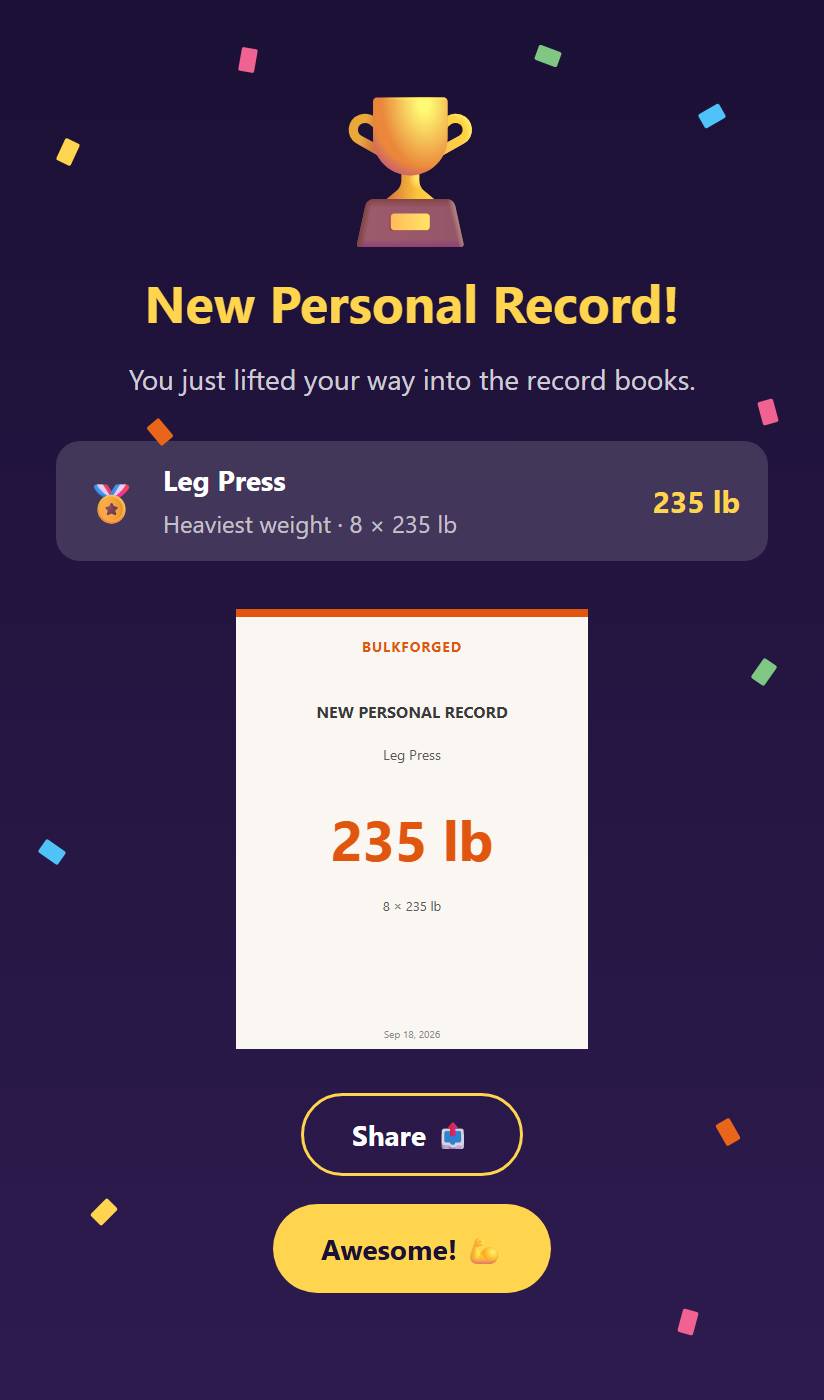
- A trophy, confetti, and the headline New Personal Record! With more than one, the headline counts them.
- One row for each record: the lift, the set you did it with, and the weight.
- A preview of the card you can share.
What you can do
- Tap Share 📤 to save or send a card image of the moment. Up to six records from that session are on the one card. Any beyond that are counted on it.
- Tap Awesome! 💪 to close it. After a workout, that takes you on to your workout summary.
The card is only shared where you choose to send it.
What earns a celebration
Only a heavier weight you actually lifted triggers this screen.
- A Most reps record is tracked on your records pages. It does not set off the celebration.
- An estimated one-rep max is tracked on your exercise history chart. It is never celebrated.
- A made lift in Attempt a record that beats your best counts. You did lift it.
Good to know
- A record from a watch workout celebrates on your phone once that workout syncs in.
- If you close the app before the celebration shows, it appears the next time you open it.
- The first time BulkForged sees your training history, it records your existing bests as the starting line. It does not celebrate them all at once. The celebration is for records you beat from then on.
Related: Exercise history, Attempt a record, Workout summary.