Workout session detail
Your full receipt for one finished workout — and the one place you can go back and fix a mistake after the fact.
What this page does
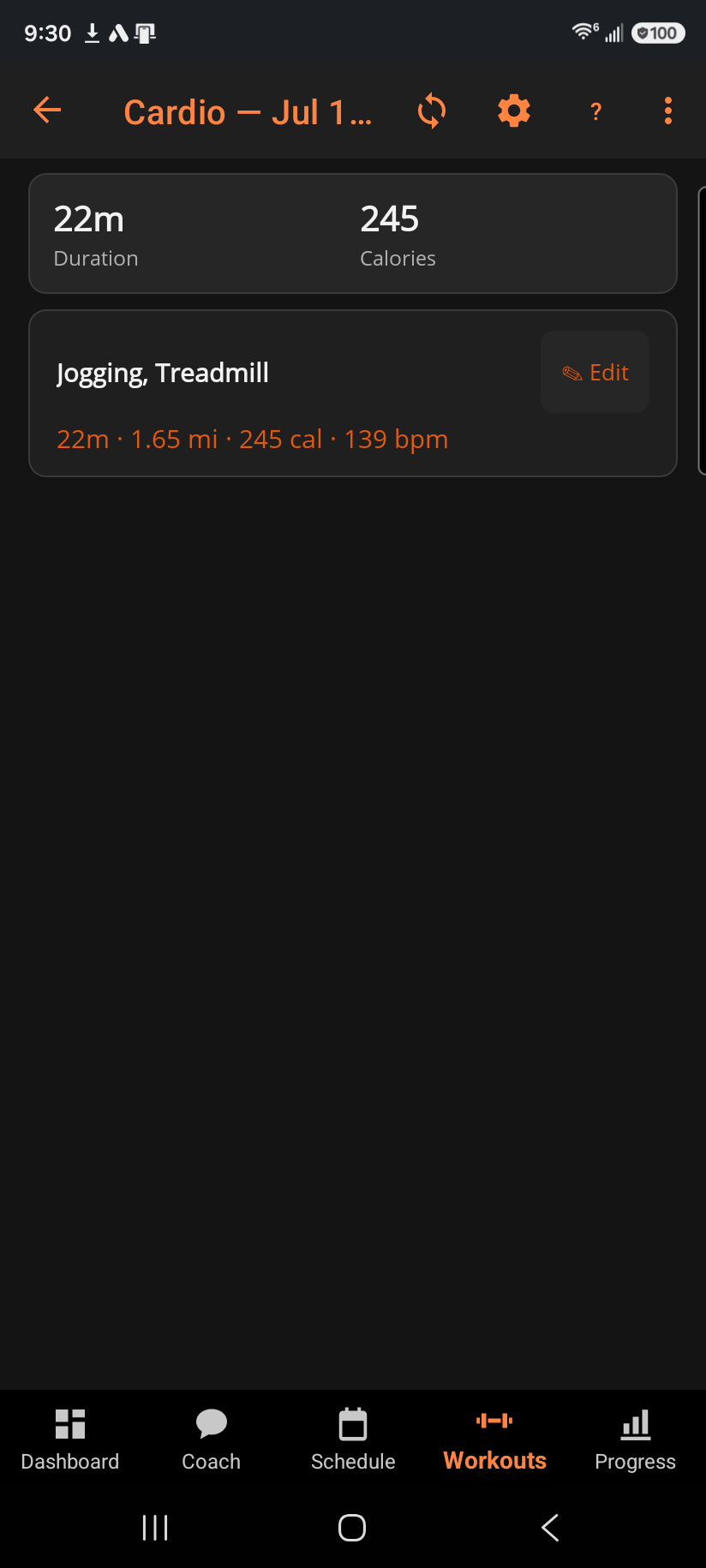
A summary strip up top totals the session (duration, sets, weight lifted, and more, depending what you logged) with a badge for any personal records you set. Below that, one card per exercise lists every set you logged, or your cardio time/distance/calories for a cardio bout.
Step by step
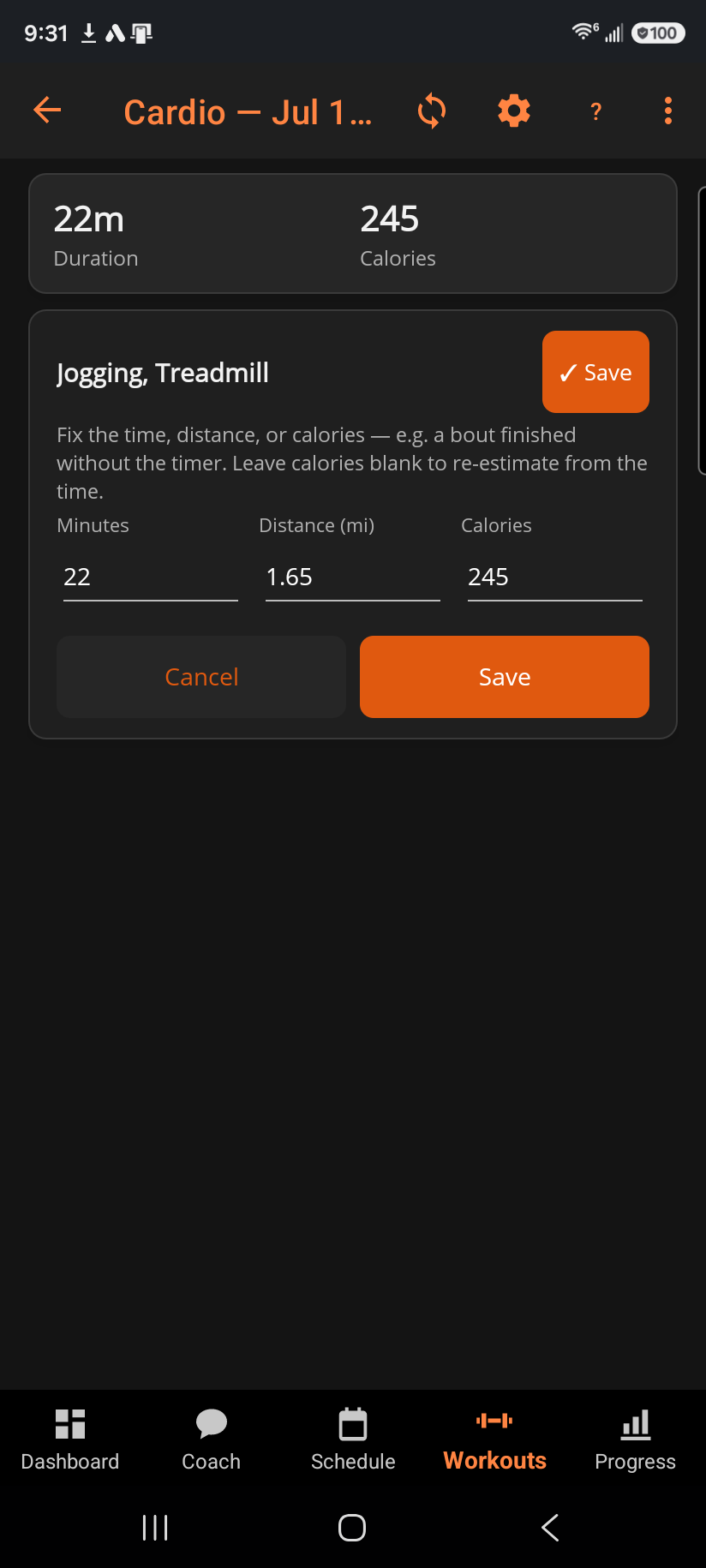
- Tap ✎ Edit on any exercise card to correct it: fix a set's reps or weight, + Add set for one you did but never logged, or ✕ to remove one that was logged by mistake. Cardio exercises get minutes/distance/calories fields instead — leave calories blank to have it re-estimated from the time. The Edit button becomes a ✓ Save right where you tapped it, so the button that commits your fix is always at hand — a second Save (with Cancel beside it) also sits at the bottom of the card, for whichever end of a long set list you're at.
- ✓ Save re-runs progressive overload for that exercise using the corrected numbers — the adjustment your original numbers produced is undone and redecided from what you just entered — and re-uploads the session to the cloud. Cancel discards your edits, and so does leaving the page with a correction still unsaved — you'll be asked to confirm first, so a fix is never silently lost.
- Delete workout…, in the overflow menu since it's destructive, removes the whole session from your history.
Good to know
A logged weight that doesn't land exactly on your target is plate granularity, not a mistake — machine stacks move in fixed pin increments. A 🌙 Deload badge on the summary means this session was logged as deliberately lighter; it never counted as a regression against your targets.
Editing genuinely re-decides your next target, not just cosmetically updates the log — if you originally under-logged a set and it caused a target to hold or drop, fixing the number here can bring the target right back up.
Related: Logging a workout, Overload history, Why doesn't my logged weight match the target?, What is a deload week?.