Account & watch
Your sign-in, your cloud backup, and your Garmin watch pairing all live here.
What this page does
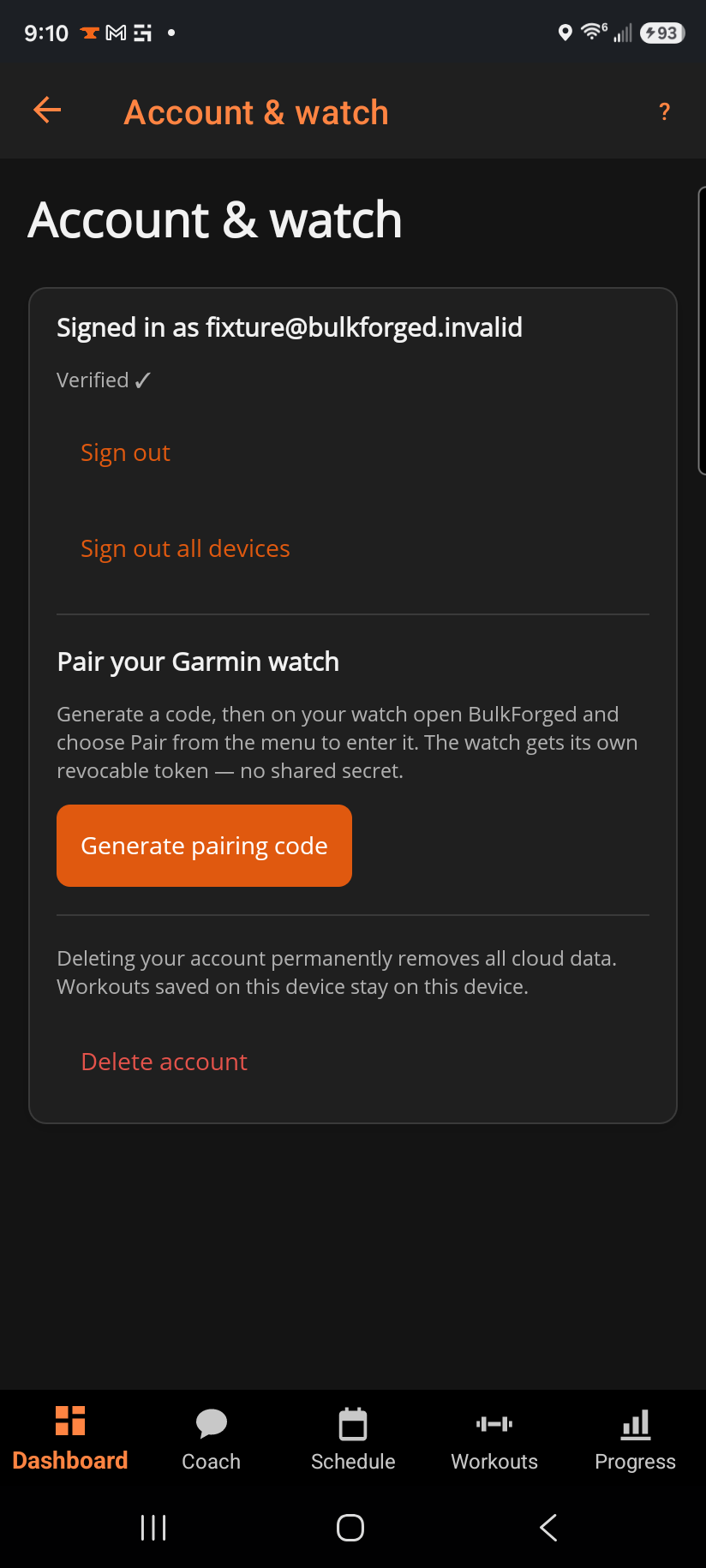
The top of the page shows your account status — signed in or out, your plan, and a founder badge if you have one. Below that, sign-in controls, then Pair your Garmin watch, and at the bottom, Delete account.
Step by step
- Signed out? Tap Sign in to sign in or create an account.
- Signed in, want to sign out of just this device? Tap Sign out. Sign out all devices revokes every device's access at once — use it if a device is lost or you changed your password somewhere else.
- To pair a Garmin watch: tap Generate pairing code, then on the watch open BulkForged and choose Pair watch from its menu to enter the code. The watch gets its own revocable token — there's no shared secret to leak.
- If you see a Verify section, enter the 6-digit code sent to your email, or tap Resend code if it didn't arrive.
Good to know
Signing out never deletes anything on this device — your workouts stay right where they are, and signing back in re-syncs. Delete account is different: it permanently removes your cloud data, except a one-way tag recording only that the free coach preview was used. Workouts already saved on this device stay on this device, but nothing server-side can be recovered afterward, so it asks you to confirm before it happens.
If your watch stops syncing, that's almost always Garmin Connect itself needing re-authorization, not a BulkForged problem — see "My Garmin watch stopped syncing".
Health data consent
The consent you gave to BulkForged processing your health and fitness data is shown here with the date it was given. Withdraw consent signs this phone out and stops backup and watch sync until you sign in and consent again. Nothing is deleted: your workouts, routines and history stay on the phone, and export and delete stay available on this screen. On a phone that has never backed up, the line reads that you are asked when you back up.
Related: Pairing your watch to your account, Using your Garmin watch, My Garmin watch stopped syncing.