Training profile
The answers here shape how the coach talks to you and what it suggests — not what it tracks.
What this page does
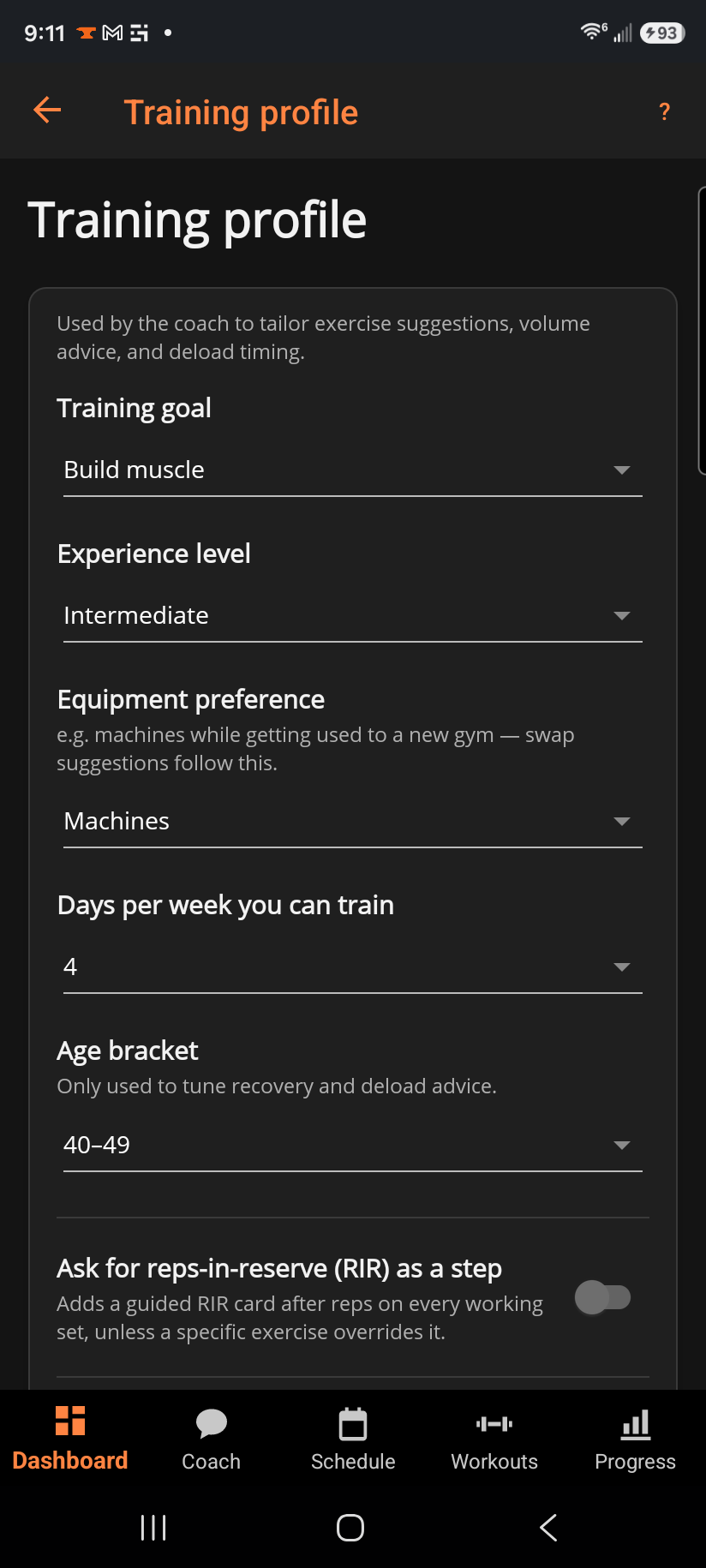
A short form the coach reads on every screen: your training goal, experience level, equipment preference, what your gym has, how many days per week you train, and your age bracket. Below that, a switch for whether the app asks for reps-in-reserve on every working set, and a link back into the setup wizard.
Step by step
- Training goal — Build muscle, Get stronger, Lose weight, Improve endurance, or General fitness. Progressive overload stays on for every goal; this changes how aggressive it is and how advice is framed (see "How progressive overload works").
- Experience level, Equipment preference, and Days per week you can train steer exercise suggestions and starter-plan choices.
- What your gym has is different from equipment preference: preference is a taste ("I like machines"), this is a hard constraint ("I don't have a cable stack"). Turn on the equipment you actually have access to and the exercise picker filters to it (with an "Only what my gym has" switch you can turn off any time), and the routine editor can suggest same-muscle substitutes for exercises your gym can't do. Leave every switch off and nothing is filtered — the picker shows everything, exactly as before you touched this section. If you train in more than one place — home some days, a commercial gym others — use the picker above the switches to add a second gym; each gym keeps its own equipment set, and the switches always edit whichever one is selected. "Make default" marks the gym a starter plan is built against; "Remove" is disabled on your last remaining gym. A single-gym athlete who never opens this picker sees nothing new here.
- Age bracket only tunes recovery and deload timing — it's optional, and skipping it just means slightly more general advice.
- Ask for reps-in-reserve (RIR) as a step — toggle on to add a guided RIR prompt after reps on every working set (an exercise can still override it individually). See "What is RIR (reps in reserve)?" for what it's used for.
- Setup wizard → Open re-runs the guided setup — browse starter plans again, pair a watch, or connect Health Connect — without touching anything you've already entered here.
Good to know
Changing your goal never rewrites your current targets — it only changes how the next session's advance is judged and framed. A Lose weight goal, for example, frames holding your current weight and reps as successful muscle preservation while cutting, never as falling behind.
Related: How progressive overload works, What is a deload week?, How BulkForged works out your nutrition guidance, What is RIR (reps in reserve)?.