Progress — Records
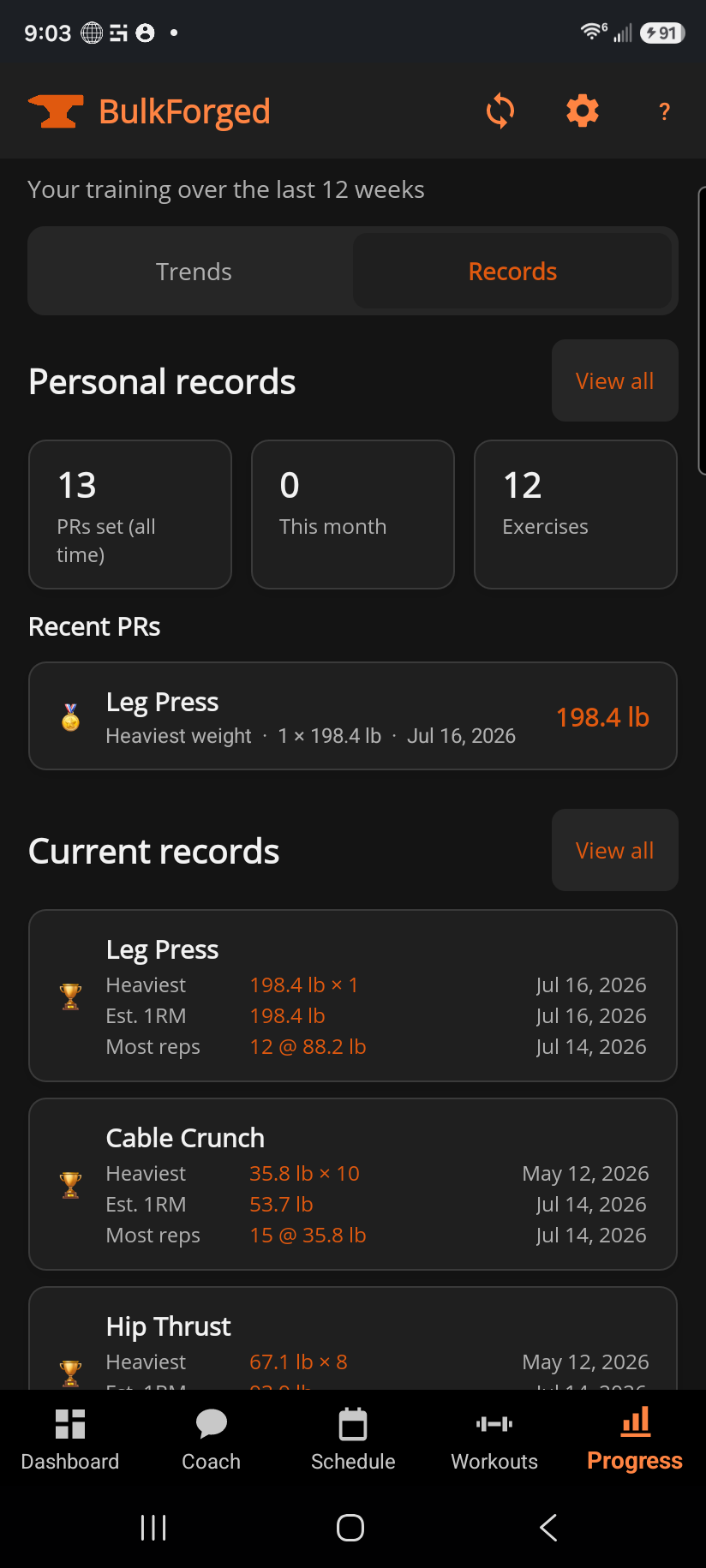
The Records segment of the Progress tab is your quick look at where you stand: how many personal records you've set, and what your current best is on every exercise you train.
What this page does
Personal records shows three stats — total PRs, PRs this month, and how many exercises you've PR'd on — plus a short list of your most recent breaks. Current records lists the standing best for every exercise you've trained, most recently set first.
Step by step
- Open Progress and switch to the Records segment.
- Tap any recent PR row to open that exercise's full history chart.
- View all under Personal records opens the full, searchable PR list; View all under Current records opens the full list of standing bests.
Good to know
Your estimated one-rep max is tracked alongside your real bests, marked with a quiet ≈ — but it's deliberately kept out of the recent-breaks list here, and it never triggers a celebration. That list is reserved for weight you actually lifted.
Related: Personal records, Current records, Personal record celebrations, Exercise history.