Body & cardio
Shortcuts to your weight, measurement, and photo logs, plus the body stats that feed the Coach's nutrition guidance.
What this page does
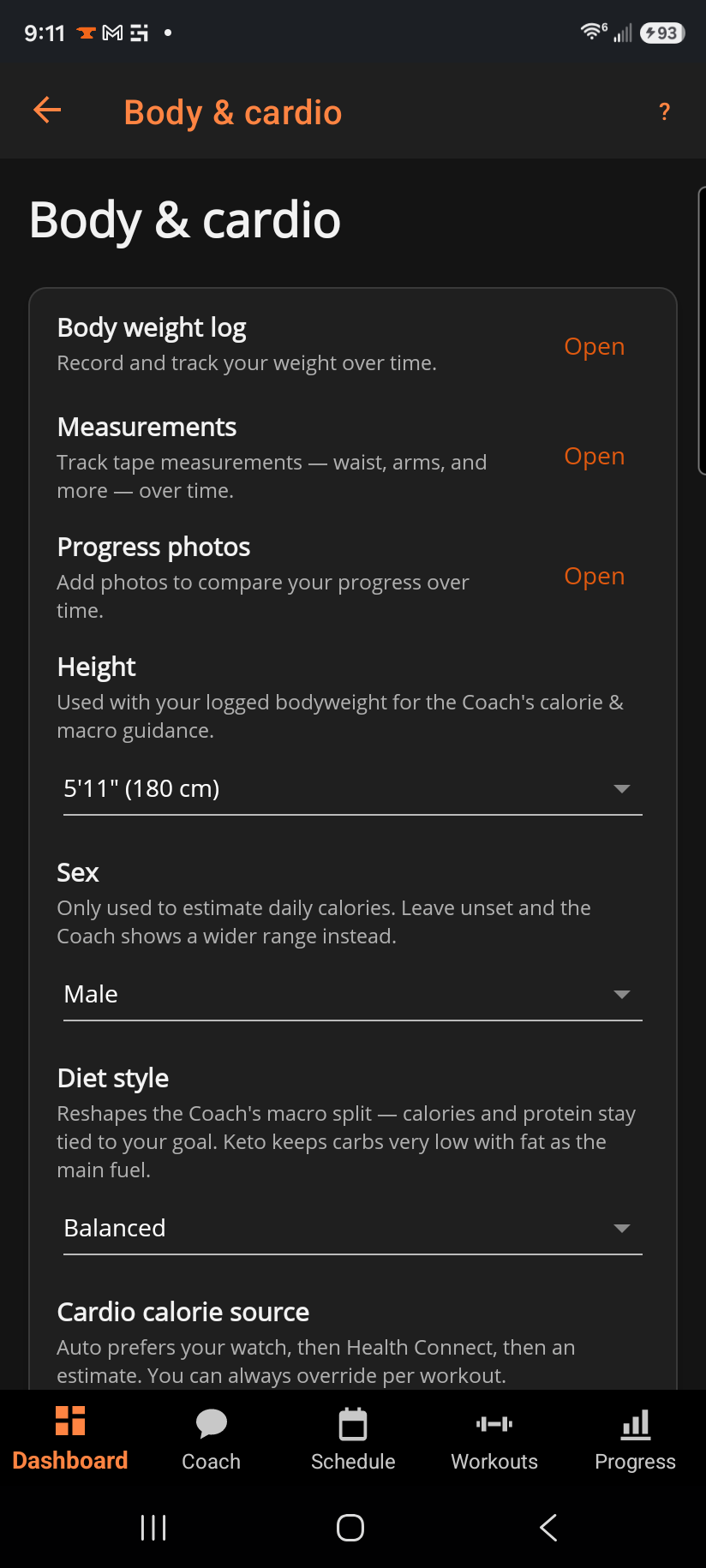
The top three rows open your Body weight log, Measurements, and Progress photos. Below that: Height, Sex, Diet style, and Cardio calorie source — all optional, all feeding the Coach tab's calorie and macro guidance, never progressive overload.
Step by step
- Tap Open next to Body weight log, Measurements, or Progress photos to jump straight to that log.
- Height is used with your logged bodyweight to estimate daily calories.
- Sex is optional and only affects the calorie estimate; leave it unset and the Coach shows a wider range instead of guessing.
- Diet style — Balanced, Low-carb, or Keto — reshapes the split between fat and carbs. Your calorie target stays tied to your goal whichever you pick; Keto keeps carbs very low with fat carrying most of your energy, and is the one style that also nudges the top of your protein range down (to 2.0 g per kg).
- Cardio calorie source — Auto prefers your watch, then Health Connect, then an estimate. You can always override the source for a single workout.
Good to know
None of these fields are required to use the app — they only sharpen the Coach's nutrition card. Height, sex, and diet stay set even if you re-run the setup wizard; the wizard only adds to your profile, it never clears what's already there.
Related: How BulkForged works out your nutrition guidance, Bodyweight log, Body measurements, Progress photos.