The workout menu on your watch
Press BACK on the set overview screen to open the workout menu and fix a set, jump around, finish early or discard.
What the menu offers
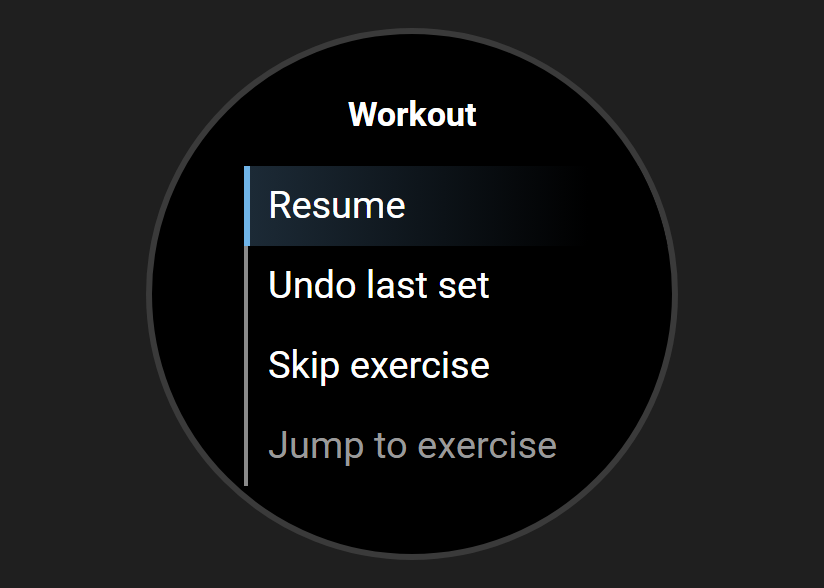
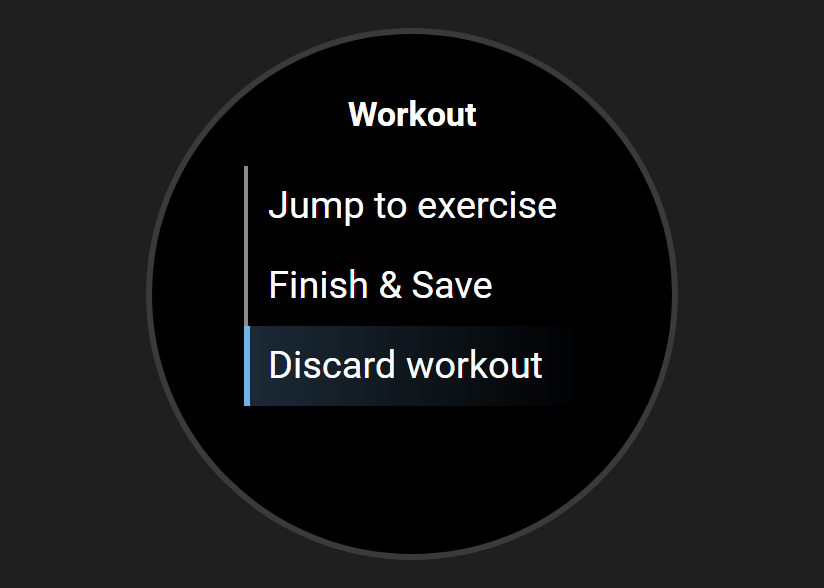
Six rows, always in the same order:
- Resume closes the menu. You carry on where you were.
- Undo last set takes back the set you logged most recently.
- Skip exercise passes over the rest of the current exercise.
- Jump to exercise lets you pick what to train next.
- Finish & Save ends the workout and keeps what you logged.
- Discard workout throws the session away.
Fixing a set
Undo last set is how you correct a mistake.
- Press BACK on the set overview, then choose Undo last set.
- The watch returns to that set. The weight and reps you entered are still there.
- Adjust them and log the set again.
Before you log anything the row reads nothing to undo. Choosing it then does nothing.
Skipping an exercise
Skip exercise marks every remaining set of the current exercise as skipped.
- Skipped sets are not logged as sets you did.
- The watch moves on to the next exercise.
- In a superset, only the current exercise is skipped. Its partner carries on.
- If it was the last exercise, the workout saves and the summary appears.
- Undo last set does not bring a skipped exercise back.
Jumping to another exercise
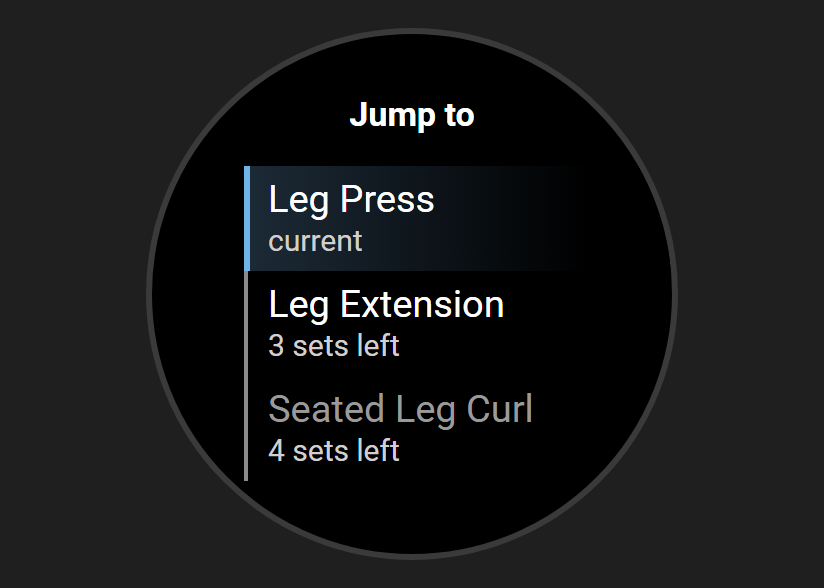
Use this to grab a free machine and come back to a busy one later.
- The list shows every exercise that still has sets left.
- The one you are on is marked current. The others show how many sets are left.
- Finished exercises are not listed. When everything is done the list reads Nothing left.
- Pick one and it becomes the current exercise.
- A shortcut: on the set overview, press and hold UP (the middle button on the left). The list opens straight away.
Finishing or discarding
- Finish & Save saves the workout as it stands and shows the summary.
- Sets you never got to are not logged. The app never fills them in for you.
- Discard workout logs nothing, on your phone as well as the watch.
- When a cardio exercise starts, the sets before it are saved to Garmin Connect. When it ends, the cardio is saved there too.
- A discard can't take those back. The watch lists them afterwards, so you can delete them in Garmin Connect.
- A discard can't be undone.
The cardio version
On the cardio screen, BACK, or pressing and holding UP, opens a cardio menu:
- Resume closes the menu.
- Finish this cardio ends this exercise and moves to the next one. After the last one it goes to the summary.
- Next segment shows on interval cardio only. It does the same as pressing DOWN.
- Jump to exercise, Finish & Save and Discard workout work as above.
Resuming a workout from your phone
If a workout is running on your phone, the watch may ask "Resume …?" after it syncs.¹
- Yes joins the workout wherever the phone is.
- Saying no loses nothing. Resume workout stays on the Start Workout menu.
- The watch asks once for each session.
¹ Except on the fēnix 6 and 6S (not the Pro models), the original Enduro, the Forerunner 245, the Instinct 3 Solar and the Instinct E. Those watches send your workout to your phone once, when you finish, and don't offer Resume workout.
Leaving the app mid-workout
You leave by pressing BACK out of the Start Workout menu, or with a long press of LIGHT.
- Leaving pauses the watch's live syncing. It does not end the workout.²
- The workout is still on your phone, and still under Resume workout on the watch.²
- An outdoor cardio GPS recording stops when the app closes and can't be picked up again. Finish the bout before you leave.
² Not on the fēnix 6 and 6S (not the Pro models), the original Enduro, the Forerunner 245, the Instinct 3 Solar and the Instinct E. There, leaving the app mid-workout loses the sets you have logged, so choose Finish & Save before you leave.
See it on video: machine taken? Skip ahead to a free exercise.
Related: The set overview screen on your watch, Running cardio from your watch, Starting a workout from your watch, Using your Garmin watch.