What coaching includes
Coaching decides what you lift next and explains every change in plain language.
What this page does
Coaching is everything in Basic, plus automatic targets and the screens that explain them.
Automatic target progression
This is the core of it. Finish a session and BulkForged reads your working sets, applies double progression, and writes your next targets: more reps until you reach the top of your rep range, then more weight and back to the bottom of the range.
Without coaching your targets stay where they are.
A record of every target change
Every change is saved with the sets behind it and the reason. Targets that held are listed too.
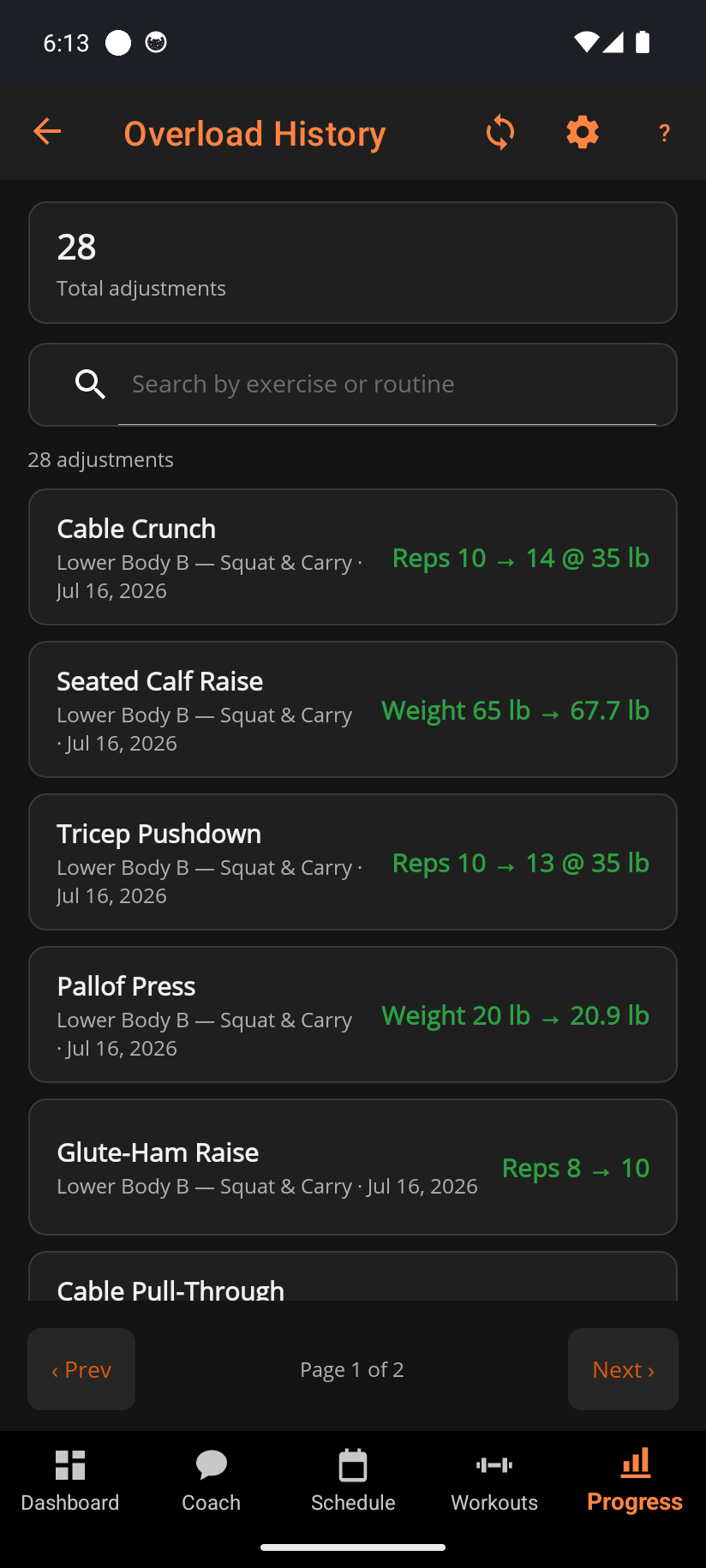
Tap any entry to see the full explanation for that single change.
The Coach tab
One screen for what to change and what is ready to train. Two cards carry most of it: what your muscles are recovered enough to handle today, and where your weekly volume is landing against the targets for each group.
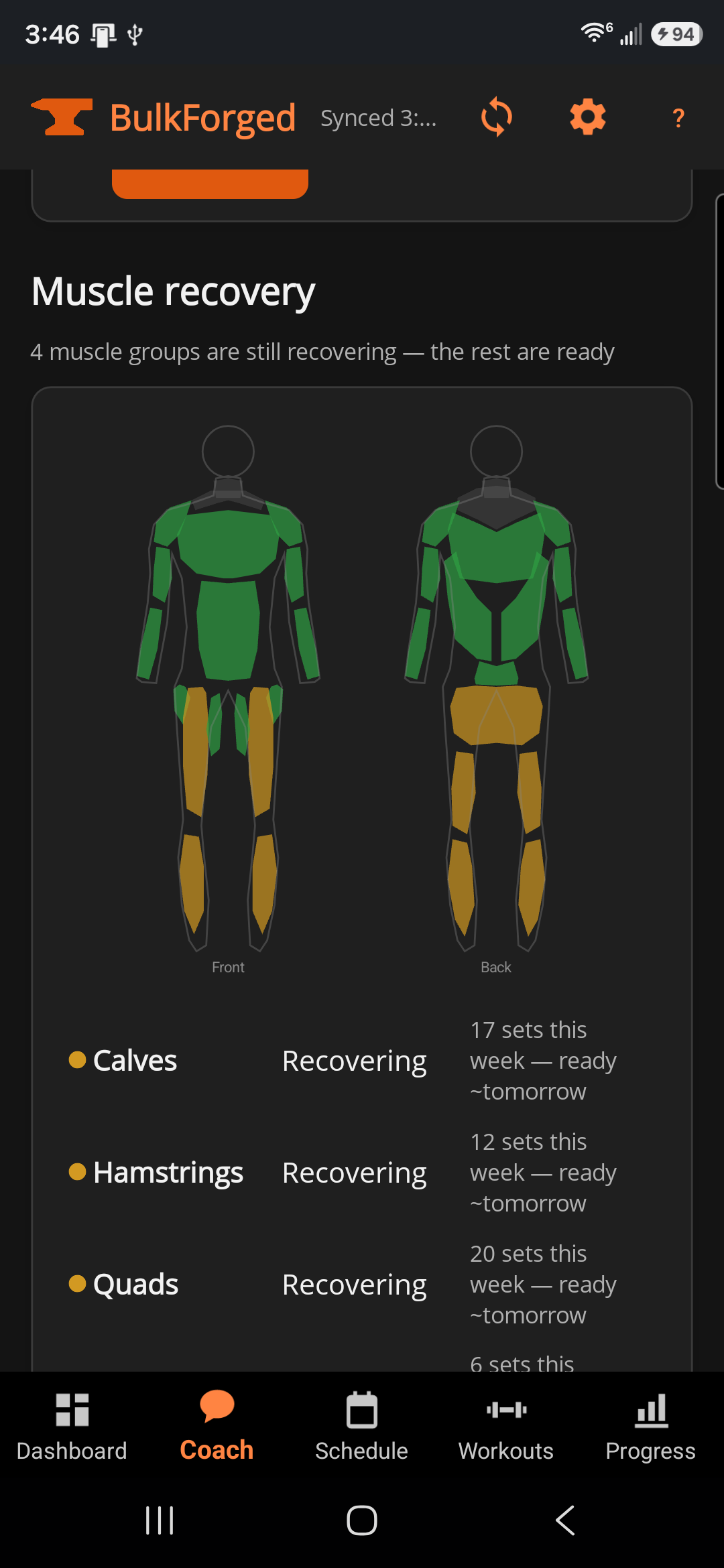
- Muscle recovery map — a front-and-back read of which muscles are recovered, worked out from what you actually trained rather than from a fixed schedule. Each muscle also says how many sets it has had this week and when it is expected back.
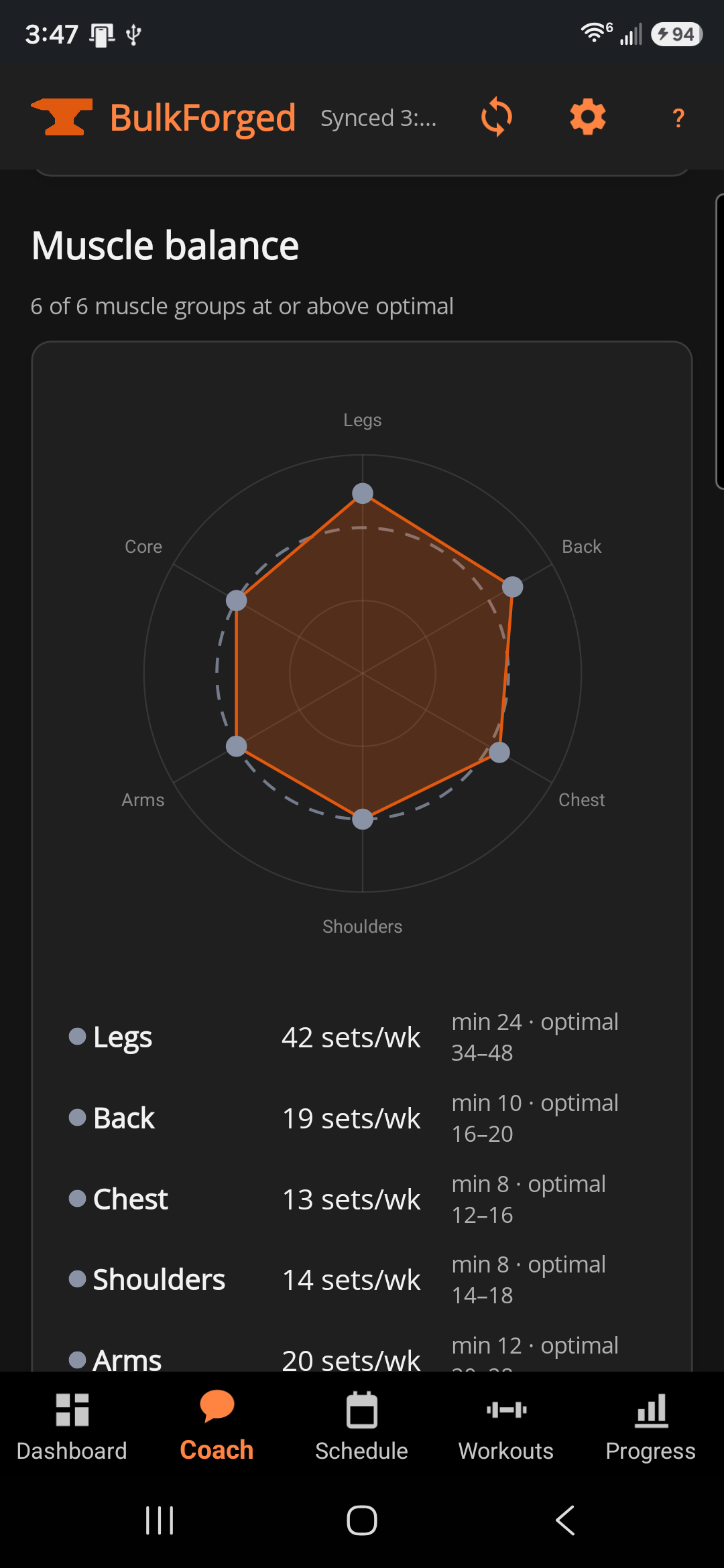
- Muscle balance — your weekly working sets per muscle group against the range that group should be in, so an under-trained one is obvious at a glance rather than something you have to add up yourself.
- Advice — stalls, regressions, and when to take a deload week.
- Nutrition — calorie and protein ranges that follow your training day, with a different figure for a rest day and a training day. Direction only; BulkForged will never ask you to log a meal.
Trends worth looking at
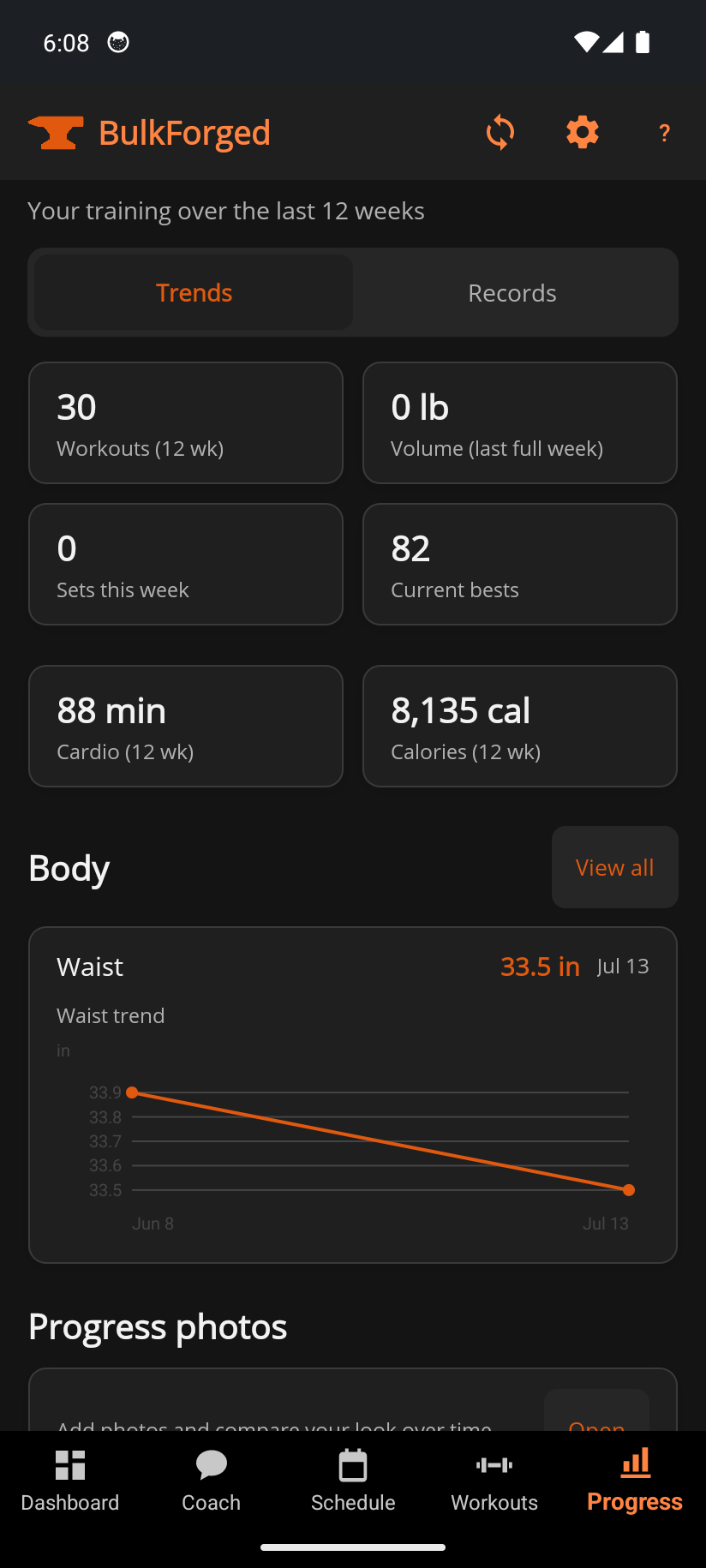
The Progress tab grows two coaching sections: strength by muscle, a bodyweight-relative read of your best lifts one muscle region at a time, and volume over time, your working sets week over week.
Planned-stimulus maps
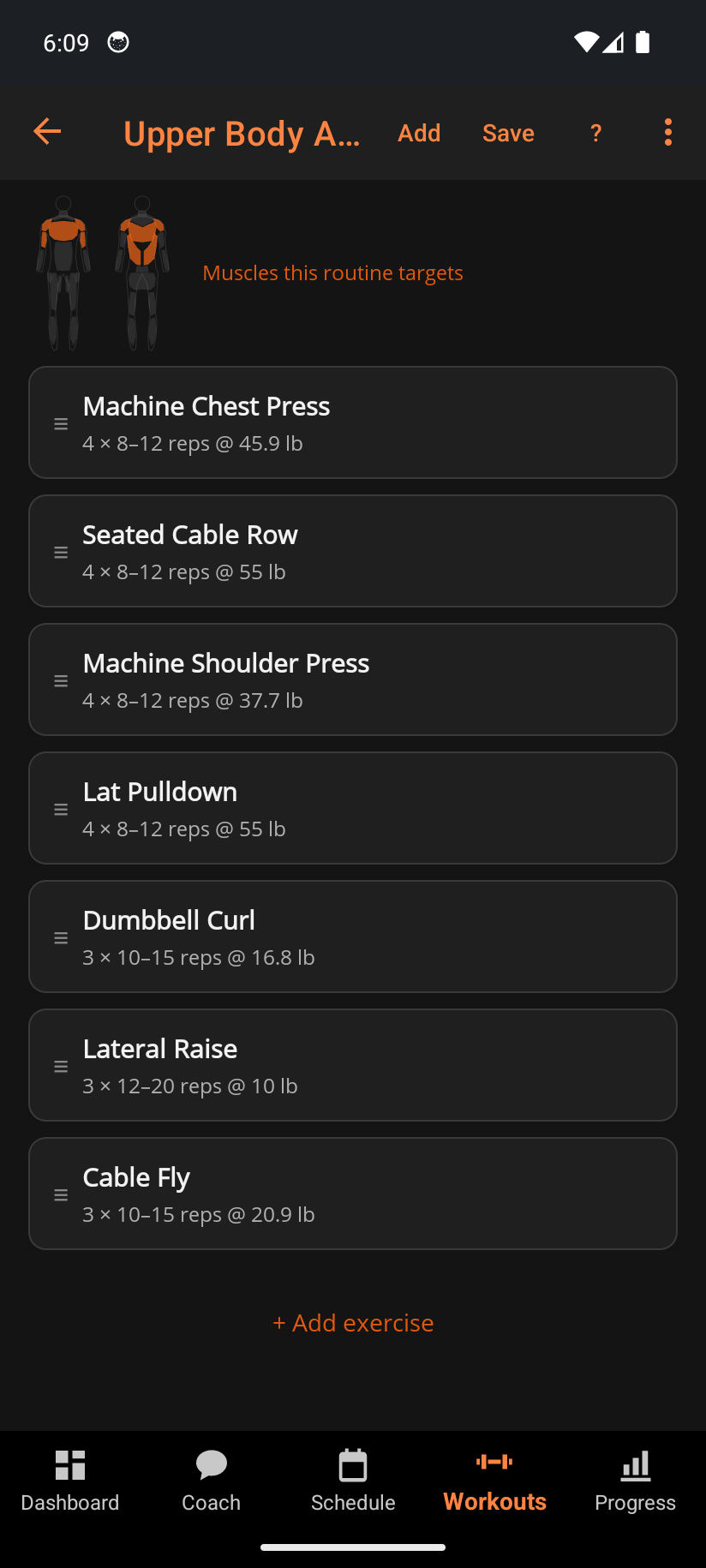
Every routine card and the routine editor show a silhouette of what that session is built to hit, recomputed as you add and remove exercises — so you can see the shape of a workout before you train it.
Deload weeks that run themselves
Start a deload from the advice card and BulkForged prescribes about 55% of your working weights for a week, on your phone and on your watch. Those lighter sessions never lower your targets. You pick up where you left off.
Good to know
Nothing is taken away if coaching stops. Every workout, record, measurement and photo stays exactly where it is, and your targets freeze where they stand rather than resetting. Turn coaching back on and they carry on from the same numbers.
You can still see what coaching looks like. With coaching off, each of these sections stays on its page as a grayed example with "Part of Coaching" on top. The numbers in an example are not yours. Tap one to open the Coach tab and the plans.
New users get a free coaching preview. You see it work on your own sessions first.
Related: What Basic includes, How progressive overload works, Overload history, Coach, What is the Strength Score?, What is a deload week?.