The Schedule tab
Plan when you'll train, see it on a calendar, and adjust a single day without disturbing the recurring plan.
What this page does
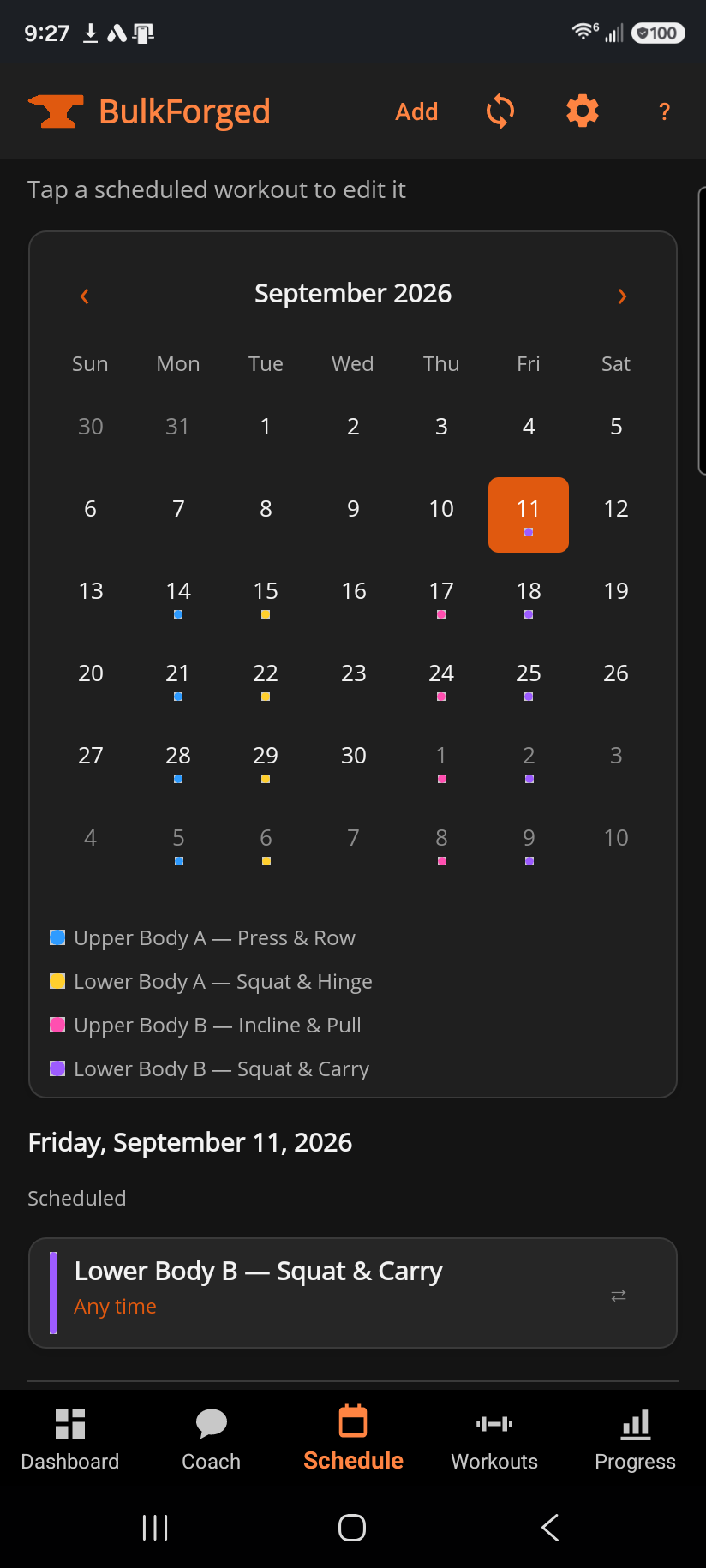
A month calendar sits at the top — a colored dot on a date means a routine is scheduled that day, and the legend below the calendar shows which color is which routine. Tap any date to see that day's detail below: what's scheduled, what you've already completed, and (further down) your full list of upcoming scheduled workouts and recent history.
Step by step
- Tap Add in the toolbar to schedule a workout: pick the routine, the date, an optional time, how often it repeats (one-time, daily, weekly, or every 2-4 weeks), and an optional note.
- Tap a date on the calendar to see what's scheduled and what's already logged that day.
- On a scheduled-workout card, ▶ starts that workout right now with the routine loaded; ⇄ changes just that one occurrence (see below); ✕ deletes it entirely, for every future occurrence; on Windows, ✎ opens the full editor.
- Tap a completed session's card to open its detail, where a 🌙 Deload badge means that day was logged as a deliberately lighter session.
Good to know
⇄ only changes that one day — the recurring schedule underneath is never touched. Choosing "Skip this day" leaves the occurrence off the calendar without cancelling the ones after it. Choosing another routine "instead" swaps just that occurrence; if the routine you picked is also scheduled soon, you're offered the chance to trade the two days instead of double-booking. If you want to change the plan for good — a different day of the week, a different routine every time — delete the scheduled entry with ✕ and add a new one rather than fighting the recurrence with one-off swaps.
Scheduling a workout never changes anything about how it trains — it only decides when you're reminded to start it. Starting a routine early, late, or off-schedule from Workouts still works exactly the same and logs the same way.
Related: Workouts — Routines, Logging a workout, Workout session detail, What is a deload week?, Dashboard.