Workouts — Routines
The Routines segment of the Workouts tab is your routine library — every plan you can start, tap to edit, and see at a glance.
What this page does
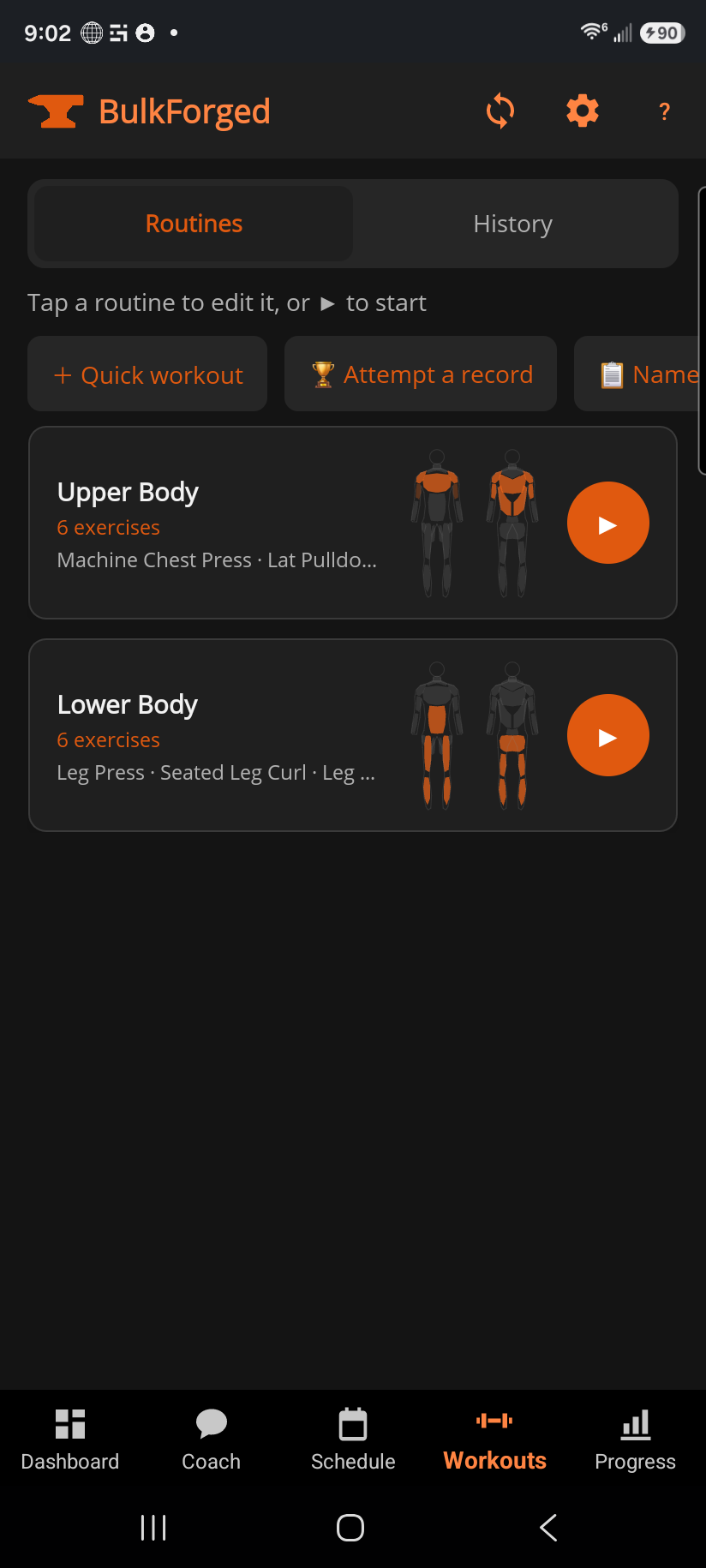
Each card shows a routine's name, how many exercises it has, and a small muscle map of what it trains (in brand orange — this is what the routine is designed to hit, not how recovered you are; that's a different color on Dashboard). Tap the card to open and edit it; tap ▶ to start that workout right now.
Step by step
- Tap any routine card to open its exercises, reorder them, or change sets/reps/weight.
- Tap ▶ on a card to jump straight into an active workout with that routine loaded.
- Not following a plan today? + Quick workout starts an empty session you build as you go.
- Want to test a single heavy lift instead of a normal session? Attempt a record opens the max-single tester.
- Looking for a full training template to start from? 📋 Named programs browses ready-made programs you can apply in one tap.
Good to know
Nothing here mutates your history — starting a routine just loads its current targets into a new session; editing a routine only changes what happens next time you start it.
Related: Building a routine, Routine detail, Starting a workout off-plan (Quick Workout), Attempt a record, Named programs, Logging a workout, Dashboard.