Onboarding
The guided first-run setup — about two minutes from opening the app to your first set, with no account needed to start.
What this page does
A short wizard, one panel at a time: a welcome screen, two questions about your training, a preview of the starter plan those answers produce, and a Done screen that starts today's workout for you. An account is offered after your first finished workout — when there is a workout to back up — and that is where you are asked to consent to your health data being processed. Watch pairing and Health Connect live in Settings.
Step by step
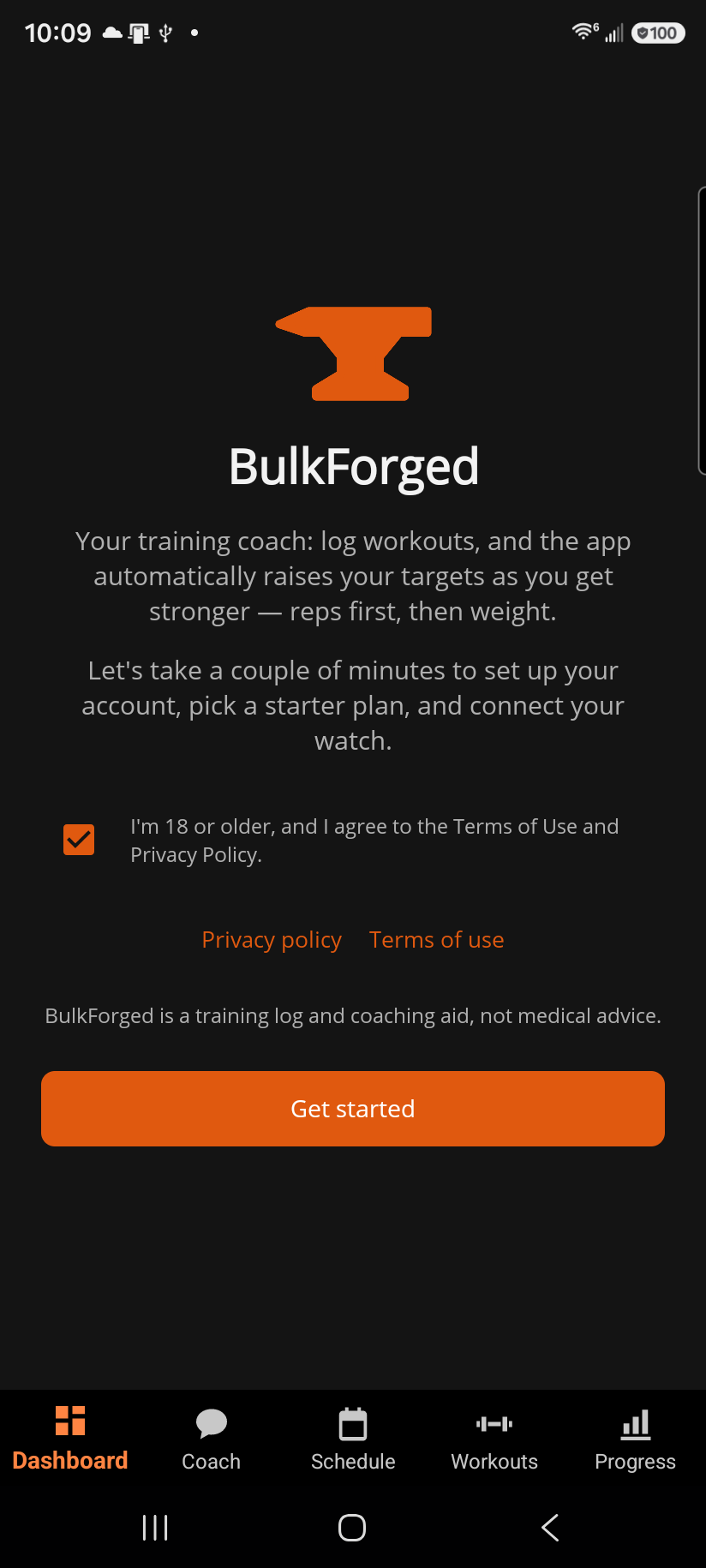
- Welcome — Get started. Pressing it confirms you're 18 or older and accept the Terms of Use and Privacy Policy, both linked right above the button. Already have an account from another phone? I already have an account takes the sign-in door instead (see below).
- Your training — two questions. How many days a week can you train? picks the split. Where do you train? picks the equipment: Full gym lets the plan use anything, Home starts from dumbbells, kettlebells and bands and opens the six switches so you can add what else you have, Set it up opens the switches for you to say exactly what you have. Goal, experience, age and units are not asked here — they default sensibly and live in Settings. Skip — I'll build my own routines opens the plan chooser instead of continuing the wizard.
- Plan preview — see the routines your answers produced before committing, with Change to revisit the two questions above. Starting weights are deliberately light: adjust what you actually lift during your first session, and the app adopts that as your new target from there. The same Skip — I'll build my own routines button sits here too, so building your own routines stays one tap away.
- Your plan is ready — Start today's workout opens the first session straight away (the plan's week starts on the day you created it, so there is always a workout today). Go to my dashboard if now is not the time.
The sign-in door
I already have an account on the Welcome screen takes the same terms confirmation, then Your account — tick the consent to process your health and fitness data (signing in restores and backs up your training, which is why it is asked here), then sign in with email or Google, or Forgot password? to recover without leaving the wizard — and then Checking for your data: any existing cloud backup is found automatically and, when there is one, the wizard finishes right there with your routines, history and schedule restored. Browse starter plans anyway builds a plan alongside them instead. If this phone is already bound to an account you're signed out of, the wizard opens on this door by itself.
After your first workout
Finish your first workout and the app asks whether to back it up: Back up that workout? leads to creating an account (or signing in) — that backs up the workout you just logged and everything after it, so a new phone or a Garmin watch picks up where you left off. The consent box on that screen is the one that lets BulkForged process your health and fitness data; nothing leaves your phone before you tick it, and What this covers opens the privacy policy that names everything it means. Skip for now keeps training on this phone only, needs no consent, and says exactly what that means before it takes the answer. The ask returns once more after your second workout; after that, Settings → Account is where an account is created.
If your phone's time zone is Pacific, you are asked for the same consent a little earlier — just before your first set is stored — see "Consent updates".
Good to know
Nothing here is a one-time choice: units (App preferences), goal, experience and age (Training profile), watch pairing and Health Connect are all in Settings — the watch under Account & watch, Health Connect under Connected services. Re-running the wizard from Training profile → Setup wizard → Open merges new answers into your existing profile; it never wipes out what you already had set. Changing days per week or your gym later does not rebuild your routines by itself — Training profile → Rebuild my starter plan does, and asks first.
Training without an account keeps everything on this phone until you create one, at which point the workouts you've already logged come with you. What still needs an account: cloud backup, pairing a Garmin watch, and moving to a new phone. Everything else works the same either way.
Related: Signing in, Training profile, Account & watch, Pairing your watch to your account, Using your Garmin watch, Connected services, Consent updates, Getting a plan.