Building a routine
The routine builder walks you through a new routine in four steps. It fills in sets, reps and rest for you.
Where to find it
- Tap + New routine on the Workouts tab.
- Or tap Build my own plan on the plan chooser.
Both open the same four steps. Nothing is saved until you tap Create routine at the end. Back shows from step 2 onward, until the routine is created.
Your phone's back gesture and the arrow at the top work the same way. They take you back one step, and close the builder only from step 1. Going back keeps what you picked.
Step 1: name it and pick a starting point
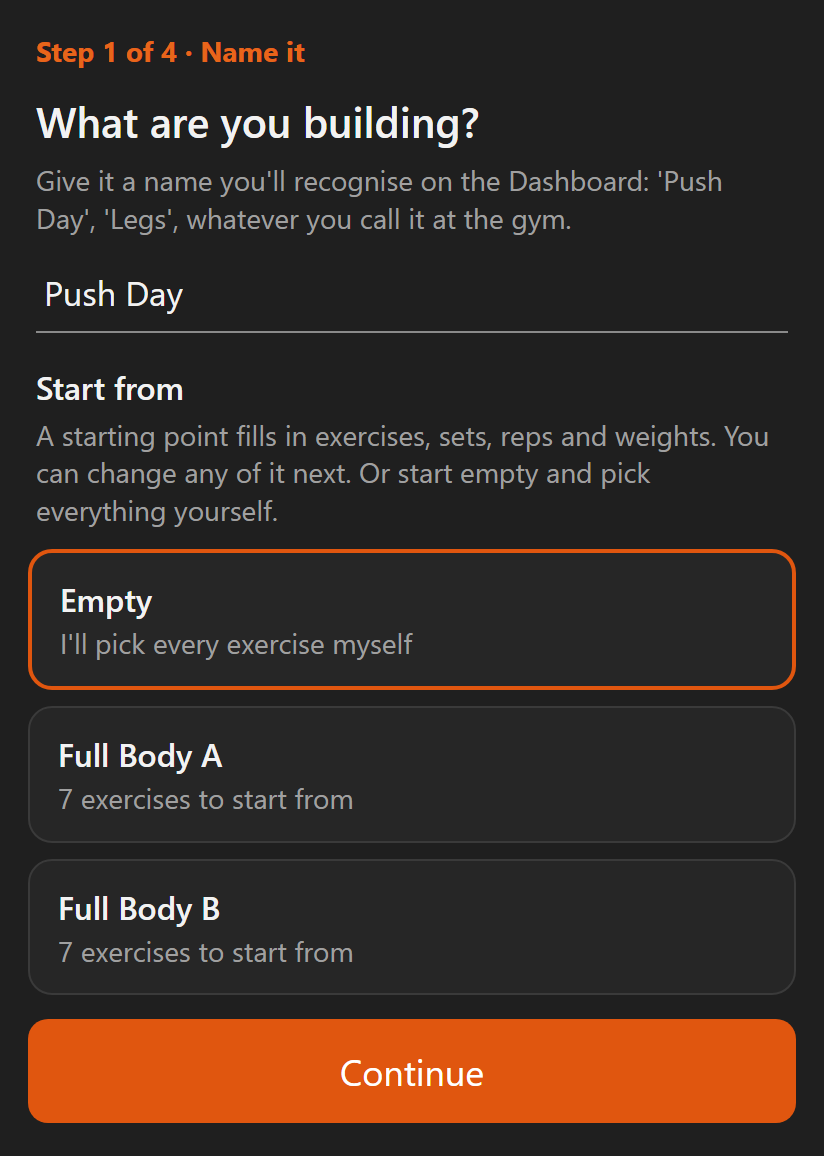
- Type a name you'll recognise on your Dashboard, like "Push Day" or "Legs".
- Under Start from, pick one of your routines to copy, Empty, or one of the ready-made days.
- Tap Continue.
About the name:
- Two names are reserved for sessions the app logs itself: Quick Workout and Record Attempt.
- A reserved name, or a name you already use, is flagged as you type.
About the starting point:
- Copy one of your routines lists the routines you already have. Picking one fills in its exercises, sets, weights and supersets as they stand today. The routine you copy doesn't change.
- A copy is a routine of its own. Its targets move with its own workouts, not the original's.
- Empty means you pick every exercise yourself.
- The ready-made days are the same ones the setup plans use: Full Body A, Full Body B, Upper Body A, Lower Body A, Upper Body B, Lower Body B, Push, Pull and Legs, in that order.
- A ready-made day fills in exercises, sets, reps and light starting weights. You can change any of it.
Step 2: exercises
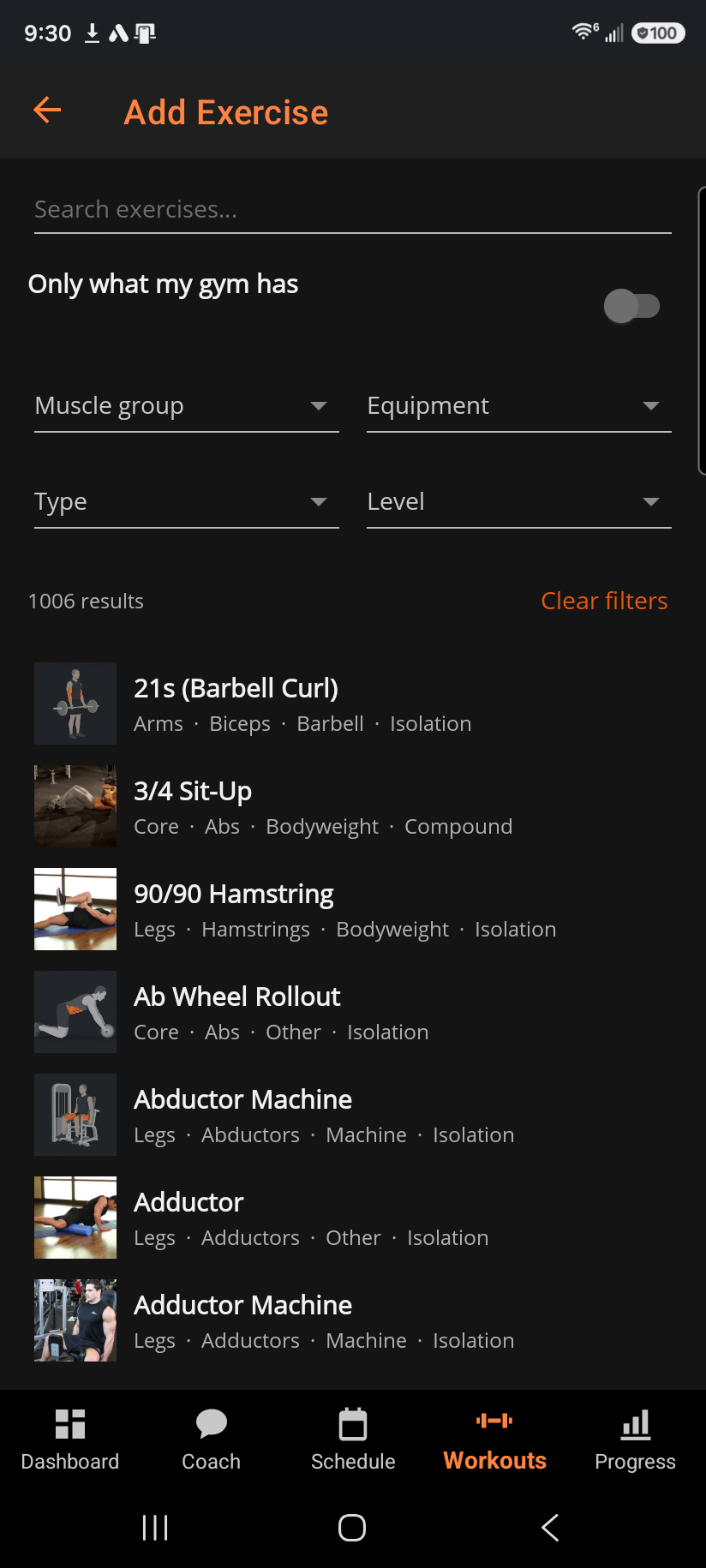
- Tap + Add exercise to open the picker.
- Choose an exercise, then tap Add to routine.
- To queue up several without going back and forth, tap Add & keep browsing instead.
- To change the order, press and hold an exercise, then drag it to a new spot.
- Tap ✕ beside an exercise to take it out.
- Tap Continue once you have at least one exercise.
Good to know:
- Most routines run five to eight exercises.
- Sets, reps, rest and target RIR are filled in for you, based on the movement.
- Compound lifts get more sets, longer rest, a lower rep range and a warm-up set.
- Isolation work gets fewer sets and higher reps.
Step 3: review
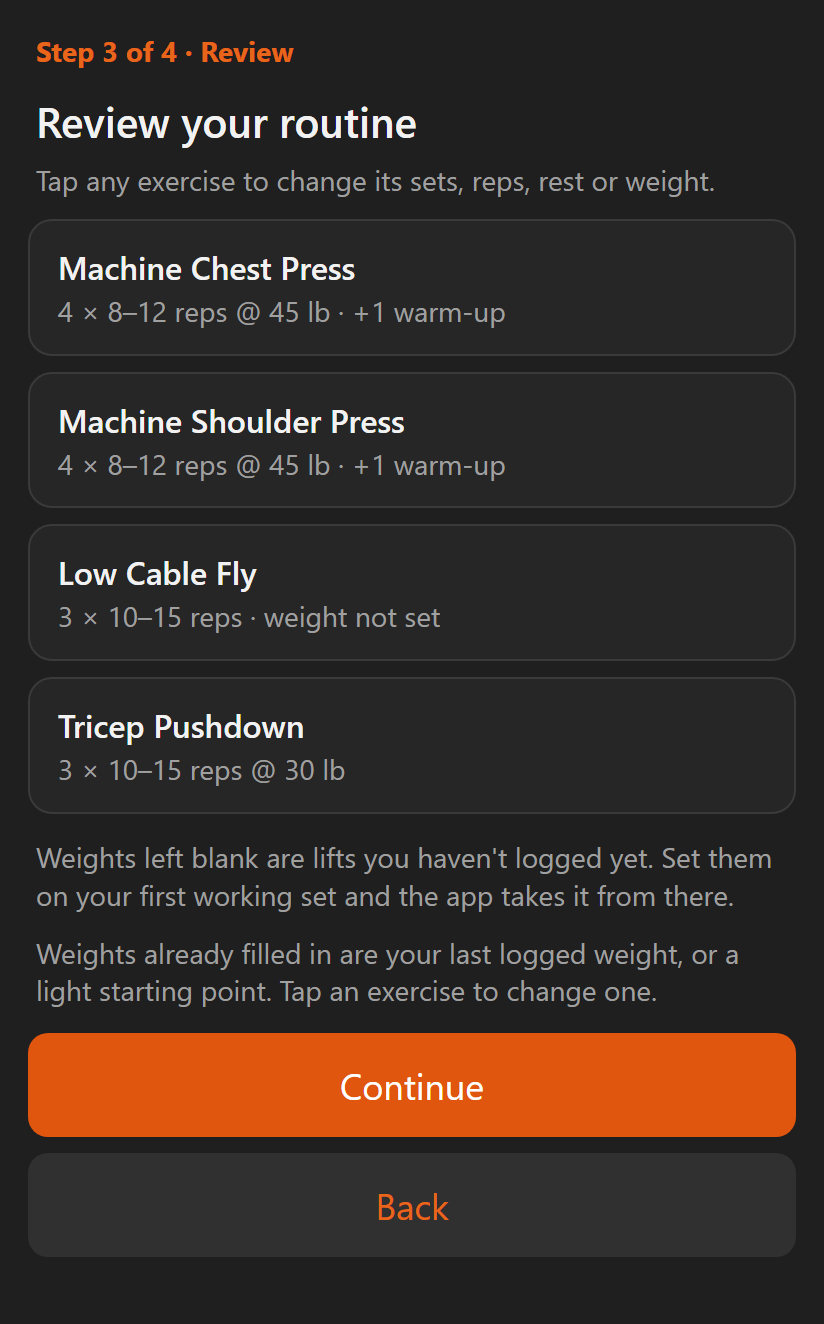
Every exercise shows what it will prescribe. Tap any of them to change sets, reps, rest or weight, then tap Continue.
Starting weights come from your last session of that lift. If you have none, common lifts get a light starting weight.
Some exercises may say weight not set:
- It means you've never logged that lift, and the app has no honest guess to make.
- It is not a zero. Set the weight on your first working set.
- What you lift that day becomes your target from then on.
Step 4: training days
- Tick the days this routine comes round. It shows on your Dashboard on those days, every week.
- Tap Create routine.
Good to know:
- Days are optional. Skip them and the routine is still there to start any time.
- You can schedule it later from the Schedule tab.
- Days you set here are yours. Applying a named program or re-running setup clears the days those put on your calendar. It never touches a day you chose yourself.
Add another routine?
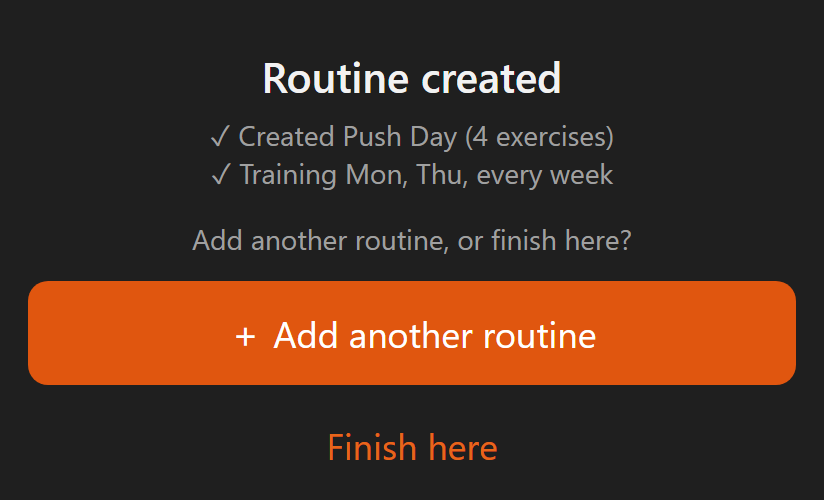
After each routine is created, the app asks Add another routine, or finish here?
- + Add another routine starts again at step 1 for the next routine, with its own name, exercises and days. The routine you just built is there to copy.
- Build as many as you want, one at a time.
- Finish here goes to the last screen, with a summary of everything you built.
You're set
- Start it now opens a workout with the routine you just built. Training it the same day is the fastest way to get real numbers in.
- Done closes the builder.
From here it behaves like any other routine. Your targets move from your first session: reps climb to the top of the range, then the weight goes up.
Related: Routine detail, Workouts tab: Routines, Named programs, Picking an exercise, How progressive overload works, The Schedule tab, Getting a plan.