LiftTrack vs BulkForged on a Garmin watch
Pick BulkForged for a lifting app on your Garmin, with targets that move on their own.¹ Pick LiftTrack if you use an iPhone today, or want the session in Garmin's Strength activity.
About this page
- BulkForged is our app, so weigh this page accordingly.
- Every statement about LiftTrack comes from LiftTrack's own website, FAQ or App Store listing.
- We read each of those pages on 5 October 2026.
- Prices are US figures. LiftTrack's come from its App Store listing. Ours come from our plans page.
LiftTrack and BulkForged side by side
| What | LiftTrack | BulkForged |
|---|---|---|
| Phones | iPhone and Android | Android. iPhone is coming soon |
| What runs on the watch | Garmin's built-in Strength activity. Nothing to install | BulkForged's own watch app, free from the Connect IQ store |
| Watches | Garmin watches with Strength workouts. Its FAQ says to check Garmin's list | 60+ Garmin watches, listed by model |
| Runs the workout with the phone away | Yes. The session arrives the next time the watch syncs | Yes. The watch runs the whole workout offline |
| Change the workout mid-session on the watch | No, says its FAQ | Yes. Jump to another exercise and come back |
| How the next weight is set | Linear or double progression. Double defaults to 8 to 12 reps, adding 2 reps each time, then 5 lb | Double progression: reps to the top of the range, then weight¹ |
| Weight steps | A fixed amount you set, 5 lb by default | Rounded to a real machine or plate step¹ |
| Do you accept the change | Yes. Nothing changes until you tap Accept | No. Targets update when you finish¹ |
| After a short session | One set short, and the exercise is held | One short set holds the target. It eases only when two sets come in lower, or the only working set does¹ |
| Your own routine or generated | Build your own. Its site says it also builds workouts from your goals, schedule and history | Your routine as you built it. Starter routines and named programs if you want one |
| Import from Hevy or Strong | No direct import | Yes. Workouts, routines, schedule and starting weights |
| Export | A CSV file, one row per set | "Export my data" saves your whole history as one file |
| Saved as a Garmin activity, heart rate | Yes. Heart rate, duration and calories stay in Garmin Connect | No. Saved in BulkForged, with no heart rate |
| Free plan | 3 workouts of your own, sending workouts to your Garmin, a weekly schedule, progressions and full history | Basic: every workout, your history, routines and records |
| Paid price (US) | The App Store lists Premium at $7.99 a month, and yearly at $49.99 and $59.99 | Coaching: $7.99 a month or $49.99 a year. 14 days free, no card |
¹ Part of Coaching, the paid plan. Every install starts with 14 days of it free, with no card.
Where BulkForged differs
On the watch:
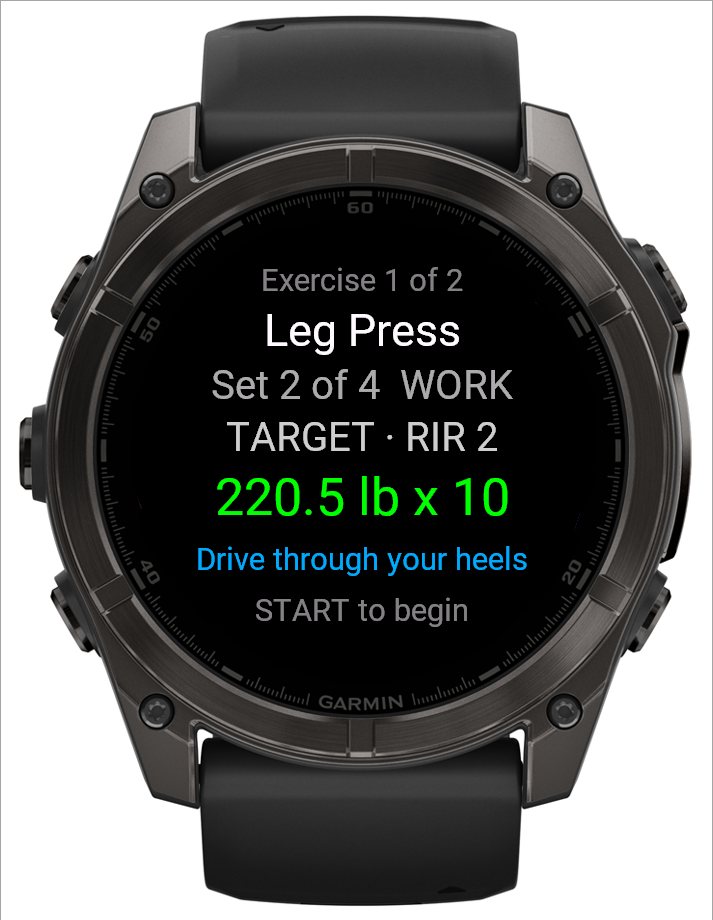
- Its own watch app. The watch shows the exercise, the target weight and the target reps for each set.
- LiftTrack's FAQ says an exercise Garmin does not know shows as "Go". Its name sits in the step's notes.
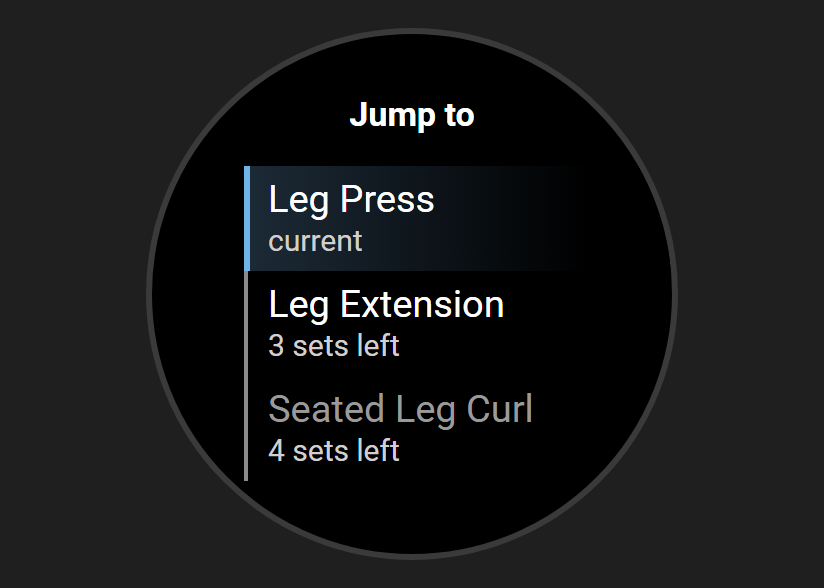
- Machine taken? Change course. Choose Jump to exercise, and the exercise you left waits for you. See Machine taken?
- LiftTrack's FAQ says the watch runs the copy of the workout it synced before you started.
- You confirm weight and reps on the wrist. A set takes three presses: confirm the weight, confirm the reps, done.
- LiftTrack's site says its sessions use Garmin's rep counting.
- Watch and phone stay in step. Either can start, log or finish a workout. They sync every 5 seconds during a workout. See how they stay in sync.
After the workout:
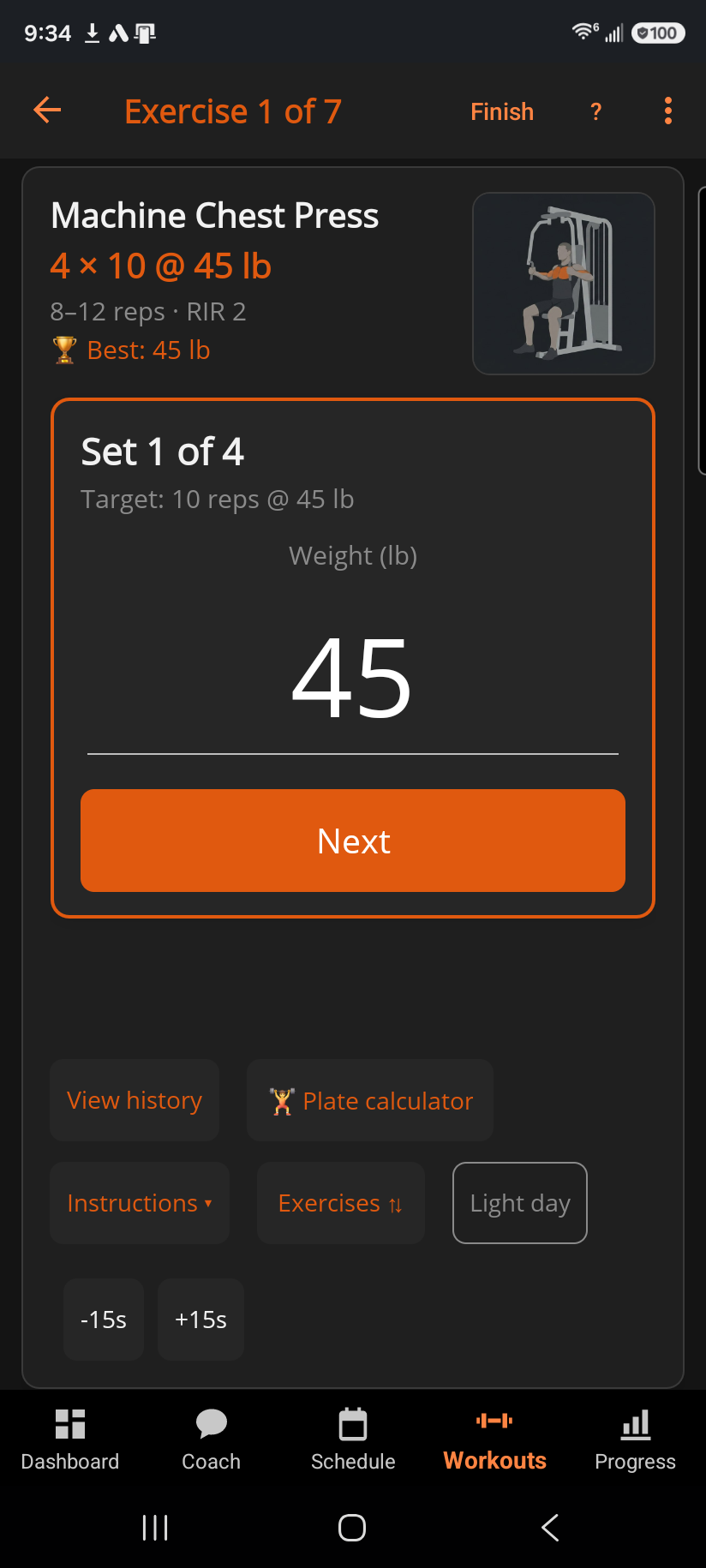
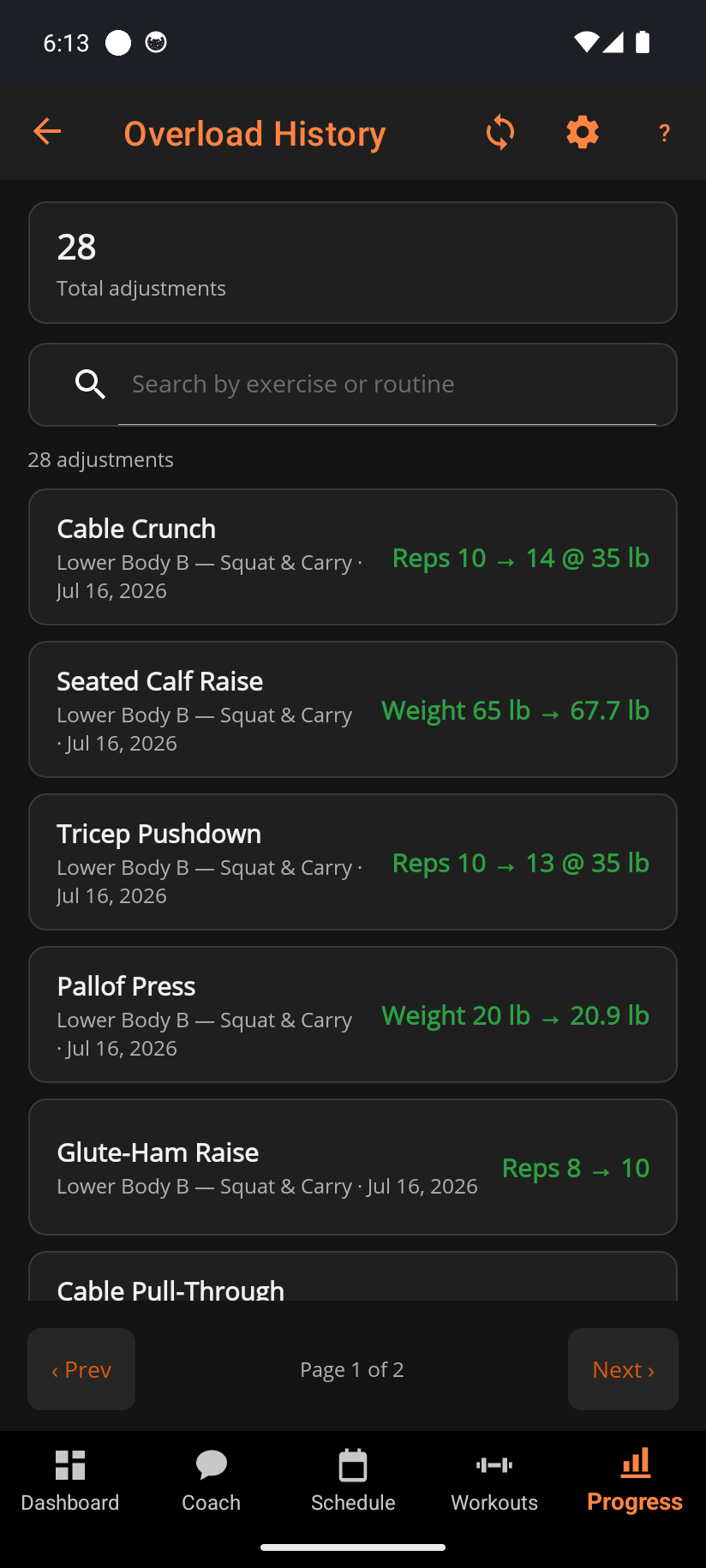
- No Accept tap.¹ Targets update when you finish the workout.
- Every change is written to Overload History. It names the session and the sets it came from.
- Any target can be edited, and the app carries on from your number.
- Real steps.¹ A weight increase is rounded to a real machine or plate step. LiftTrack adds a fixed amount you set.
- A free plan with no workout limit. Basic keeps every workout, your history, routines and records. LiftTrack's FAQ says its free plan includes 3 workouts of your own.
- Bring your history from Hevy or Strong. Export the file and import it. Workouts, routines, schedule and starting weights come across.
- LiftTrack's FAQ says there is no direct import. It suggests creating a workout from a photo or description.
¹ Part of Coaching, the paid plan. Every install starts with 14 days of it free, with no card.
Where LiftTrack is better
- iPhone today, as well as Android. BulkForged on iPhone is coming soon.
- Nothing to install on the watch. Workouts run in Garmin's built-in Strength activity.
- Garmin Connect. Its FAQ says heart rate, duration and calories stay in Garmin Connect.
- Progressions in the free plan. BulkForged's automatic targets are part of Coaching.
- More progression types, including training-max sets for programs like 5/3/1, and a CSV export.
Which should you pick?
- You want your targets on the wrist, set by set: BulkForged.
- Your gym's machines are often taken: BulkForged.
- You want targets to move without a review step: BulkForged, with Coaching.
- You are moving from Hevy or Strong: BulkForged brings your history across.
- You use an iPhone today: LiftTrack, or join the BulkForged iPhone waitlist.
- You want the session in Garmin Connect, with heart rate: LiftTrack.
What to know about BulkForged
- Android only today. iPhone is coming soon. Join the waitlist.
- 60+ Garmin watches: most of the fēnix 6, and the fēnix 7, 8 and 9; epix; Enduro; MARQ; tactix; quatix; D2 Mach 1 Pro; Forerunner 165, 170, 255, 265, 570, 955, 965 and 970; Descent; and the AMOLED Instincts. No Venu or vivoactive. See every supported model.
- No Apple Watch or Wear OS app.
- A lifting session is saved in BulkForged, not as a Garmin Connect activity. It records no heart rate. More: what's saved where.
- The phone app works without an account. Pairing the watch needs one.
- Every install starts with 14 days of Coaching, with no card. See plans.
Related: What coaching includes, Why didn't my target go up this session?, The workout menu on your watch, Importing your workouts from another app.
Get BulkForged on Google PlayMore guides
- Best strength training apps for Garmin watches
- Does Hevy work with Garmin?
- Does Strong work with Garmin?
- Does StrongLifts work with Garmin?
- Does Fitbod work with Garmin?
- Does JEFIT work with Garmin?
- Does Caliber work with Garmin?
- Which workout apps set your next weight?
- Gravl vs BulkForged on a Garmin watch
- How to log a gym workout on a Garmin watch
- Why your Garmin miscounts reps
- When should you add weight?
- How many sets per muscle per week?
- How to keep muscle while losing weight
- Which Garmin watches run BulkForged?
- Switching to BulkForged from Hevy or Strong
- One gym workout on a Garmin watch, press by press
- Questions to ask before you install
- BulkForged for iPhone: coming soon
- BulkForged and Garmin Connect: what's saved where
- How the watch and phone stay in sync during a workout
- Phone in the locker, workout on your Garmin
- Machine taken? Skip to another exercise
- How to track progressive overload on a Garmin
- Why Garmin Strength Coach skips some weights
- Fix Garmin Strength weights, names and sets
- Which Garmin watch is best for lifting?
- BulkForged on the fēnix 9
- BulkForged on the fēnix 8
- BulkForged on the epix Pro
- BulkForged on the Forerunner 970
- BulkForged on the Forerunner 965
- BulkForged on the Instinct 3 AMOLED