Does the Strong app work with Garmin?
No, the Strong app has no Garmin watch app. Its own site lists apps for iPhone, Apple Watch and Android.
BulkForged works seamlessly with Garmin watches and remembers what you should lift next so you don't have to.
If you wear a Garmin, using Strong means logging every set on your phone. BulkForged takes the file Strong exports and can run your workouts on the watch instead.
What does Strong say about watches and integrations?
Strong's own pages name one watch, the Apple Watch, and list no Garmin integration.
- Its help centre says: "We offer apps for iPhone (including Apple Watch) and Android."
- Its App Store listing describes a "Fully-featured Apple Watch app to log workouts with or without your iPhone".
- Its help centre has a section called "Apple Health and Other Integrations".
- That section covers Apple Health, Google Fit and Health Connect, nutrition, and MyFitnessPal. Garmin is not on the list.
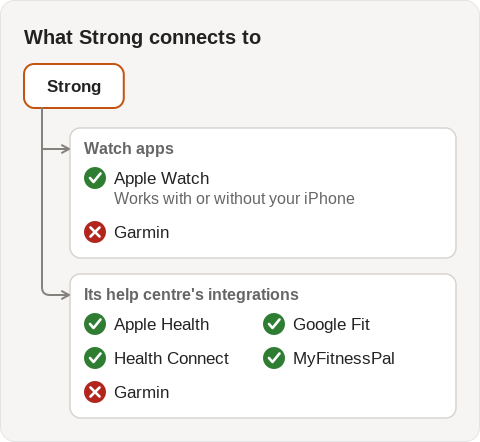
This is not a fault on your watch, and no setting fixes it.
Can a Garmin still help while you log in Strong?
Yes, for heart rate. Start Garmin's own Strength activity on the watch and keep logging in Strong on your phone.
- You get two records of one workout, with the sets in Strong and the heart rate in Garmin Connect.
- On iPhone, Strong shares your workouts with Apple Health, its help centre says. On Android, its help centre has an article on Health Connect.
- Neither route puts a set on the watch. Best strength training apps for Garmin watches compares the seven options that do.
How do Strong and BulkForged compare on a Garmin?
Strong covers more phones, but BulkForged is the one with a Garmin watch app. Both have an Apple Watch app.
| What | Strong | BulkForged |
|---|---|---|
| Garmin watch app | No | Yes, on 90+ models |
| Other watches | Apple Watch | Apple Watch |
| Phones | iPhone and Android | iPhone and Android |
| Sets your next weight | Not on the pages we read | Yes, when you finish a workout¹ |
| Moving your history | Strong exports a file | BulkForged imports that file |
The watch models, by family: every supported Garmin.
What does logging on the watch look like?
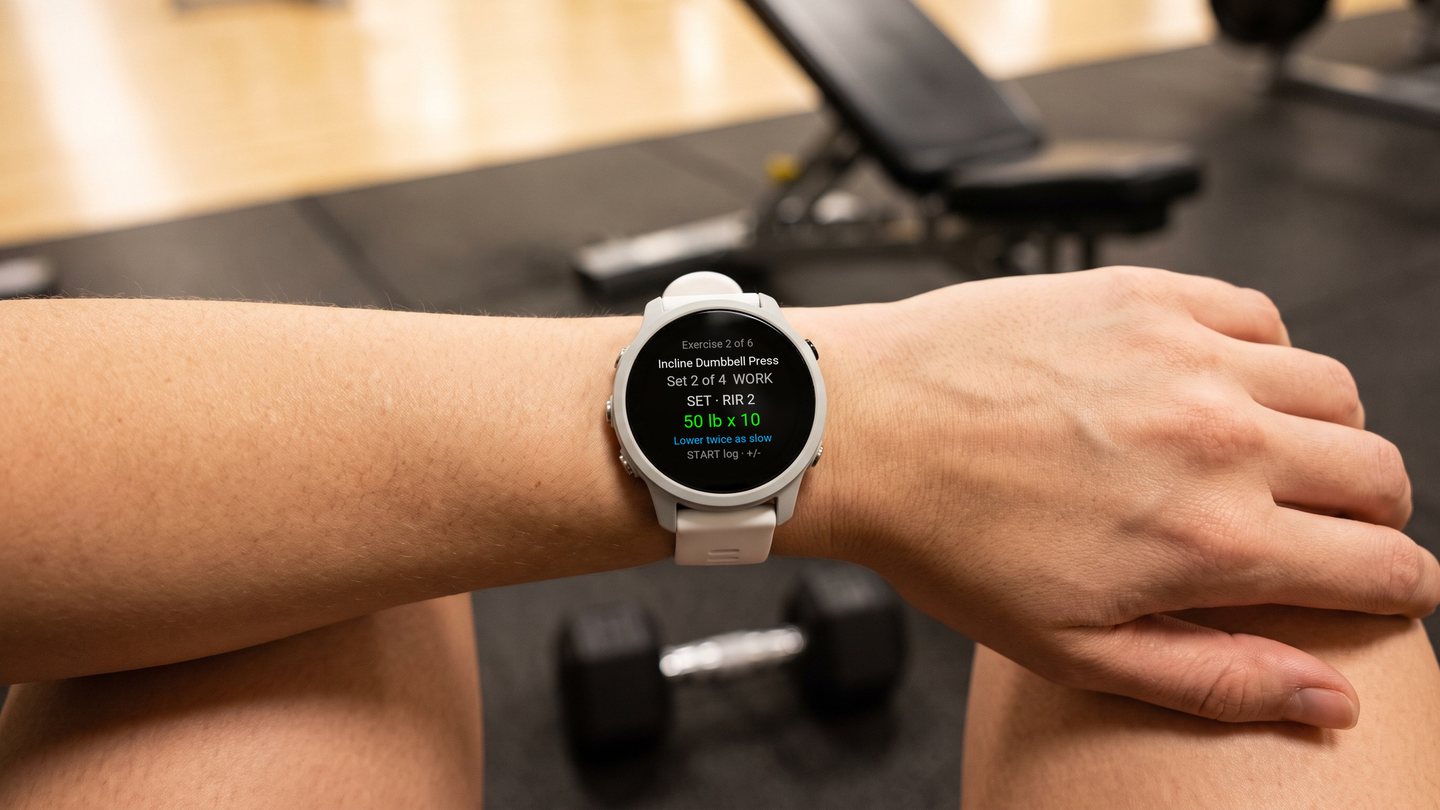
The watch holds the whole session, so your phone can stay in your bag. This is BulkForged, our app:
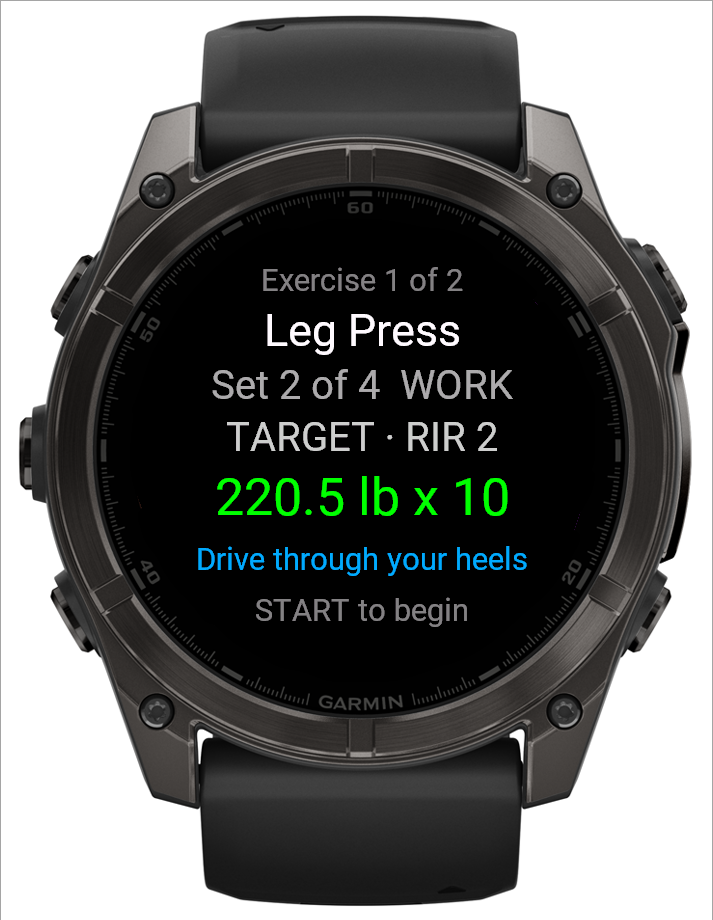
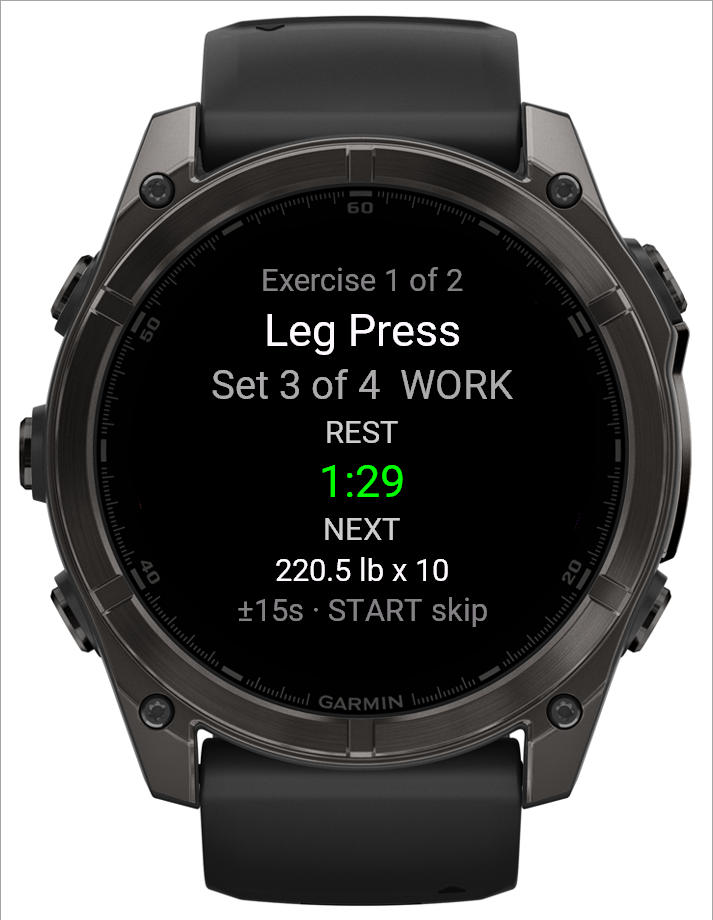
- Before each set, the watch shows the exercise, the weight and the reps to aim for.
- One press logs the set as shown. To change it, you set the weight, then the reps.
- The rest timer starts by itself and buzzes when it is time to lift.
- The gym needs no signal, and the session uploads when the watch next connects.
See it on video: a whole exercise logged on a fēnix, phone in the bag.
Does Strong tell you when to add weight?
None of Strong's pages we read says it sets your next weight.
- Its App Store listing names a "Warm Up Calculator" and a "Plate Calculator".
- Its help centre describes a Focus Metric. Strong "will compare it to the last time you performed that exercise."
BulkForged sets your next targets when you finish a workout:¹
- It adds reps first, and once every working set reaches the top of the rep range, the weight goes up.
- The new weight is rounded to a real plate or machine step.
- One short set holds the target.
- Each change is written to Overload History, with the session and the sets it came from.
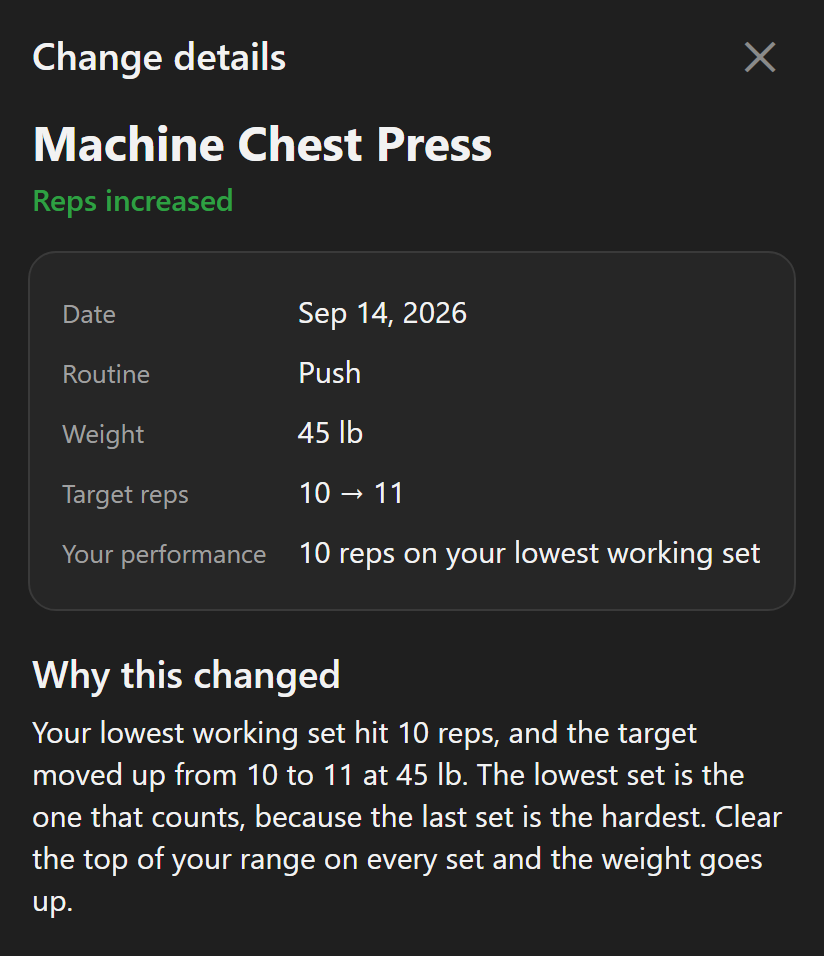
The full rule: When should you add weight?
Can I bring my Strong history?
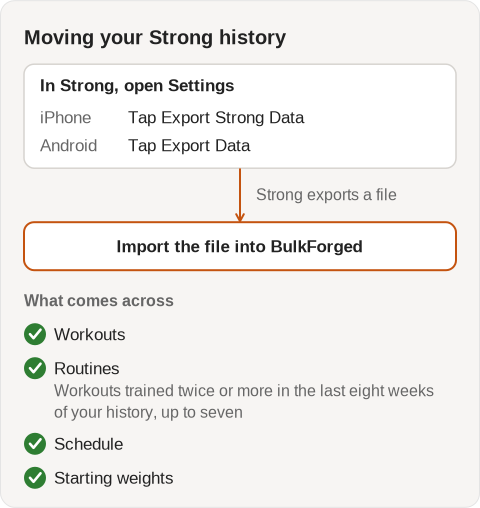
Yes, export your history from Strong and import the file into BulkForged.
- Strong's help centre shows where the export is: on iPhone, open Settings and tap Export Strong Data.
- On Android, open Settings and tap Export Data.
- Your workouts, routines, schedule and starting weights come across. A workout trained twice or more in the last eight weeks of your history becomes a routine, up to seven.
- The full walk-through: Switching from Hevy or Strong.
Where do this page's facts come from?
Every statement about Strong comes from Strong's own website, help centre or App Store listing, read on 5 October 2026.
- We read strong.app, help.strongapp.io and Strong's App Store listing.
- BulkForged is our app, so weigh this page accordingly.
¹ Part of Coaching, the paid plan. Every install starts with 14 days of it free, with no card.
Related: Importing your workouts from another app, Overload history, Adding your watch.

More guides
- Best strength training and lifting apps for Garmin watches
- Does Hevy work with Garmin?
- Does StrongLifts work with Garmin?
- Does Fitbod work with Garmin?
- Does JEFIT work with Garmin?
- Does Caliber work with Garmin?
- Does Boostcamp work with Garmin?
- Does the Ladder app work with Garmin?
- Which workout apps set your next weight?
- Gravl vs BulkForged on a Garmin watch
- LiftTrack vs BulkForged on a Garmin watch
- How to log a gym workout on a Garmin watch
- Why your Garmin miscounts reps
- When should you add weight?
- How many sets per muscle per week?
- How to keep muscle while losing weight
- Which Garmin watches run BulkForged?
- Switching to BulkForged from Hevy or Strong
- One gym workout on a Garmin watch, press by press
- Questions to ask before you install
- BulkForged for iPhone
- BulkForged and Garmin Connect: what's saved where
- How the watch and phone stay in sync during a workout
- Phone in the locker, workout on your Garmin
- Machine taken? Skip to another exercise
- How to track progressive overload on a Garmin
- Why Garmin Strength Coach skips some weights
- Garmin Strength not saving weights? The fixes
- Which Garmin watch is best for lifting?
- BulkForged on the fēnix
- BulkForged on the epix Pro
- BulkForged on the Forerunner
- BulkForged on the Instinct 3 AMOLED
- BulkForged on the Venu
- BulkForged on the vívoactive
- BulkForged on the Instinct
- Setting up a new Garmin for the gym
- Starting to lift this year