Machine taken? How do I skip to another exercise in my Garmin gym workout?
Garmin's structured strength workouts let you skip a set or change the next set. In the BulkForged watch app, press BACK, then Jump to exercise, and the exercise you left waits for you.
What do Garmin's own strength workouts allow?
- Garmin's fēnix 8 Series manual covers this on its page "Recording a Strength Training Activity". We read it on 4 October 2026.
- It says you can press the upper-right button during a workout to edit your previous sets.
- It adds: "For structured workouts, you have options to skip a set or change the next set."
- That page does not describe coming back to an exercise later.
Garmin's forums describe more, on some watches:
- In the Venu 3 forum thread "Rep counting", a member described a "skip group" option.
- They wrote that it lets you "skip an exercise and go to the next one, come back to it later."
- The post adds: "Often done if you're at a public gym and the machine is in use."
- The same post says not all Garmin watches support it.
- A member of the fēnix 8 forum agrees, in the thread "Strength Training".
- They wrote: "Skipping or doing exercises later is possible on the watch."
- We read both threads on 4 October 2026. Check your own watch's manual for the exact steps.
How do I jump to a free machine in BulkForged?
BulkForged is our app. Its watch app does this from the workout menu.
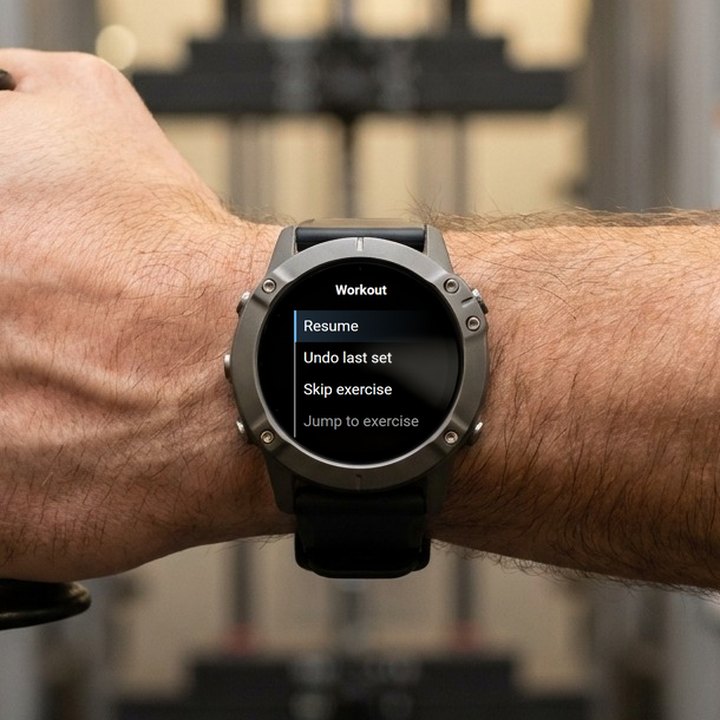
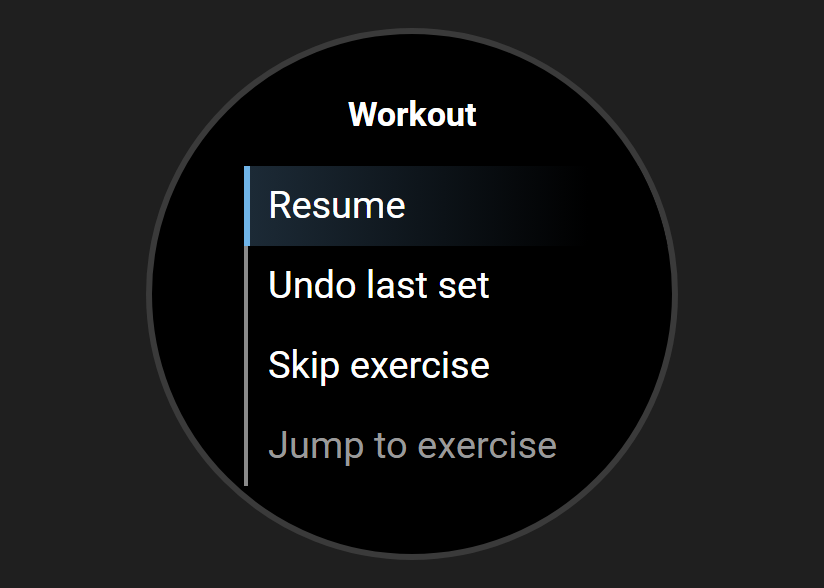
- On the set overview, press BACK. The workout menu opens.
- Scroll down and choose Jump to exercise.
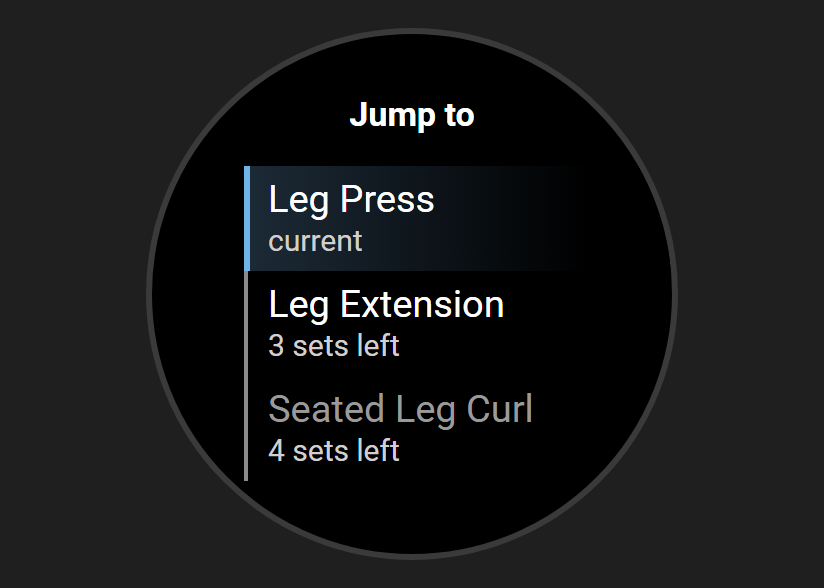
- The list shows every exercise with sets left. The one you are on reads current. The others show how many sets are left.
- Pick the free one. Its next set appears, and you carry on.
See it on video: machine taken? Skip ahead to a free exercise.
Does the exercise I left wait for me?
Yes. In BulkForged, jumping away leaves that exercise as it was.
- Sets you already logged on it stay logged.
- It stays on the Jump list while it has sets left.
- The watch stays on the exercise you jumped to until its sets are done.
- Then it goes to the first exercise in your routine that still has sets left. Usually that is the one you left.
- You can also open the Jump list again and pick it any time.
What does Skip exercise do?
In BulkForged, Skip exercise is for an exercise you will not do today. It sits just above Jump to exercise in the menu.
- It marks every remaining set of the current exercise as skipped.
- Skipped sets are not logged as sets you did.
- The exercise comes off the Jump list.
- Undo last set does not bring it back.
- In a superset, only the current exercise is skipped. Its partner carries on.
- If it was the last exercise, the workout saves and the summary appears.
For a busy machine, use Jump to exercise instead.
How do Garmin's workouts and BulkForged compare?
The Garmin column comes from Garmin's fēnix 8 manual and Garmin forum posts, read 4 October 2026.
| Feature | Garmin structured workout | BulkForged watch app |
|---|---|---|
| Skip | A set | The rest of an exercise |
| Change what comes next | "Change the next set" | Jump to exercise |
| Come back later | "Skip group", on some watches | It waits on the Jump list |
| Sets left shown | Not on the manual page | Yes |
Does the phone need to be nearby to jump or skip?
No. The BulkForged watch app runs the whole workout by itself.
- Jump, skip, undo and finish all work with the phone in the locker.
- The watch saves the workout with no connection.
- It uploads when it has a connection. Most watches get one through Garmin Connect on your phone.
More on that in leaving your phone in the locker.
Which watches and phones does BulkForged work on?
- Android phones today. iPhone users can join the waitlist.
- 60+ Garmin watches. No Venu or vivoactive. See every supported model.
- Pairing the watch needs a BulkForged account. The phone app works with no account.
The whole workout, screen by screen, is in one gym workout on a Garmin watch, press by press.
Related: The workout menu on your watch, The set overview screen on your watch, Using your Garmin watch, Starting a workout from your watch.
Get BulkForged on Google PlayMore guides
- Best strength training apps for Garmin watches
- Does Hevy work with Garmin?
- Apps that raise your weights automatically
- How to log a gym workout on a Garmin watch
- Why your Garmin miscounts reps
- When should you add weight?
- How many sets per muscle per week?
- How to keep muscle while losing weight
- Which Garmin watches run BulkForged?
- Switching to BulkForged from Hevy or Strong
- One gym workout on a Garmin watch, press by press
- Questions to ask before you install
- BulkForged and Garmin Connect: what's saved where
- How the watch and phone stay in sync during a workout
- Phone in the locker, workout on your Garmin
- How to track progressive overload on a Garmin
- Why Garmin Strength Coach skips some weights
- Fix Garmin Strength weights, names and sets
- Which Garmin watch is best for lifting?
- BulkForged on the fēnix 9
- BulkForged on the fēnix 8
- BulkForged on the epix Pro
- BulkForged on the Forerunner 970
- BulkForged on the Forerunner 965
- BulkForged on the Instinct 3 AMOLED