Questions to ask before you install
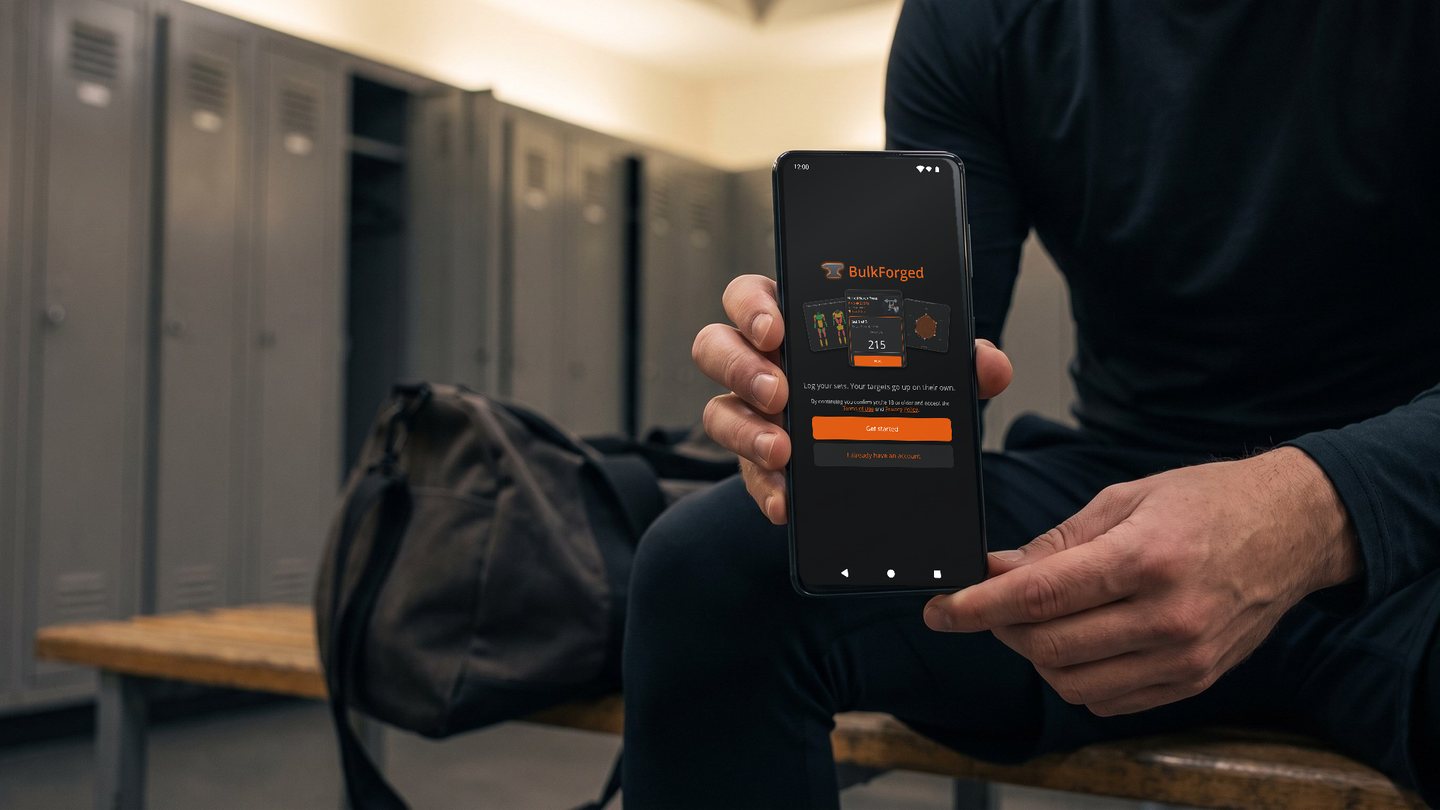
BulkForged works seamlessly with Garmin watches and remembers what you should lift next so you don't have to.
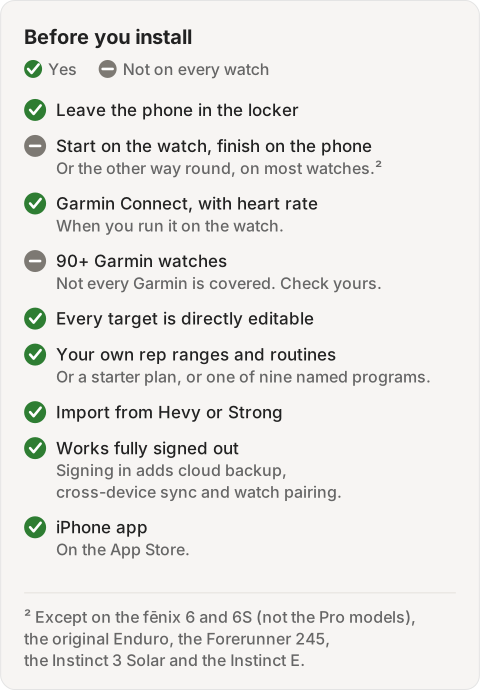
Can I leave my phone in the locker and log the whole workout on the watch?
Yes. The watch app is offline-first: it logs every set with no phone present and uploads the workout when it has a connection. See using your watch.
Can I start on the watch and finish on the phone, or the other way round?
Yes. Anything you log on one shows up on the other, so you can finish a workout on whichever device is in hand.¹ See using your watch.
¹ Except on the fēnix 6 and 6S (not the Pro models), the original Enduro, the Forerunner 245, the Instinct 3 Solar and the Instinct E. Those watches send your workout to your phone once, when you finish.
Does the workout show in Garmin Connect, and does it record heart rate?
Yes, when you run it on your Garmin watch. The workout saves to Garmin Connect with heart rate and calories. A cardio bout inside the workout saves as its own activity. BulkForged keeps your sets and weights. A workout done on the phone alone records nothing in Garmin Connect. See best strength training apps for Garmin watches.
Which Garmin watches work? Is my fēnix variant supported?
BulkForged runs on 90+ Garmin watches, including the fēnix 6, 7, 8 and 9 families. Not every Garmin is covered, so check yours. See every supported model.
How does the app decide my next target? Can I change a target myself?
It reads your last working sets, adds a rep each session, and adds weight once you reach the top of your rep range.² Every target is shown plainly and is directly editable if you want to set it yourself. See progressive overload, explained.
What happens after a short set, a missed workout or a deload week?
One short set among others holds your target. Two short sets, or a lone working set that came up short, ease it to one rep above what you did.² A skipped exercise waits for next time. A deload week, or a lift you marked Go light, never lowers a target. See why didn't my target go up?
Can I read it from the bench?
Yes. The phone shows one set at a time. Weight and reps are in large digits you can read at a glance from the bench. The watch shows the weight and reps together, and one press logs them. See logging a set.
Can I set my own rep ranges and build my own routines? Are there built-in programs?
Yes to both. Build a routine from scratch or from a ready-made day, and set your own rep range on any exercise. Or start from a built-in starter plan or one of nine named programs. See the routine builder.
Does it handle supersets, drop sets, warm-up sets and cardio? On the watch as well as the phone?
Yes to all four on the phone. Supersets, warm-up sets and cardio run on the watch the same way; drop sets are phone-only. See supersets, explained.
Can I import my history from Hevy or Strong? Which files does it read?
Yes. It reads Hevy's workouts export, Hevy's measurements export, and Strong's workouts export. See importing your workouts from another app.
Can I get my own data out?
Yes. Settings → Account & watch has an Export my data button that hands you a complete copy of your training data, signed in or not. See account and watch settings.
What is free, what is in Coaching, and what happens to my history if I stop paying?
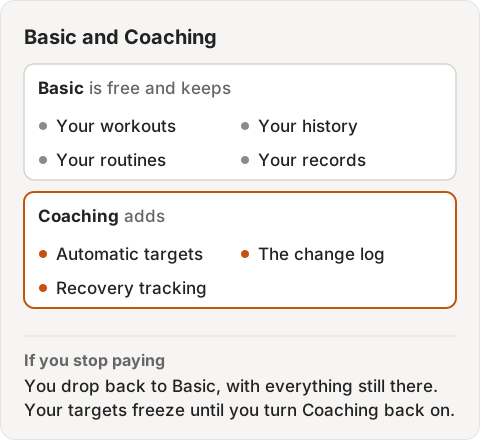
Basic is free and keeps your workouts, history, routines and records; Coaching adds automatic targets, the change log and recovery tracking. Stop paying and you drop back to Basic with everything still there and your targets frozen until you turn it back on. See plans and pricing.
Do I need an account?
No. BulkForged works fully signed out, with your workouts, routines and progression stored on your phone; signing in adds cloud backup, cross-device sync and watch pairing. See signing in.
What data does the app collect, and how do I delete my account?
Your account email, the workouts, routines and body stats you log, and a watch pairing if you connect one. It also sends anonymous usage records, which carry a random identifier the app made up for this install, never your advertising ID and never linked to your account. If the app crashes it sends a report with the crash details, and never a slice of the app's diagnostic log, whether or not you are signed in: signed in, that report is attached to your account and deleted with it; signed out, it carries only that random identifier. The policy lists every category in full. Delete everything from Settings → Account & watch → Delete account, or by email. See our privacy policy.
Does it work with Health Connect?
Yes, on Android: connect it in Settings and choose which categories sync each direction, such as writing workouts and bodyweight out or reading bodyweight and calories in. On iPhone, BulkForged can share workouts and weight with Apple Health instead. See connected services.
Is there an iPhone app?
Yes. BulkForged is on the App Store, with the same plans and the same Garmin watch app. See BulkForged for iPhone.
² Part of Coaching, the paid plan. Every install starts with 14 days of it free, with no card.

More guides
- Best strength training and lifting apps for Garmin watches
- Does Hevy work with Garmin?
- Does the Strong app work with Garmin?
- Does StrongLifts work with Garmin?
- Does Fitbod work with Garmin?
- Does JEFIT work with Garmin?
- Does Caliber work with Garmin?
- Does Boostcamp work with Garmin?
- Does the Ladder app work with Garmin?
- Which workout apps set your next weight?
- Gravl vs BulkForged on a Garmin watch
- LiftTrack vs BulkForged on a Garmin watch
- How to log a gym workout on a Garmin watch
- Why your Garmin miscounts reps
- When should you add weight?
- How many sets per muscle per week?
- How to keep muscle while losing weight
- Which Garmin watches run BulkForged?
- Switching to BulkForged from Hevy or Strong
- One gym workout on a Garmin watch, press by press
- BulkForged for iPhone
- BulkForged and Garmin Connect: what's saved where
- How the watch and phone stay in sync during a workout
- Phone in the locker, workout on your Garmin
- Machine taken? Skip to another exercise
- How to track progressive overload on a Garmin
- Why Garmin Strength Coach skips some weights
- Garmin Strength not saving weights? The fixes
- Which Garmin watch is best for lifting?
- BulkForged on the fēnix
- BulkForged on the epix Pro
- BulkForged on the Forerunner
- BulkForged on the Instinct 3 AMOLED
- BulkForged on the Venu
- BulkForged on the vívoactive
- BulkForged on the Instinct
- Setting up a new Garmin for the gym
- Starting to lift this year