Can I log my whole gym workout on my Garmin and leave my phone in the locker?
Yes. Garmin's built-in Strength activity and the BulkForged watch app both run a whole gym session on the watch alone.
What does the BulkForged watch app do without the phone?
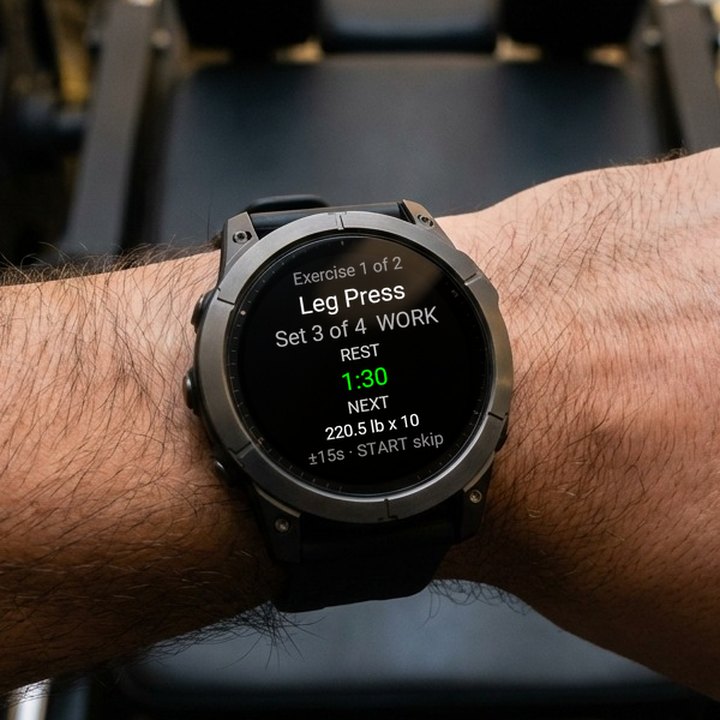
BulkForged is our app. Its watch app keeps the whole workout on your wrist:
- Starts any routine from the Start Workout menu.
- Shows each set's target weight and reps before you lift.
- Logs the weight and reps in three presses.
- Runs the rest timer between sets.
- Undoes a set, jumps to another exercise, or finishes early.
- Saves the workout on the watch with no connection.
- Uploads it when it has a connection.
What do I still need the phone for?
With BulkForged, the phone sets things up and receives the results. The gym part stays on the watch.
| Task | Phone needed? |
|---|---|
| Pair the watch, once | Yes, with an account |
| Build or edit a routine | Yes |
| Change an exercise's rest time | Yes |
| Start a routine | No |
| See each set's target | No |
| Log weight and reps | No |
| Rest timer | No |
| Undo, jump or skip | No |
| Finish and save | No |
| Upload the workout | A connection, usually via the phone |
Pairing needs a BulkForged account. The phone app itself works with no account.
What should I do before I put the phone away?
- Pair the watch once, if you have not yet. See pairing your watch.
- Open BulkForged on the watch while the phone is nearby. It fetches your latest routines and targets.
- Put the phone in the locker and start the routine from the watch.
Forgot step 2? The watch still has the routines from its last sync.
How do I log a set on the watch?
In BulkForged, each set is three screens on the watch.
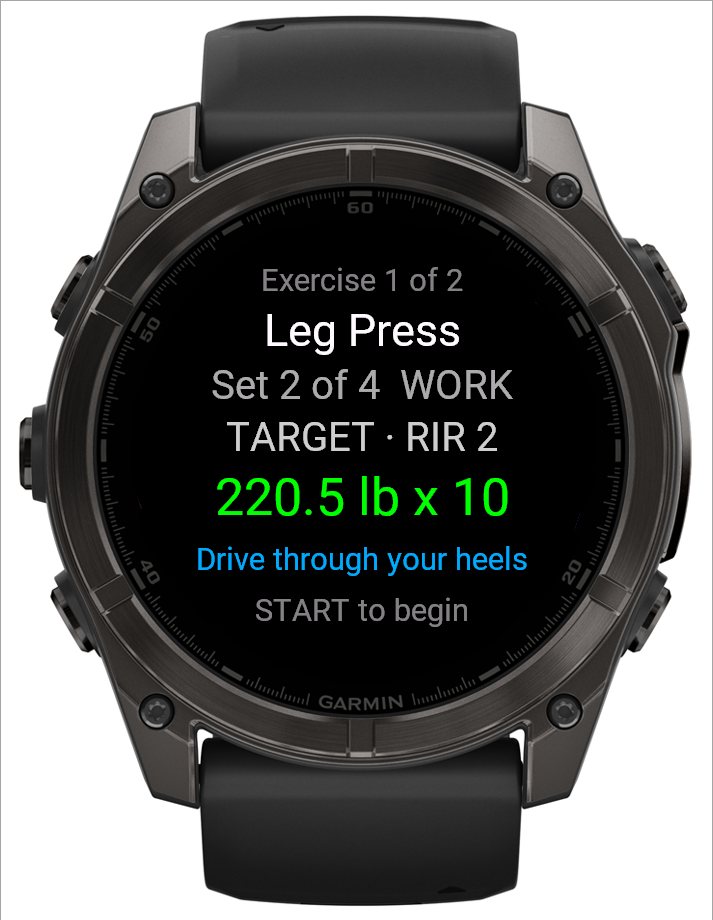
- The set overview shows the exercise, the set number and the target. Press START.
- The weight starts on your target. UP and DOWN change it. Quick presses step faster, from 0.5 up to 5. Press START.
- The reps start on your target. UP and DOWN change them by one. Press START to log the set.
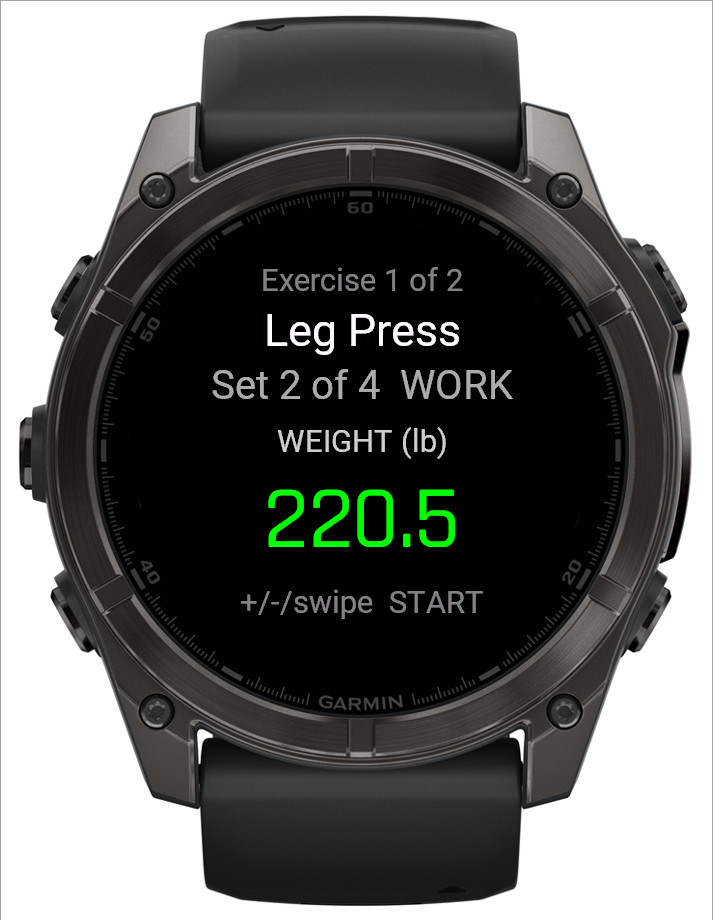
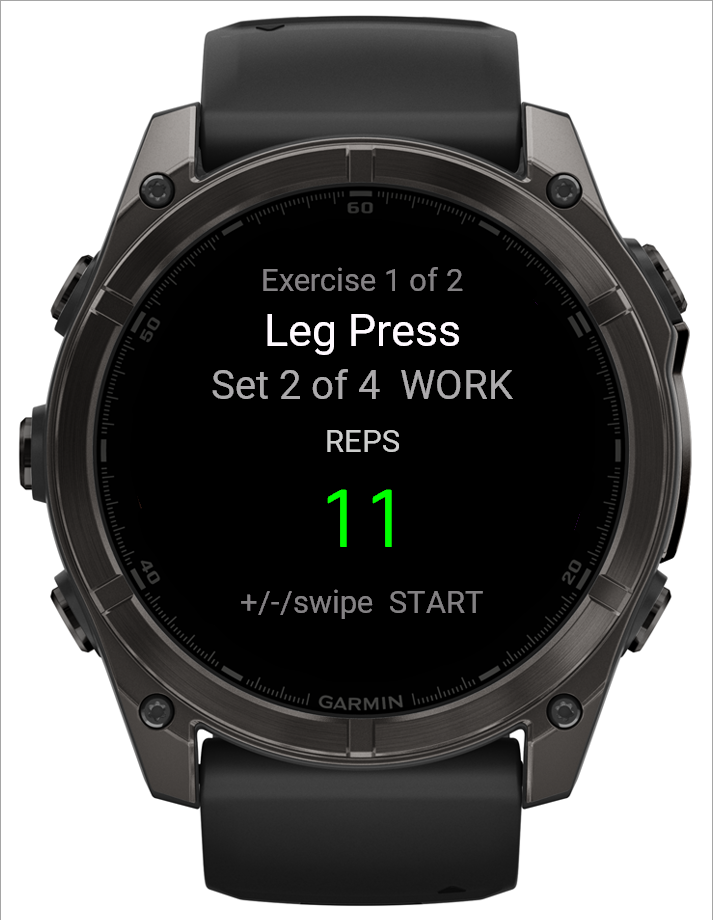
- A set that went to plan is three presses of START.
- After a working set, the remaining working sets start from what you just did.
- Some sets ask for reps in reserve. That adds one screen before the log.
- Made a mistake? Press BACK, then Undo last set.
See it on video: a whole exercise logged on a fēnix, phone in the bag.
How does the rest timer work on the watch?
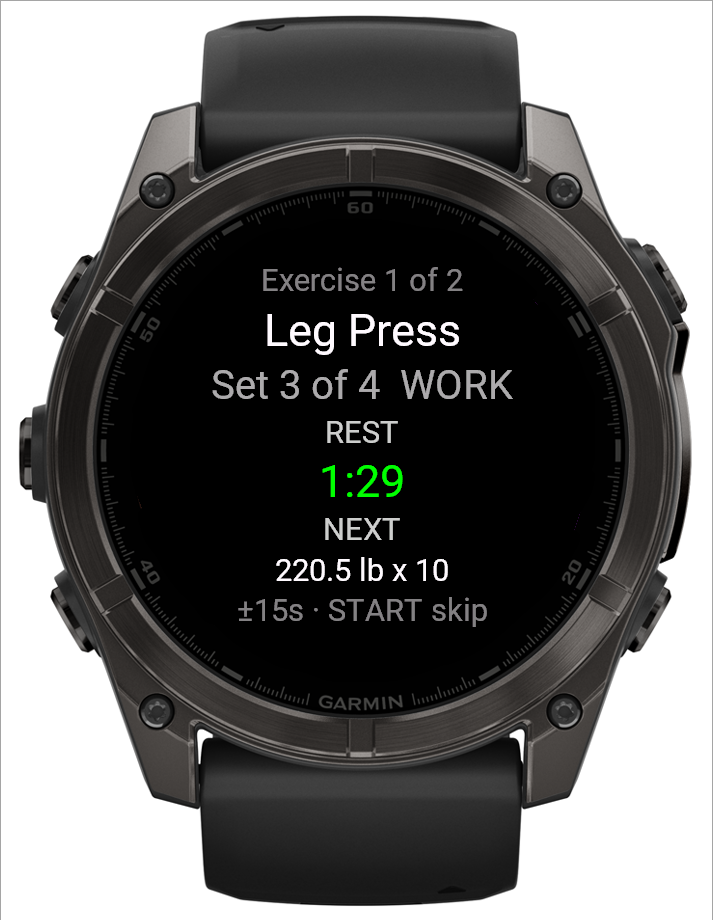
In BulkForged, the rest timer runs on the watch with no phone involved.
- It starts by itself when you log a set.
- The top shows the set that comes next. Under the countdown, NEXT shows its weight and reps.
- UP adds 15 seconds. DOWN takes 15 seconds off. A swipe does the same on touch screens.
- Two short buzzes warn you at 15 seconds left.
- At zero it buzzes, lights the screen and shows the next set's overview.
- START or BACK skips the rest straight away.
- The length comes from your routine. Change it for good on the phone.
- In a superset, rest comes once per round, after its last exercise.
See it on video: the rest timer between sets.
What if the gym has no signal?
- The BulkForged watch app needs no connection during the workout.
- It saves the finished workout on the watch.
- It uploads when it has a connection. Most watches get one through Garmin Connect on your phone.
- The BulkForged app on your phone does not need to be open.
- Workout not on your phone yet? Open BulkForged on the watch with the phone nearby.
What changes if the phone stays in my pocket instead?
Very little on the watch. The difference is when your phone sees the sets.
| With BulkForged | Phone in your pocket | Phone in the locker |
|---|---|---|
| Targets on the watch | Yes | Yes |
| Log sets on the watch | Yes | Yes |
| Rest timer on the watch | Yes | Yes |
| Log on the phone too | Yes | No |
| Phone shows your sets | Live, as you go | After the upload |
Live sync is covered in how the watch and phone stay in sync.
How does this compare with Garmin's Strength activity and phone apps?
| Feature | Garmin Strength | Phone logging app | BulkForged watch app |
|---|---|---|---|
| Phone can stay in the locker | Yes | No | Yes |
| Where you enter sets | Watch | Phone | Watch |
| Reps | Counted from wrist motion | Typed in | Start on your target |
| Weight | Entered after the set | Typed in | Starts on your target |
| Rest timer | Rest Countdown option | Varies by app | Starts after each set |
- Garmin's Strength activity needs no app. Garmin's fēnix 8 Series manual, "Recording a Strength Training Activity", says the watch counts your reps. You can edit the reps and weight after each set. Its Rest Countdown option alerts you after a rest length you set. We read it on 4 October 2026.
- Counting works better on some lifts than others. See why your Garmin miscounts reps.
- Some lifters miss last session's numbers on the wrist. See the Garmin forum thread "How do you track progressive overload in Connect?"
- Its author gets the phone out mid-session, "digging through history" for last Tuesday's bench.
- A Garmin staff reply in that thread said the feature is not available on Garmin watches. We read it on 4 October 2026.
- A phone logging app puts everything on the phone screen. It works well with the phone in your hand, so the phone comes to every set.
- BulkForged shows each set's target on the watch before you lift.
Where do the watch's targets come from?
- Your routine on the phone holds each exercise's target.
- With Coaching, the app on your phone works out your next targets after each workout. It sends them to the watch.
- Automatic targets and the change log are part of Coaching, the paid plan. It is open for your first 14 days at no charge.
- Basic is free: every workout, your history, routines and records. The watch still shows your targets and logs every set. The targets stay where you set them.
See what Coaching adds and when to add weight.
Which watches and phones does BulkForged work on?
- Android phones today. iPhone users can join the waitlist.
- 60+ Garmin watches. No Venu or vivoactive. See every supported model.
- Pairing the watch needs a BulkForged account. The phone app works with no account.
Related: The rest timer on your watch, The set overview screen on your watch, The weight screen on your watch, The reps screen on your watch, The workout menu on your watch, Adding your watch.
Get BulkForged on Google PlayMore guides
- Best strength training apps for Garmin watches
- Does Hevy work with Garmin?
- Apps that raise your weights automatically
- How to log a gym workout on a Garmin watch
- Why your Garmin miscounts reps
- When should you add weight?
- How many sets per muscle per week?
- How to keep muscle while losing weight
- Which Garmin watches run BulkForged?
- Switching to BulkForged from Hevy or Strong
- One gym workout on a Garmin watch, press by press
- Questions to ask before you install
- BulkForged and Garmin Connect: what's saved where
- How the watch and phone stay in sync during a workout
- Machine taken? Skip to another exercise
- How to track progressive overload on a Garmin
- Why Garmin Strength Coach skips some weights
- Fix Garmin Strength weights, names and sets
- Which Garmin watch is best for lifting?
- BulkForged on the fēnix 9
- BulkForged on the fēnix 8
- BulkForged on the epix Pro
- BulkForged on the Forerunner 970
- BulkForged on the Forerunner 965
- BulkForged on the Instinct 3 AMOLED