Does BulkForged work on a Garmin fēnix?
Yes, on the fēnix 6, 7, 8 and 9 and the fēnix E, Pro and Solar versions included. The tactix, quatix and Enduro watches that share a fēnix's screen run it too. It runs a whole gym workout from your wrist, with your phone left in the locker.
Which fēnix watches does BulkForged run on?
| Model | Screen | Touchscreen |
|---|---|---|
| fēnix 9 and 9 Pro, 43 mm | AMOLED, 416 × 416 | Yes |
| fēnix 9, 47 mm and 51 mm, and 9 Pro, 47 mm | AMOLED, 454 × 454 | Yes |
| fēnix 9 Pro, 51 mm | AMOLED, 466 × 466 | Yes |
| fēnix 9 Pro Solar, 47 mm and 51 mm | MIP, 260 × 260 and 280 × 280 | Yes |
| fēnix 8 AMOLED, 43 mm | AMOLED, 416 × 416 | Yes |
| fēnix 8 AMOLED and 8 Pro, 47 mm and 51 mm | AMOLED or MicroLED, 454 × 454 | Yes |
| fēnix 8 Solar, 47 mm and 51 mm | MIP, 260 × 260 and 280 × 280 | Yes |
| fēnix E | AMOLED, 416 × 416 | Yes |
| fēnix 7 and 7 Pro | MIP, 260 × 260 | Yes |
| fēnix 7S and 7S Pro | MIP, 240 × 240 | Yes |
| fēnix 7X and 7X Pro | MIP, 280 × 280 | Yes |
| fēnix 6 and 6 Pro | MIP, 260 × 260 | No |
| fēnix 6S and 6S Pro | MIP, 240 × 240 | No |
| fēnix 6X Pro | MIP, 280 × 280 | No |
Screen sizes are in pixels, from Garmin's Connect IQ developer files. Each line includes its Solar, Sapphire, Dual Power and inReach versions, where Garmin makes them.
Does it run on the tactix, quatix and Enduro?
On many of them. Garmin's developer files group these watches with a fēnix of the same screen, so they run the same app:
- tactix 8 and quatix 8, with the fēnix 8. The quatix 8 Pro goes with the fēnix 8 Pro. The tactix 8 Solar goes with the fēnix 8 Solar.
- tactix 7, quatix 7X Solar and Enduro 2, with the fēnix 7X.
- quatix 7, with the fēnix 7.
- tactix Delta and quatix 6X, with the fēnix 6X Pro.
- quatix 6, with the fēnix 6 Pro.
The full list is on every supported model.
Which fēnix watches does it not run on?
Anything older than the fēnix 6: the fēnix 5 and 5 Plus watches, the fēnix 3 and the fēnix Chronos.
Not sure which one you have? Garmin's Connect IQ store lists every compatible watch on the app's page.
Is anything different on a fēnix 6?
Two things.
- No fēnix 6 has a touchscreen. Every step works with the buttons, so you lose nothing.
- The fēnix 6 and 6S send your workout to your phone once, when you finish. That covers their Solar and Dual Power versions, but not the Pro or Sapphire. The phone doesn't show the workout live, and the watch can't join a workout you started on the phone.
On those two, leaving the app mid-workout loses the sets you have logged. Choose Finish & Save before you leave. On every other fēnix, your phone shows the workout live while you train.
Which fēnix has the biggest screen?
The 51 mm fēnix 9 Pro, at 466 × 466 pixels. That is the biggest screen of the 90+ watches BulkForged runs on.
The smallest are the fēnix 6S and 7S, at 240 × 240. BulkForged draws each line in the largest type that fits, so every fēnix shows the same set overview.
How is it different from the fēnix's own Strength activity?
On a fēnix 8 or 9, Garmin's Strength activity is under Activities, then Gym, then Strength. It counts your reps from your wrist, and the count appears after four reps.
- After each set, you edit the reps and add the weight yourself.
- To be asked for the weight on every set, turn on Edit Weight in the activity's settings.
- A structured workout sent from Garmin Connect can show an animation of each exercise.
We read Garmin's fēnix 8 and fēnix 9 manuals on 7 October 2026. BulkForged starts from your plan instead:
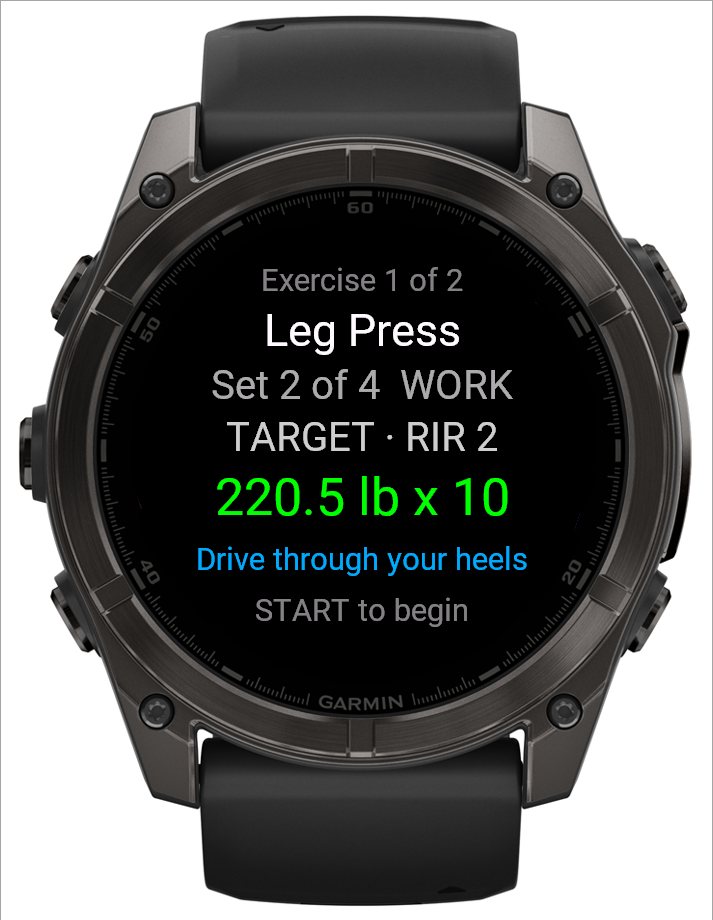
- Before each set, it shows the exercise, the weight and the reps to aim for.
- You confirm the weight, then the reps you did, so there is nothing to fix afterwards.
- The rest timer starts on its own and buzzes when it ends.
- The workout runs offline and uploads when the watch has a connection.
More in why your Garmin miscounts reps.
How does the rest timer work?
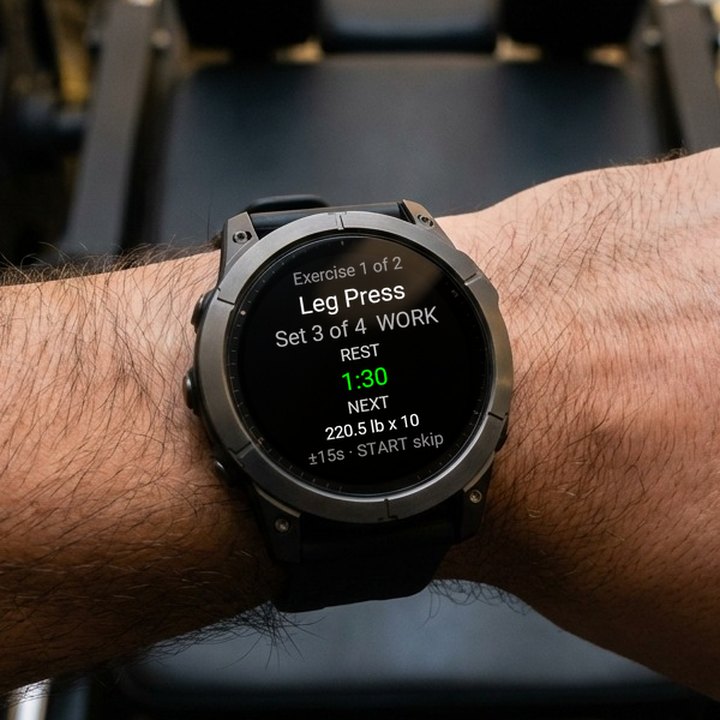
The photo at the top of this page shows it: a countdown, with your next set below it.
- It starts on its own when you log a set.
- It buzzes at 15 seconds left, and again at zero. The screen lights up with each buzz, so you can read it without flicking your wrist.
- UP adds 15 seconds and DOWN takes 15 off. On a touchscreen fēnix, a swipe up or down does the same.
- START or BACK skips the rest and moves on.
More in the rest timer on your watch.
Do I need the touchscreen?
No. Every step works with the buttons, which is how a fēnix 6 runs it. On a fēnix 7, 8, 9 or E, a swipe up or down also changes a number.
- START confirms and moves on.
- UP and DOWN change the weight or reps.
- BACK steps back. From the set overview it opens the workout menu, where you can jump to another exercise.
How do I set it up on a fēnix?
- Install BulkForged on your Android phone from Google Play, and the free watch app from Garmin's Connect IQ store.
- In the phone app, open Settings, then Account & watch, then Add your watch, and tap Generate pairing code. Pairing needs a BulkForged account.
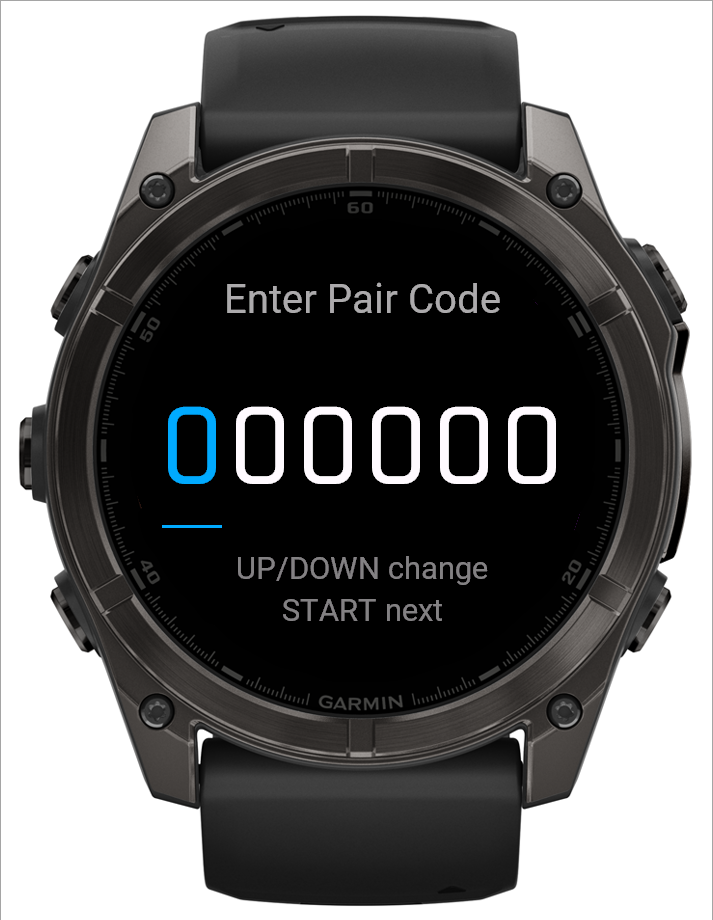
- On the watch, open BulkForged and choose Pair watch. Press UP or DOWN to set each digit of the code, and START to move to the next one.
- Start a routine from the watch.
Does the workout show up in Garmin Connect?
Yes. A workout you run on the watch also saves to Garmin Connect as a strength training activity, with heart rate and calories. Your sets and weights stay in BulkForged. More in what's saved where.
What does it cost?
The watch app is free, and so is BulkForged's Basic plan: every workout, your history, your routines and your records. Coaching, which sets your next targets for you and shows why each one moved, is a paid plan after a 14-day preview. See what each plan includes.
Is there an iPhone app?
Not yet. BulkForged is Android only today. iPhone is coming soon. Join the waitlist.
Which other Garmin watches work?
See it on video: a whole exercise logged on a fēnix, phone in the bag.
Related: Adding your watch, Using your Garmin watch, The set overview screen on your watch, The rest timer on your watch.
Get BulkForged on Google PlayMore guides
- Best strength training apps for Garmin watches
- Does Hevy work with Garmin?
- Does Strong work with Garmin?
- Does StrongLifts work with Garmin?
- Does Fitbod work with Garmin?
- Does JEFIT work with Garmin?
- Does Caliber work with Garmin?
- Which workout apps set your next weight?
- Gravl vs BulkForged on a Garmin watch
- LiftTrack vs BulkForged on a Garmin watch
- How to log a gym workout on a Garmin watch
- Why your Garmin miscounts reps
- When should you add weight?
- How many sets per muscle per week?
- How to keep muscle while losing weight
- Which Garmin watches run BulkForged?
- Switching to BulkForged from Hevy or Strong
- One gym workout on a Garmin watch, press by press
- Questions to ask before you install
- BulkForged for iPhone: coming soon
- BulkForged and Garmin Connect: what's saved where
- How the watch and phone stay in sync during a workout
- Phone in the locker, workout on your Garmin
- Machine taken? Skip to another exercise
- How to track progressive overload on a Garmin
- Why Garmin Strength Coach skips some weights
- Fix Garmin Strength weights, names and sets
- Which Garmin watch is best for lifting?
- BulkForged on the epix Pro
- BulkForged on the Forerunner
- BulkForged on the Instinct 3 AMOLED
- BulkForged on the Venu
- BulkForged on the vívoactive
- BulkForged on the Instinct