You got a new Garmin. Here's how to log a gym workout on it.
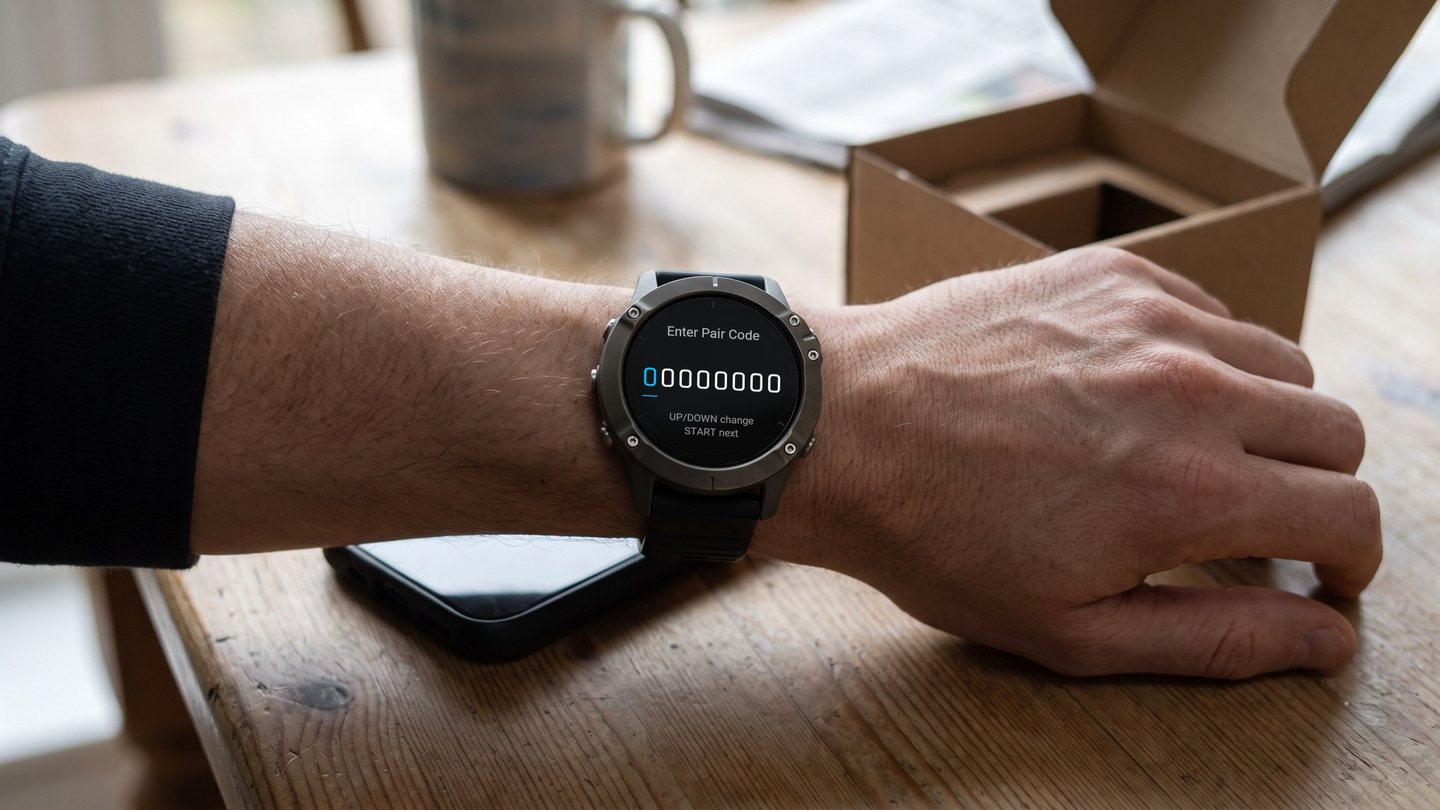
A new Garmin can already count your reps. To see what to lift before a set, you build each workout in Garmin Connect first. A Connect IQ watch app like BulkForged takes your routine from your phone instead, and setup takes about five minutes.
BulkForged works seamlessly with Garmin watches and remembers what you should lift next so you don't have to.
What does Garmin's own Strength activity do?
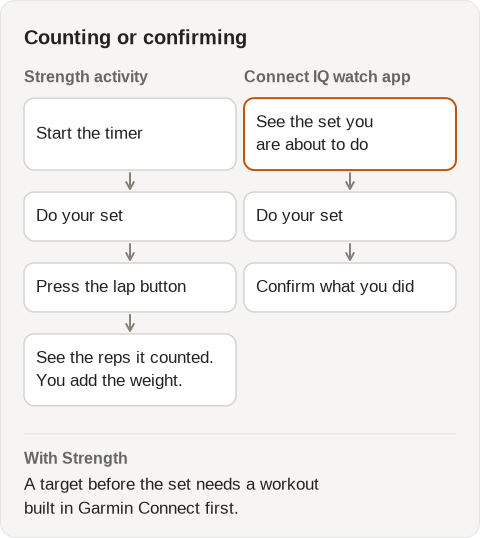
Open the activity list and choose Strength. Start the timer, do your set, then press the lap button. The watch shows the reps it counted, and you add the weight yourself.
Good for:
- Heart rate and calories for the session, recorded to Garmin Connect next to your runs and rides.
- No extra app to install.
Less good for:
- Lifts the wrist does not move. The rep counter cannot see a leg press or a leg curl.
- Knowing what to lift. Started on its own, Strength records each set after the fact. A target before the set needs a workout built in Garmin Connect first.
- Entering the weight. You scroll to it after every set, every time.
A Connect IQ watch app replaces counting with confirming: the watch already knows your routine, shows the set you are about to do, and you confirm what you did. BulkForged, our app, works this way.
How do I add BulkForged's watch app?
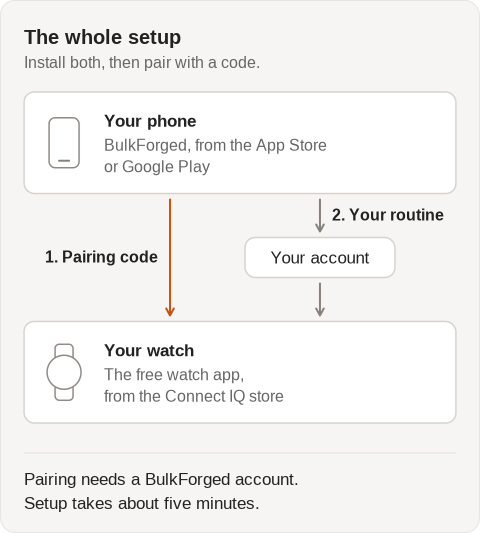
- Install BulkForged on your phone from the App Store or Google Play, and the free watch app from Garmin's Connect IQ store.
- In the phone app, open Settings, then Account & watch, then Add your watch, and tap Generate pairing code. Pairing needs a BulkForged account.
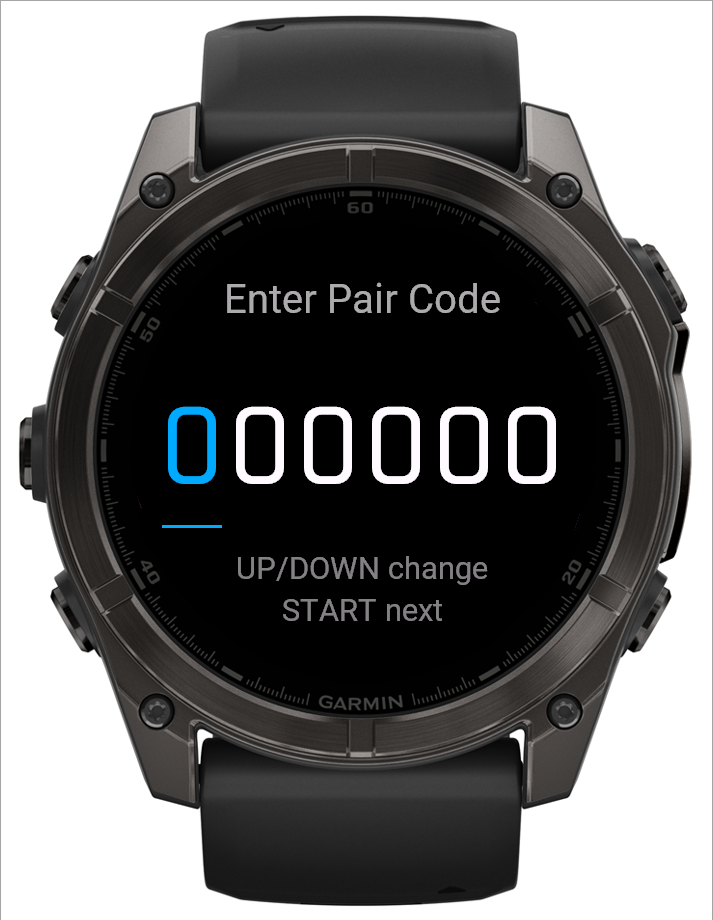
- On the watch, open BulkForged and choose Pair watch. On a watch with buttons, press UP or DOWN to set each digit and START to move to the next one; on a touchscreen watch with no UP or DOWN button, swipe up or down instead and tap to move on.
- Start a routine from the watch, or from your phone if you are mid-workout there already.¹
¹ Except on the fēnix 6 and 6S (not the Pro models), the original Enduro, the Forerunner 245, the Instinct 3 Solar and the Instinct E. There, start the routine on the watch; it sends the workout when you finish.
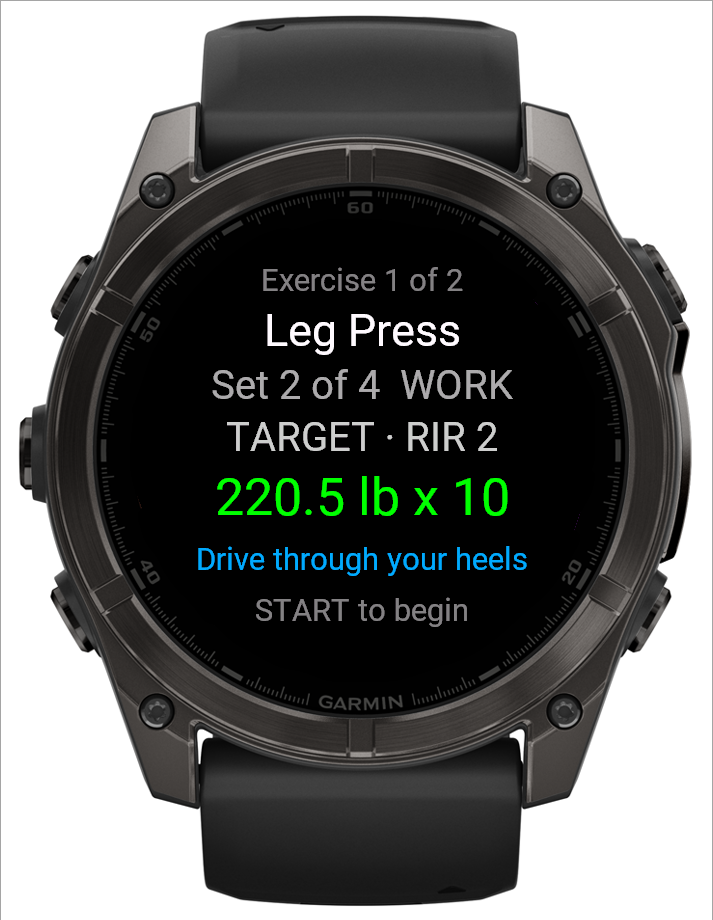
Once it's paired, the watch shows the exercise, the target weight and the target reps before every set.
Which Garmin watches does this run on?
90+ watches, button-only and touchscreen both. See every supported model to check yours by name. The main families:
What does it cost?
The watch app is free, and so is BulkForged's Basic plan: every workout, your history, your routines and your records. Coaching sets your next targets for you and shows why each one moved. It's a paid plan after a 14-day free trial. See what each plan includes.
Where do I get it?
BulkForged's phone app is free on the App Store and Google Play, and the watch app is free from Garmin's Connect IQ store. Install both, then pair the watch with a code from the phone app. That is the whole setup.
Related: Adding your watch, Using your Garmin watch, The set overview screen on your watch, The rest timer on your watch.

More guides
- Best strength training and lifting apps for Garmin watches
- Does Hevy work with Garmin?
- Does the Strong app work with Garmin?
- Does StrongLifts work with Garmin?
- Does Fitbod work with Garmin?
- Does JEFIT work with Garmin?
- Does Caliber work with Garmin?
- Does Boostcamp work with Garmin?
- Does the Ladder app work with Garmin?
- Which workout apps set your next weight?
- Gravl vs BulkForged on a Garmin watch
- LiftTrack vs BulkForged on a Garmin watch
- How to log a gym workout on a Garmin watch
- Why your Garmin miscounts reps
- When should you add weight?
- How many sets per muscle per week?
- How to keep muscle while losing weight
- Which Garmin watches run BulkForged?
- Switching to BulkForged from Hevy or Strong
- One gym workout on a Garmin watch, press by press
- Questions to ask before you install
- BulkForged for iPhone
- BulkForged and Garmin Connect: what's saved where
- How the watch and phone stay in sync during a workout
- Phone in the locker, workout on your Garmin
- Machine taken? Skip to another exercise
- How to track progressive overload on a Garmin
- Why Garmin Strength Coach skips some weights
- Garmin Strength not saving weights? The fixes
- Which Garmin watch is best for lifting?
- BulkForged on the fēnix
- BulkForged on the epix Pro
- BulkForged on the Forerunner
- BulkForged on the Instinct 3 AMOLED
- BulkForged on the Venu
- BulkForged on the vívoactive
- BulkForged on the Instinct
- Starting to lift this year